Deep Chess-Chess Partner

Deep Chess-Chess Partner

Board

| Lachezar Balgariev

Play on PC with BlueStacks or from our cloud

  • Overview
  • Game Features
  • How to Play

Page Modified On: November 28, 2025

Play Deep Chess-Chess Partner on PC or Mac

Join millions to experience Deep Chess-Chess Partner, an exciting Board game from Lachezar Balgariev. With BlueStacks App Player, you are always a step ahead of your opponent, ready to outplay them with faster gameplay and better control with the mouse and keyboard on your PC or Mac.

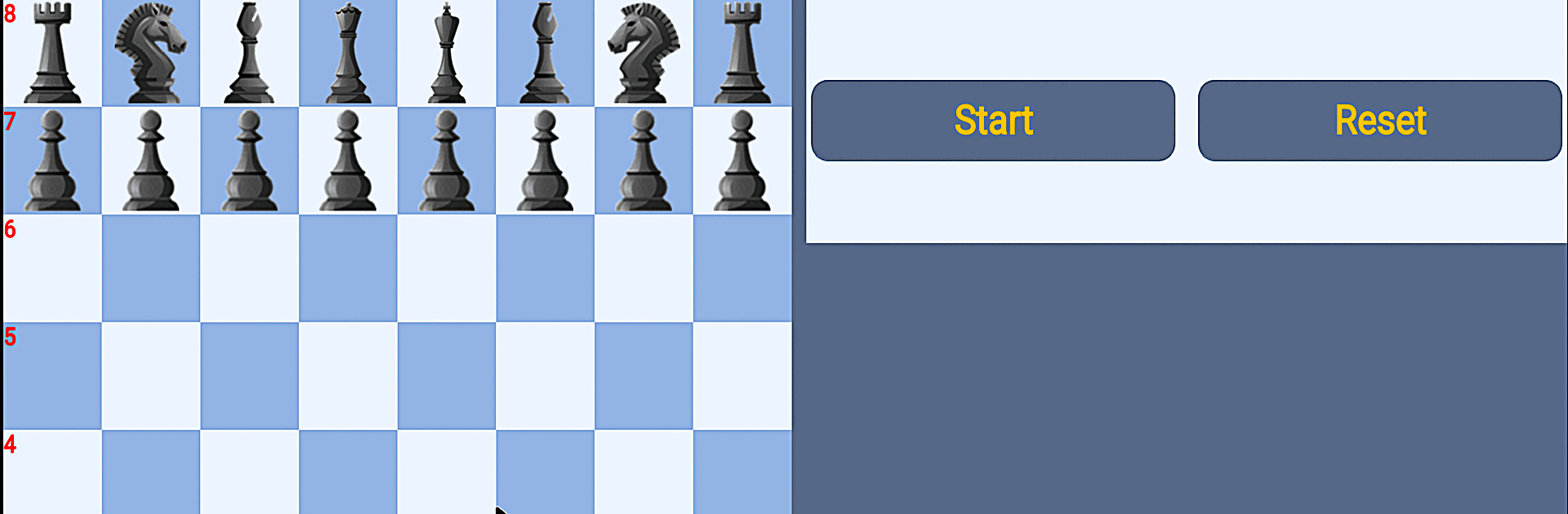
Deep Chess feels like a straight shooter for anyone who just wants a serious chess game without fluff. It has 21 strength levels that range from gentle to punishing, so a new player can practice basic tactics while a strong player can crank it up and get pushed hard. The rules are tight and complete, with stalemate, threefold repetition, fifty move rule, and all that handled correctly. Moves are easy to make too. Tap or click a piece and legal squares light up, then pick where it goes. Starting from a normal position is quick, but it also lets someone set up custom positions or even let the engine play both sides if they just want to watch lines unfold.

The extras are what make it a nice trainer. There are more than 460 puzzles, on-demand hints, a chess clock, ELO tracking, and stats to see if focus is actually improving. Wins stack into little achievements, which nudges a person to stick to one level until it feels stable. Opening book support is built in, and it can read Polyglot books, so the engine gets through the first phase fast at higher levels. Games can be saved as PGN and looked at later. Analysis is a bit old school but thorough. Enter a game, save it, load it, then use hints to walk through ideas. No ads and no in app buys, just chess. On PC with BlueStacks, the pieces are easy to grab with a mouse and the board looks clean at a bigger size, which makes longer sessions much less tiring. If someone wants a focused chess partner that scales from learning to near tournament grind, this hits that lane.

Make your gaming sessions memorable with precise controls that give you an edge in close combats and visuals that pop up, bringing every character to life.


Game Features

Enhancements

  • Macros
  • Multi Instance
  • Multi Instance Sync
  • Script
  • Enhancements
Macros

Macros

Automate the predictable in Deep Chess-Chess Partner and transform your gameplay with Macros. Get access to inventive Macros in the BlueStacks Macro Community
Multi Instance

Multi Instance

Play Deep Chess-Chess Partner on one window. And chat with your friend on the other. Press CTRL + Shift + 8 to open the Multi-Instance Manager. And start creating fresh instances or clone an existing one.
Multi Instance Sync

Multi Instance Sync

Play Deep Chess-Chess Partner with the power of Multi-Instance Sync. Replicate what you are doing on the main instance on all other instances. Level up faster, play more.
Script

Script

Script your way to gaming glory in Deep Chess-Chess Partner with BlueStacks Script. Write and run a set of commands to automate repeated tasks. Trigger the command by assigning it to any key.
Read More

How to Download and Play Deep Chess-Chess Partner on PC or Mac

  • Download and install BlueStacks on your PC or Mac

  • Complete Google sign-in to access the Play Store, or do it later

  • Look for Deep Chess-Chess Partner in the search bar at the top right corner

  • Click to install Deep Chess-Chess Partner from the search results

  • Complete Google sign-in (if you skipped step 2) to install Deep Chess-Chess Partner

  • Click the Deep Chess-Chess Partner icon on the home screen to start playing

video
Watch Video

Minimum System Requirements

With BlueStacks 5, you can get started on a PC that fulfills the following requirements.

  • Operating System

    Microsoft Windows 7 or above, macOS 11 (Big Sur) or above

  • Processor

    Intel, AMD or Apple Silicon Processor

  • RAM

    at least 4GB

  • HDD

    10GB Free Disk Space

Note:

* You must be an Administrator on your PC. Up to date graphics drivers from Microsoft or the chipset vendor.

Deep Chess-Chess Partner - FAQs

  • How to play Deep Chess-Chess Partner on Windows PC & Mac?

    Play Deep Chess-Chess Partner on your PC or Mac by following these simple steps.

    • Click on 'Play Deep Chess-Chess Partner on PC’ to download BlueStacks
    • Install it and log-in to Google Play Store
    • Launch and play the game.
  • Why is BlueStacks the fastest and safest platform to play games on PC?

    BlueStacks respects your privacy and is always safe and secure to use. It does not carry any malware, spyware, or any sort of additional software that could harm your PC.

    It is engineered to optimize speed and performance for a seamless gaming experience.

  • What are Deep Chess-Chess Partner PC requirements?

    Minimum requirement to run Deep Chess-Chess Partner on your PC

    • OS: Microsoft Windows 7 or above MacOS 11 (Big Sur) or above
    • Processor: Intel, AMD or Apple Silicon Processor
    • RAM: Your PC must have at least 4GB of RAM. (Note that having 4GB or more disk space is not a substitute for RAM)
    • HDD: 10GB Free Disk Space.
    • You must be an Administrator on your PC.