Good Knight Story
Good Knight Story

Good Knight Story

Board

| Turbo Chilli

Play on PC with BlueStacks or from our cloud

  • Overview
  • Game Features
  • How to Play

Page Modified On: May 25, 2026

Play Good Knight Story on PC or Mac

Step into the World of Good Knight Story, a thrilling Board game from the house of Turbo Chilli. Play this Android game on BlueStacks App Player and experience immersive gaming on PC or Mac.

About the Game

Good Knight Story throws you headfirst into a very bad morning: you wake up in a dungeon, your head’s pounding, and your memory’s a total blank. From there, it’s a puzzle-combat romp where every smart swap and cheeky quip nudges you closer to the truth. Expect goofy banter, strange creatures, and plenty of “wait, what happened last night?” moments along the way. If you like board-style puzzle battles with personality, this one’s got it—playable on BlueStacks if you prefer a bigger screen.

Game Features

  • Story-driven misadventure: Unravel a comically chaotic night as a well-meaning knight tries to piece together his very questionable choices.
  • Match-3 battles with a twist: Swap tiles to strike, defend, and trigger skills. Chaining combos really matters when goblins and skeletons crowd the board.
  • 100+ handcrafted stages: Push through dungeons, taverns, and other trouble spots, each with new layouts, hazards, and enemy types.
  • Big, cheeky boss fights: Face larger-than-life baddies with patterns you’ll need to read—and cleverly counter.
  • Upgrades and weapons: Earn gear, strengthen your loadout, and tune your kit to hit harder, survive longer, or just cause more chaos.
  • Build-your-knight perks: Pick upgrades that fit your style, whether you want chunky defense, crit-heavy swings, or steady utility.
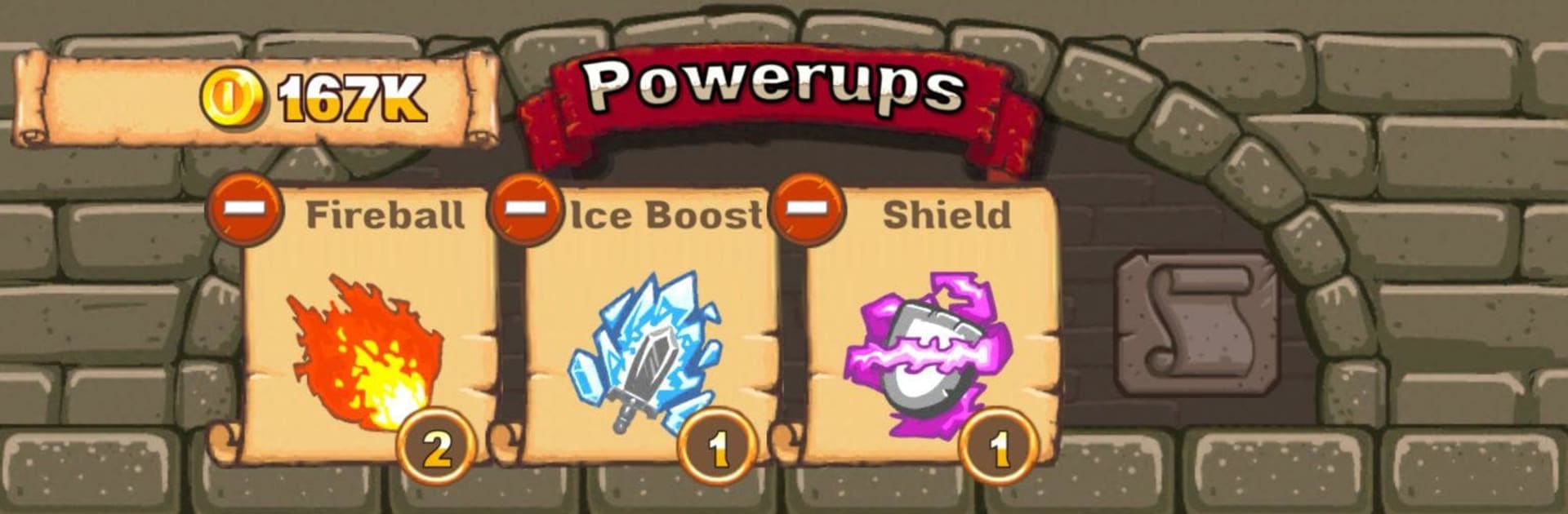
  • Handy boosts to unlock: Stash special power-ups for tight spots and pull them out when a fight gets spicy.
  • Oddball humor everywhere: Expect terrible puns, questionable beverages, and an alarming number of “very handsome” tavern keepers.
  • Custom soundtrack: A themed score that leans into the adventure—and the nonsense.
  • Quick, snackable sessions: Great for short bursts or marathon clears, and just as comfy with keyboard and mouse on BlueStacks.

Ready to top the leaderboard? We bet you do. Let precise controls and sharp visuals optimized on BlueStacks lead you to victory.


Game Features

Enhancements

  • Macros
  • Multi Instance
  • Multi Instance Sync
  • Script
  • Enhancements
Macros

Macros

Automate the predictable in Good Knight Story and transform your gameplay with Macros. Get access to inventive Macros in the BlueStacks Macro Community
Multi Instance

Multi Instance

Play Good Knight Story on one window. And chat with your friend on the other. Press CTRL + Shift + 8 to open the Multi-Instance Manager. And start creating fresh instances or clone an existing one.
Multi Instance Sync

Multi Instance Sync

Play Good Knight Story with the power of Multi-Instance Sync. Replicate what you are doing on the main instance on all other instances. Level up faster, play more.
Script

Script

Script your way to gaming glory in Good Knight Story with BlueStacks Script. Write and run a set of commands to automate repeated tasks. Trigger the command by assigning it to any key.
Read More

How to Download and Play Good Knight Story on PC or Mac

  • Download and install BlueStacks on your PC or Mac

  • Complete Google sign-in to access the Play Store, or do it later

  • Look for Good Knight Story in the search bar at the top right corner

  • Click to install Good Knight Story from the search results

  • Complete Google sign-in (if you skipped step 2) to install Good Knight Story

  • Click the Good Knight Story icon on the home screen to start playing

video
Watch Video

Minimum System Requirements

With BlueStacks 5, you can get started on a PC that fulfills the following requirements.

  • Operating System

    Microsoft Windows 7 or above, macOS 11 (Big Sur) or above

  • Processor

    Intel, AMD or Apple Silicon Processor

  • RAM

    at least 4GB

  • HDD

    10GB Free Disk Space

Note:

* You must be an Administrator on your PC. Up to date graphics drivers from Microsoft or the chipset vendor.

Good Knight Story - FAQs

  • How to play Good Knight Story on Windows PC & Mac?

    Play Good Knight Story on your PC or Mac by following these simple steps.

    • Click on 'Play Good Knight Story on PC’ to download BlueStacks
    • Install it and log-in to Google Play Store
    • Launch and play the game.
  • Why is BlueStacks the fastest and safest platform to play games on PC?

    BlueStacks respects your privacy and is always safe and secure to use. It does not carry any malware, spyware, or any sort of additional software that could harm your PC.

    It is engineered to optimize speed and performance for a seamless gaming experience.

  • What are Good Knight Story PC requirements?

    Minimum requirement to run Good Knight Story on your PC

    • OS: Microsoft Windows 7 or above MacOS 11 (Big Sur) or above
    • Processor: Intel, AMD or Apple Silicon Processor
    • RAM: Your PC must have at least 4GB of RAM. (Note that having 4GB or more disk space is not a substitute for RAM)
    • HDD: 10GB Free Disk Space.
    • You must be an Administrator on your PC.