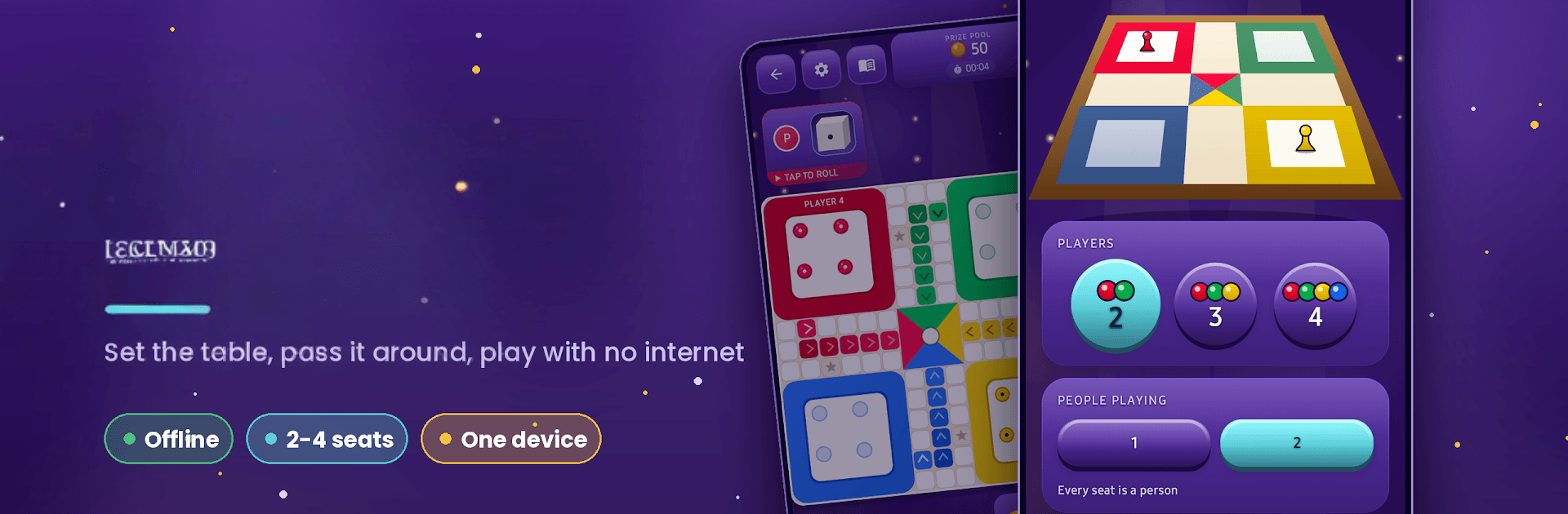
Ludo Game : Play Together

Ludo Game : Play Together

Board

| Mukta Education Apps

Play on PC with BlueStacks or from our cloud

  • Overview
  • Game Features
  • How to Play

Page Modified On: October 21, 2026

Play Ludo Game : Play Together on PC or Mac

Play Ludo Game : Play Together by Mukta Education Apps on PC or Mac with BlueStacks. Use a bigger screen, mouse and keyboard controls, and smoother performance while you play.

About the Game

Ludo Game : Play Together brings the timeless race of tokens and dice to life with a clean, modern feel. It’s a relaxed hangout when you want it and a tug-of-war of strategy when luck turns wild. Genre: Board. Jump in for quick matches with friends or square off against players around the world—easy to learn, surprisingly tough to put down. Prefer a bigger screen? It’s also comfortable to play on BlueStacks.

Game Features

  • Play Your Way: Choose 2-, 3-, or 4-player matches to fit a short break or a lively group session.
  • Friends, Fast: Create private rooms, send invites, and keep the rivalry going with the people you actually know.
  • Online Matchmaking: Challenge real players globally and test your tactics against fresh playstyles.
  • Local Fun: Pass-and-play on one screen or connect nearby over Wi‑Fi for an old-school, in-the-same-room feel.
  • Smart Solo Practice: Face capable AI opponents to sharpen decisions and experiment with risky (or safe) moves.
  • Chat & Voice: Keep it social with in-game messaging and supported voice chat so every roll has commentary.
  • Profiles & Stats: Pick an avatar, track wins and losses, review match history, and see how your style evolves.
  • Themes & Looks: Swap in different visual themes, token styles, and sounds to match your mood.
  • Smooth Controls: Snappy turns, crisp animations, and responsive interactions keep the pace lively.
  • Leaderboards & Achievements: Climb the ranks, collect milestones, and see where you stand.
  • Fair & Secure Play: Enjoy a steady, reliable environment focused on good matches and good vibes.
  • BlueStacks Friendly: Prefer playing on PC? Ludo Game : Play Together runs nicely on BlueStacks for a laid-back, big-screen session.

BlueStacks gives you more room to focus on the game and less time adjusting around mobile limitations.


Game Features

Enhancements

  • Macros
  • Multi Instance
  • Multi Instance Sync
  • Script
  • Enhancements
Macros

Macros

Automate the predictable in Ludo Game : Play Together and transform your gameplay with Macros. Get access to inventive Macros in the BlueStacks Macro Community
Multi Instance

Multi Instance

Play Ludo Game : Play Together on one window. And chat with your friend on the other. Press CTRL + Shift + 8 to open the Multi-Instance Manager. And start creating fresh instances or clone an existing one.
Multi Instance Sync

Multi Instance Sync

Play Ludo Game : Play Together with the power of Multi-Instance Sync. Replicate what you are doing on the main instance on all other instances. Level up faster, play more.
Script

Script

Script your way to gaming glory in Ludo Game : Play Together with BlueStacks Script. Write and run a set of commands to automate repeated tasks. Trigger the command by assigning it to any key.
Read More

How to Download and Play Ludo Game : Play Together on PC or Mac

  • Download and install BlueStacks on your PC or Mac

  • Complete Google sign-in to access the Play Store, or do it later

  • Look for Ludo Game : Play Together in the search bar at the top right corner

  • Click to install Ludo Game : Play Together from the search results

  • Complete Google sign-in (if you skipped step 2) to install Ludo Game : Play Together

  • Click the Ludo Game : Play Together icon on the home screen to start playing

video
Watch Video

Minimum System Requirements

With BlueStacks 5, you can get started on a PC that fulfills the following requirements.

  • Operating System

    Microsoft Windows 7 or above, macOS 11 (Big Sur) or above

  • Processor

    Intel, AMD or Apple Silicon Processor

  • RAM

    at least 4GB

  • HDD

    10GB Free Disk Space

Note:

* You must be an Administrator on your PC. Up to date graphics drivers from Microsoft or the chipset vendor.

Ludo Game : Play Together - FAQs

  • How to play Ludo Game : Play Together on Windows PC & Mac?

    Play Ludo Game : Play Together on your PC or Mac by following these simple steps.

    • Click on 'Play Ludo Game : Play Together on PC’ to download BlueStacks
    • Install it and log-in to Google Play Store
    • Launch and play the game.
  • Why is BlueStacks the fastest and safest platform to play games on PC?

    BlueStacks respects your privacy and is always safe and secure to use. It does not carry any malware, spyware, or any sort of additional software that could harm your PC.

    It is engineered to optimize speed and performance for a seamless gaming experience.

  • What are Ludo Game : Play Together PC requirements?

    Minimum requirement to run Ludo Game : Play Together on your PC

    • OS: Microsoft Windows 7 or above MacOS 11 (Big Sur) or above
    • Processor: Intel, AMD or Apple Silicon Processor
    • RAM: Your PC must have at least 4GB of RAM. (Note that having 4GB or more disk space is not a substitute for RAM)
    • HDD: 10GB Free Disk Space.
    • You must be an Administrator on your PC.