雀皇麻雀 - 初心者向け麻雀ゲーム
雀皇麻雀 - 初心者向け麻雀ゲーム

雀皇麻雀 - 初心者向け麻雀ゲーム

Board

| Rollingsea HongKong Limited

Play on PC with BlueStacks or from our cloud

  • Overview
  • Game Features
  • How to Play

Page Modified On: June 02, 2026

Play 雀皇麻雀 - 初心者向け麻雀ゲーム on PC or Mac

雀皇麻雀 – 初心者向け麻雀ゲーム brings the Board genre to life, and throws up exciting challenges for gamers. Developed by Rollingsea HongKong Limited, this Android game is best experienced on BlueStacks, the World’s #1 app player for PC and Mac users.

About the Game

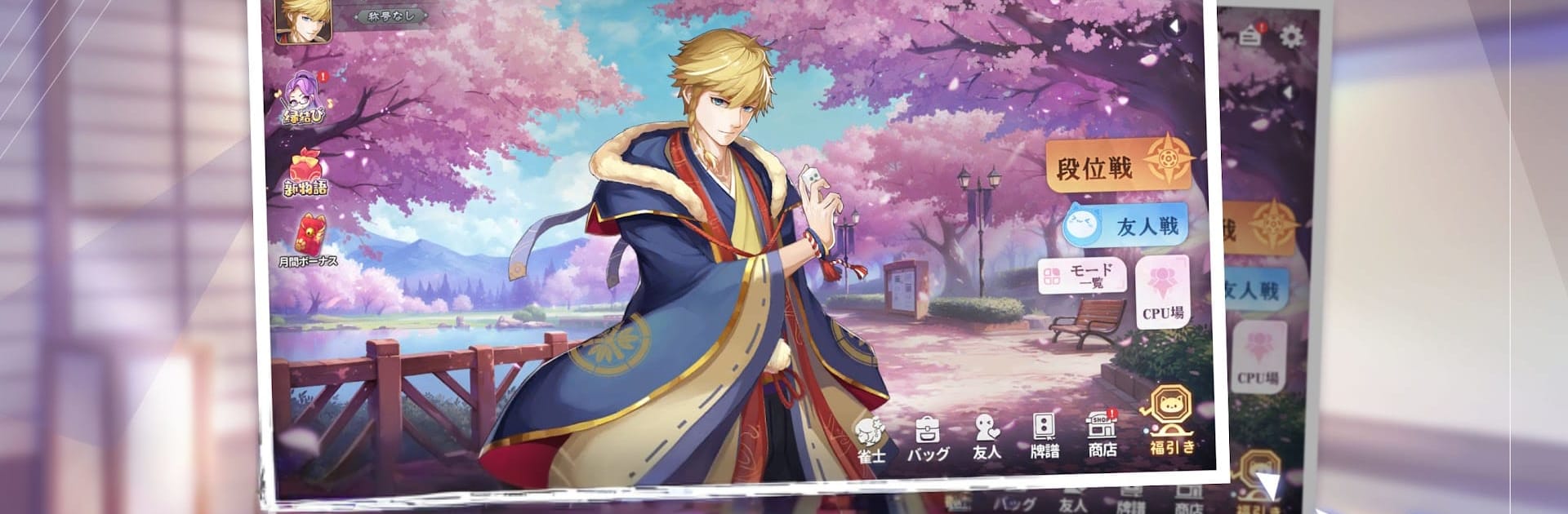
雀皇麻雀 – 初心者向け麻雀ゲーム makes learning and playing riichi mahjong feel approachable and seriously fun. It blends friendly tutorials with lively online play, so you can practice at your own pace and then jump into real matches when you’re ready. Whether you prefer classic 4-player tables or the speedy 3-player variant, it’s all here with a clean look and plenty of personality.

Game Features

  • Beginner-friendly tutorials: Clear, step-by-step lessons explain rules, yaku, and table flow. Handy hints help you choose tiles and understand why a move works.
  • Play your way: Hop into Ranked for competitive climbs, Challenge for varied goals, Friend Matches to chill with buddies, or CPU Battles to sharpen skills quietly.
  • 4-player and 3-player modes: Switch between traditional 4-player riichi and the faster-paced 3-player format whenever you want a different rhythm.
  • Smooth, responsive controls: Actions feel natural and quick, echoing the flow of a real table so you can focus on reads and strategy.
  • Smart stat tracking: Performance data and post-game breakdowns highlight patterns in your play, making improvement feel tangible.
  • Character-driven story: Meet distinctive characters, unlock scenes, swap messages, and uncover the personal mysteries behind the tiles as relationships deepen.
  • Live2D visuals and vivid scenes: Expressive animations and CG moments bring tension, humor, and small emotional beats to life.
  • Deep customization: Tweak table skins, tiles, wallpaper, frames, reach sticks, character looks, and effects to match your vibe.
  • Fair progression: Earn in-game coins by playing and clearing missions, then use them across modes—no paywall blocking the fun.
  • Optional PC play with BlueStacks: Prefer a bigger screen and mouse clicks? You can take your sessions there without changing how the game feels.

Start playing 雀皇麻雀 – 初心者向け麻雀ゲーム on BlueStacks and get a smoother, more comfortable PC or Mac setup.


Game Features

Enhancements

  • Macros
  • Multi Instance
  • Multi Instance Sync
  • Script
  • Enhancements
Macros

Macros

Automate the predictable in 雀皇麻雀 - 初心者向け麻雀ゲーム and transform your gameplay with Macros. Get access to inventive Macros in the BlueStacks Macro Community
Multi Instance

Multi Instance

Play 雀皇麻雀 - 初心者向け麻雀ゲーム on one window. And chat with your friend on the other. Press CTRL + Shift + 8 to open the Multi-Instance Manager. And start creating fresh instances or clone an existing one.
Multi Instance Sync

Multi Instance Sync

Play 雀皇麻雀 - 初心者向け麻雀ゲーム with the power of Multi-Instance Sync. Replicate what you are doing on the main instance on all other instances. Level up faster, play more.
Script

Script

Script your way to gaming glory in 雀皇麻雀 - 初心者向け麻雀ゲーム with BlueStacks Script. Write and run a set of commands to automate repeated tasks. Trigger the command by assigning it to any key.
Read More

How to Download and Play 雀皇麻雀 - 初心者向け麻雀ゲーム on PC or Mac

  • Download and install BlueStacks on your PC or Mac

  • Complete Google sign-in to access the Play Store, or do it later

  • Look for 雀皇麻雀 - 初心者向け麻雀ゲーム in the search bar at the top right corner

  • Click to install 雀皇麻雀 - 初心者向け麻雀ゲーム from the search results

  • Complete Google sign-in (if you skipped step 2) to install 雀皇麻雀 - 初心者向け麻雀ゲーム

  • Click the 雀皇麻雀 - 初心者向け麻雀ゲーム icon on the home screen to start playing

video
Watch Video

Minimum System Requirements

With BlueStacks 5, you can get started on a PC that fulfills the following requirements.

  • Operating System

    Microsoft Windows 7 or above, macOS 11 (Big Sur) or above

  • Processor

    Intel, AMD or Apple Silicon Processor

  • RAM

    at least 4GB

  • HDD

    10GB Free Disk Space

Note:

* You must be an Administrator on your PC. Up to date graphics drivers from Microsoft or the chipset vendor.

雀皇麻雀 - 初心者向け麻雀ゲーム - FAQs

  • How to play 雀皇麻雀 - 初心者向け麻雀ゲーム on Windows PC & Mac?

    Play 雀皇麻雀 - 初心者向け麻雀ゲーム on your PC or Mac by following these simple steps.

    • Click on 'Play 雀皇麻雀 - 初心者向け麻雀ゲーム on PC’ to download BlueStacks
    • Install it and log-in to Google Play Store
    • Launch and play the game.
  • Why is BlueStacks the fastest and safest platform to play games on PC?

    BlueStacks respects your privacy and is always safe and secure to use. It does not carry any malware, spyware, or any sort of additional software that could harm your PC.

    It is engineered to optimize speed and performance for a seamless gaming experience.

  • What are 雀皇麻雀 - 初心者向け麻雀ゲーム PC requirements?

    Minimum requirement to run 雀皇麻雀 - 初心者向け麻雀ゲーム on your PC

    • OS: Microsoft Windows 7 or above MacOS 11 (Big Sur) or above
    • Processor: Intel, AMD or Apple Silicon Processor
    • RAM: Your PC must have at least 4GB of RAM. (Note that having 4GB or more disk space is not a substitute for RAM)
    • HDD: 10GB Free Disk Space.
    • You must be an Administrator on your PC.