Merry Christmas Color

Merry Christmas Color

Board

| Special Coloring Studio

Play on PC with BlueStacks or from our cloud

  • Overview
  • Game Features
  • How to Play

Page Modified On: October 08, 2026

Play Merry Christmas Color on PC or Mac

Merry Christmas Color by Special Coloring Studio has plenty to keep you busy. BlueStacks lets you play it on PC or Mac with more screen space, better control, and fewer mobile limits.

About the Game

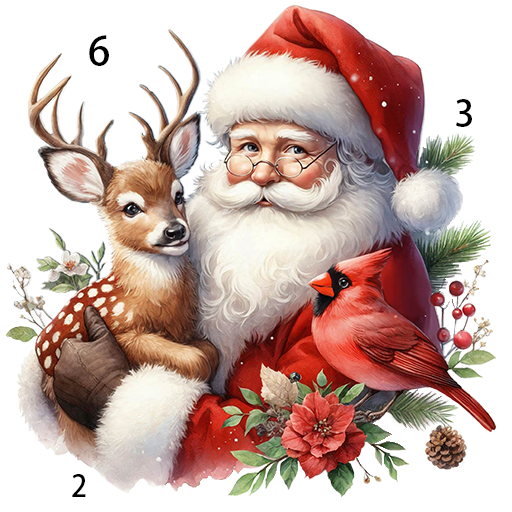
Merry Christmas Color is a cozy, color-by-number Board game that wraps you in classic holiday charm. It’s all about relaxing moments: pick a picture, match the numbers, and watch a vintage Christmas scene slowly glow to life. Expect elegant fashion, warm lights, and nostalgic decor that feels like paging through an old holiday album. Prefer coloring on a larger display? It plays comfortably on BlueStacks without getting in the way.

Game Features

  • Vintage holiday art: Color scenes that capture a timeless Christmas—soft lights, classic interiors, and a touch of old-world elegance.
  • Cozy winter scenes: From candlelit rooms to snow-dusted windows, each picture feels like a moment you’d want to frame.
  • Fashion and family moments: Bring graceful women in vintage outfits and cheerful children in festive attire to life, one shade at a time.
  • Decorations to savor: Fill in bells, ribbons, wreaths, garlands, snow globes, ornaments, toys, gifts, and beautifully dressed trees.
  • Tap-to-color ease: No drawing skills needed—choose an image, follow the numbers, tap to fill, and watch the details unfold.
  • Gentle, calming flow: Set your own pace, whether you’ve got a few spare minutes or want a longer, soothing coloring session.
  • Rich, satisfying details: Clean outlines and thoughtful palettes make every finished picture feel polished and pleasantly nostalgic.
  • Perfect for the season: When you want a quiet break from the bustle, these warm scenes offer a simple, relaxing holiday escape.

Start playing Merry Christmas Color on BlueStacks and get a smoother, more comfortable PC or Mac setup.


Game Features

Enhancements

  • Macros
  • Multi Instance
  • Multi Instance Sync
  • Script
  • Enhancements
Macros

Macros

Automate the predictable in Merry Christmas Color and transform your gameplay with Macros. Get access to inventive Macros in the BlueStacks Macro Community
Multi Instance

Multi Instance

Play Merry Christmas Color on one window. And chat with your friend on the other. Press CTRL + Shift + 8 to open the Multi-Instance Manager. And start creating fresh instances or clone an existing one.
Multi Instance Sync

Multi Instance Sync

Play Merry Christmas Color with the power of Multi-Instance Sync. Replicate what you are doing on the main instance on all other instances. Level up faster, play more.
Script

Script

Script your way to gaming glory in Merry Christmas Color with BlueStacks Script. Write and run a set of commands to automate repeated tasks. Trigger the command by assigning it to any key.
Read More

How to Download and Play Merry Christmas Color on PC or Mac

  • Download and install BlueStacks on your PC or Mac

  • Complete Google sign-in to access the Play Store, or do it later

  • Look for Merry Christmas Color in the search bar at the top right corner

  • Click to install Merry Christmas Color from the search results

  • Complete Google sign-in (if you skipped step 2) to install Merry Christmas Color

  • Click the Merry Christmas Color icon on the home screen to start playing

video
Watch Video

Minimum System Requirements

With BlueStacks 5, you can get started on a PC that fulfills the following requirements.

  • Operating System

    Microsoft Windows 7 or above, macOS 11 (Big Sur) or above

  • Processor

    Intel, AMD or Apple Silicon Processor

  • RAM

    at least 4GB

  • HDD

    10GB Free Disk Space

Note:

* You must be an Administrator on your PC. Up to date graphics drivers from Microsoft or the chipset vendor.

Merry Christmas Color - FAQs

  • How to play Merry Christmas Color on Windows PC & Mac?

    Play Merry Christmas Color on your PC or Mac by following these simple steps.

    • Click on 'Play Merry Christmas Color on PC’ to download BlueStacks
    • Install it and log-in to Google Play Store
    • Launch and play the game.
  • Why is BlueStacks the fastest and safest platform to play games on PC?

    BlueStacks respects your privacy and is always safe and secure to use. It does not carry any malware, spyware, or any sort of additional software that could harm your PC.

    It is engineered to optimize speed and performance for a seamless gaming experience.

  • What are Merry Christmas Color PC requirements?

    Minimum requirement to run Merry Christmas Color on your PC

    • OS: Microsoft Windows 7 or above MacOS 11 (Big Sur) or above
    • Processor: Intel, AMD or Apple Silicon Processor
    • RAM: Your PC must have at least 4GB of RAM. (Note that having 4GB or more disk space is not a substitute for RAM)
    • HDD: 10GB Free Disk Space.
    • You must be an Administrator on your PC.