Pax Viking Junior
Pax Viking Junior

Pax Viking Junior

Board

| Ion Game Design

Play on PC with BlueStacks or from our cloud

  • Overview
  • Game Features
  • How to Play

Page Modified On: October 08, 2026

Play Pax Viking Junior on PC or Mac

Pax Viking Junior brings the Board genre to life, and throws up exciting challenges for gamers. Developed by Ion Game Design, this Android game is best experienced on BlueStacks, the World’s #1 app player for PC and Mac users.

About the Game

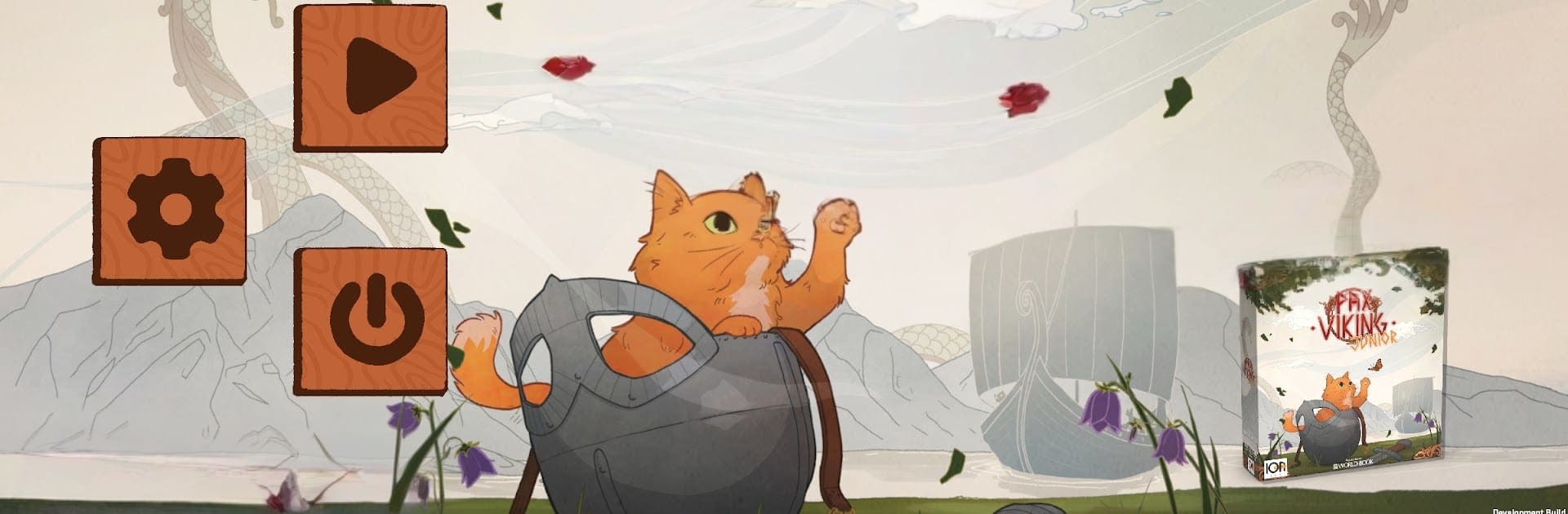
Pax Viking Junior turns big Viking adventures into something warm, friendly, and totally playable for kids and families. This Board experience mixes light strategy with real bits of history and myth—think trading, exploring, caring for animals, and names like Freya—so everyone learns while they play. Prefer a bigger view? It runs smoothly on BlueStacks without getting in the way.

Game Features

  • Friendly strategy for young players: Decisions are clear and rewarding, so kids feel confident while still getting that “I figured it out!” moment.
  • Norse myths with a smile: Meet Freya and her cat-pulled chariot, plus other kid-safe legends that spark questions and imagination.
  • Everyday Viking life, not just battles: Explore, trade, and care for animals to see how communities grew and thrived across the north.
  • Built for family time: Straightforward rules and a welcoming pace make it easy for mixed ages to sit down and play together.
  • Encourages teamwork and talk: Planning together and sharing ideas naturally builds cooperation and social skills.
  • Educational without the homework vibe: Real cultural tidbits and gentle storytelling sneak in learning while the game keeps things fun.
  • Colorful, inviting presentation: Bright visuals and a cozy tone help younger players follow along and stay engaged.
  • Great for ages 6 and up: Simple to grasp for kids, but with enough choice to keep older siblings and adults interested.
  • Replayable journeys: Different paths and decisions keep sessions feeling fresh, letting kids try new approaches each time.

BlueStacks gives you more room to focus on the game and less time adjusting around mobile limitations.


Game Features

Enhancements

  • Macros
  • Multi Instance
  • Multi Instance Sync
  • Script
  • Enhancements
Macros

Macros

Automate the predictable in Pax Viking Junior and transform your gameplay with Macros. Get access to inventive Macros in the BlueStacks Macro Community
Multi Instance

Multi Instance

Play Pax Viking Junior on one window. And chat with your friend on the other. Press CTRL + Shift + 8 to open the Multi-Instance Manager. And start creating fresh instances or clone an existing one.
Multi Instance Sync

Multi Instance Sync

Play Pax Viking Junior with the power of Multi-Instance Sync. Replicate what you are doing on the main instance on all other instances. Level up faster, play more.
Script

Script

Script your way to gaming glory in Pax Viking Junior with BlueStacks Script. Write and run a set of commands to automate repeated tasks. Trigger the command by assigning it to any key.
Read More

How to Download and Play Pax Viking Junior on PC or Mac

  • Download and install BlueStacks on your PC or Mac

  • Complete Google sign-in to access the Play Store, or do it later

  • Look for Pax Viking Junior in the search bar at the top right corner

  • Click to install Pax Viking Junior from the search results

  • Complete Google sign-in (if you skipped step 2) to install Pax Viking Junior

  • Click the Pax Viking Junior icon on the home screen to start playing

video
Watch Video

Minimum System Requirements

With BlueStacks 5, you can get started on a PC that fulfills the following requirements.

  • Operating System

    Microsoft Windows 7 or above, macOS 11 (Big Sur) or above

  • Processor

    Intel, AMD or Apple Silicon Processor

  • RAM

    at least 4GB

  • HDD

    10GB Free Disk Space

Note:

* You must be an Administrator on your PC. Up to date graphics drivers from Microsoft or the chipset vendor.

Pax Viking Junior - FAQs

  • How to play Pax Viking Junior on Windows PC & Mac?

    Play Pax Viking Junior on your PC or Mac by following these simple steps.

    • Click on 'Play Pax Viking Junior on PC’ to download BlueStacks
    • Install it and log-in to Google Play Store
    • Launch and play the game.
  • Why is BlueStacks the fastest and safest platform to play games on PC?

    BlueStacks respects your privacy and is always safe and secure to use. It does not carry any malware, spyware, or any sort of additional software that could harm your PC.

    It is engineered to optimize speed and performance for a seamless gaming experience.

  • What are Pax Viking Junior PC requirements?

    Minimum requirement to run Pax Viking Junior on your PC

    • OS: Microsoft Windows 7 or above MacOS 11 (Big Sur) or above
    • Processor: Intel, AMD or Apple Silicon Processor
    • RAM: Your PC must have at least 4GB of RAM. (Note that having 4GB or more disk space is not a substitute for RAM)
    • HDD: 10GB Free Disk Space.
    • You must be an Administrator on your PC.