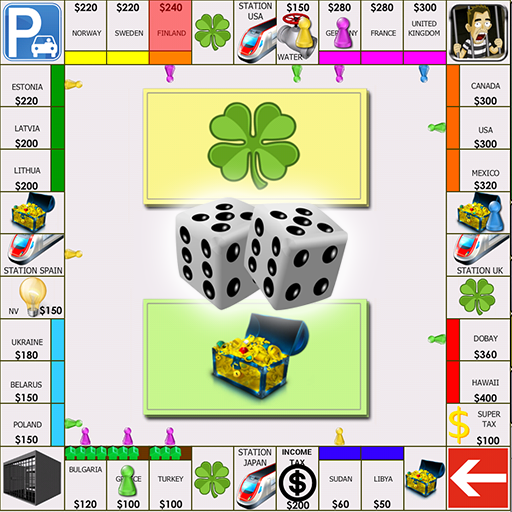
Randomizer
Randomizer

Randomizer

Board

| micro.tools

Play on PC with BlueStacks or from our cloud

  • Overview
  • Game Features
  • How to Play

Page Modified On: September 07, 2026

Play Randomizer on PC or Mac

Play Randomizer by micro.tools on PC or Mac with BlueStacks. Use a bigger screen, mouse and keyboard controls, and smoother performance while you play.

About the Game

Randomizer is your all-in-one toolkit for quick decisions, game night setups, and anything that needs a fair shake. It’s a versatile helper that keeps things moving—roll dice, pick names, shuffle lists, split teams, and more without fuss. Sitting under the Board genre, it fits right in with tabletop sessions and party play, and it runs smoothly on BlueStacks if you like using a bigger screen.

Game Features

  • Dice Roller: Roll 1 to 16 dice with up to 100 sides each—great for tabletop rulesets, party games, and those “wait, who goes first?” moments, plus an optional total display for quick math.
  • Random Number Generator: Generate single or multiple numbers within your own range, with the choice to allow repeats or keep everything unique.
  • List Picker: Enter names, tasks, or choices and let the app pick one at random—perfect for winner picks, decisions, and quick tie-breakers.
  • List Shuffler: Mix any list into a brand-new order for turns, playlists, tasks, or seating plans when you want a clean reset.
  • Coin Flip: Tap once for a simple heads-or-tails decision when you just need a yes/no call.
  • Spin the Bottle: Add players and spin to select someone—ideal for casual group games without keeping track manually.
  • Sequence Generator: Create ordered or randomized number sequences from any range for activities, counting games, or permutations.
  • Team Generator: Drop in names and instantly split them into fair groups or pairs for classes, workshops, and sports.
  • Date Randomizer: Pick a random date between two points in time for challenges, planning ideas, or schedules.
  • Integer Sets: Build unique number sets with custom ranges and sizes—handy for lottery-style combos or practice samples.
  • Favorites & Search: Pin go-to tools and find what you need fast right from the home screen.
  • Themes & Feedback: Switch between light, dark, or system theme, and toggle sound effects and haptics to match your vibe.
  • Quick, Local Use: Use it instantly with no account setup—everything is designed for speed and on-the-spot decisions.

BlueStacks gives you more room to focus on the game and less time adjusting around mobile limitations.


Game Features

Enhancements

  • Macros
  • Multi Instance
  • Multi Instance Sync
  • Script
  • Enhancements
Macros

Macros

Automate the predictable in Randomizer and transform your gameplay with Macros. Get access to inventive Macros in the BlueStacks Macro Community
Multi Instance

Multi Instance

Play Randomizer on one window. And chat with your friend on the other. Press CTRL + Shift + 8 to open the Multi-Instance Manager. And start creating fresh instances or clone an existing one.
Multi Instance Sync

Multi Instance Sync

Play Randomizer with the power of Multi-Instance Sync. Replicate what you are doing on the main instance on all other instances. Level up faster, play more.
Script

Script

Script your way to gaming glory in Randomizer with BlueStacks Script. Write and run a set of commands to automate repeated tasks. Trigger the command by assigning it to any key.
Read More

How to Download and Play Randomizer on PC or Mac

  • Download and install BlueStacks on your PC or Mac

  • Complete Google sign-in to access the Play Store, or do it later

  • Look for Randomizer in the search bar at the top right corner

  • Click to install Randomizer from the search results

  • Complete Google sign-in (if you skipped step 2) to install Randomizer

  • Click the Randomizer icon on the home screen to start playing

video
Watch Video

Minimum System Requirements

With BlueStacks 5, you can get started on a PC that fulfills the following requirements.

  • Operating System

    Microsoft Windows 7 or above, macOS 11 (Big Sur) or above

  • Processor

    Intel, AMD or Apple Silicon Processor

  • RAM

    at least 4GB

  • HDD

    10GB Free Disk Space

Note:

* You must be an Administrator on your PC. Up to date graphics drivers from Microsoft or the chipset vendor.

Randomizer - FAQs

  • How to play Randomizer on Windows PC & Mac?

    Play Randomizer on your PC or Mac by following these simple steps.

    • Click on 'Play Randomizer on PC’ to download BlueStacks
    • Install it and log-in to Google Play Store
    • Launch and play the game.
  • Why is BlueStacks the fastest and safest platform to play games on PC?

    BlueStacks respects your privacy and is always safe and secure to use. It does not carry any malware, spyware, or any sort of additional software that could harm your PC.

    It is engineered to optimize speed and performance for a seamless gaming experience.

  • What are Randomizer PC requirements?

    Minimum requirement to run Randomizer on your PC

    • OS: Microsoft Windows 7 or above MacOS 11 (Big Sur) or above
    • Processor: Intel, AMD or Apple Silicon Processor
    • RAM: Your PC must have at least 4GB of RAM. (Note that having 4GB or more disk space is not a substitute for RAM)
    • HDD: 10GB Free Disk Space.
    • You must be an Administrator on your PC.