Steal it all Catch  Brainrot

Steal it all Catch Brainrot

Board

| Felix Heimry

Play on PC with BlueStacks or from our cloud

  • Overview
  • Game Features
  • How to Play

Page Modified On: September 12, 2025

Play Steal it all Catch Brainrot on PC or Mac

Explore a whole new adventure with Steal it all Catch Brainrot, a Board game created by Felix Heimry. Experience great gameplay with BlueStacks, the most popular gaming platform to play Android games on your PC or Mac.

About the Game

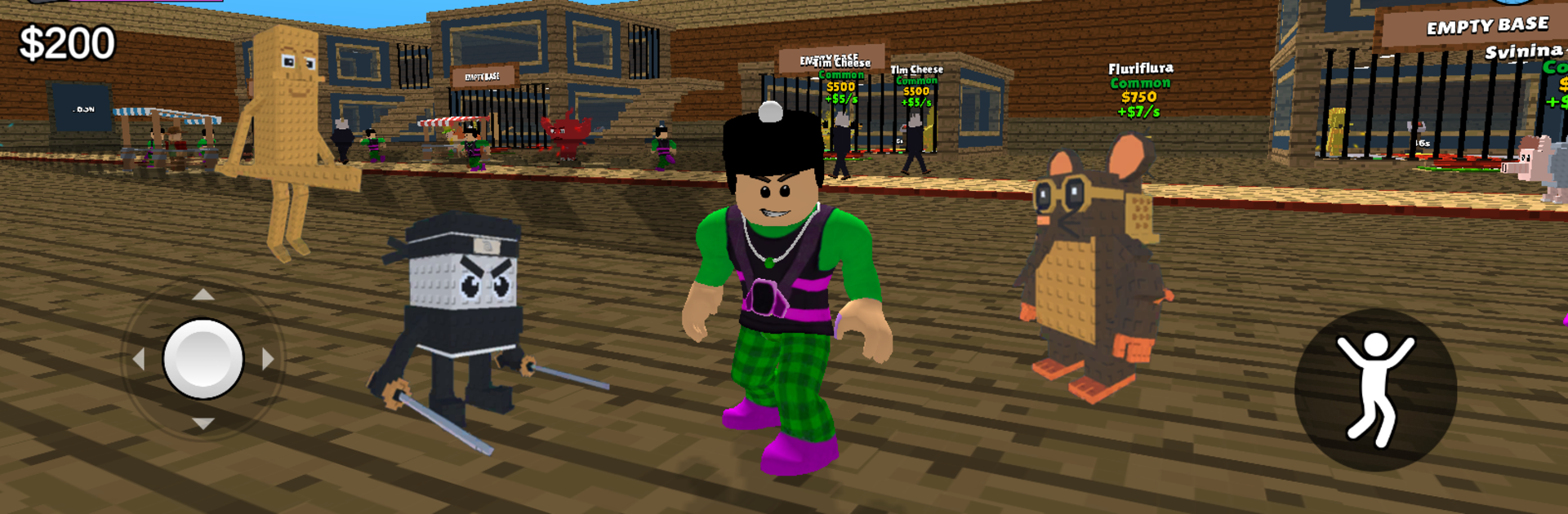
Steal it all Catch Brainrot is a Board troublemaker from Felix Heimry where stealing isn’t rude—it’s the whole point. Start with a tiny stash, make a few gutsy moves, and swipe valuable pieces from other players to grow your collection. It’s fast, a little chaotic, and surprisingly strategic. Prefer a bigger screen? It plays nicely on PC with BlueStacks.

Game Features

  • Steal-Centric Play: Winning means taking. Time your moves, nab rare pieces, and turn your opponents’ progress into your advantage.
  • Passive Income: Your collection earns coins while you plot your next swipe, so every smart grab pays off over time.
  • Rebirths with Perks: Reset your run to unlock permanent boosts and new layers of power, then climb back even faster.
  • Troll Tools & Slaps: Pick up goofy gear and slap attacks to interrupt rivals, scramble their plans, and create openings.
  • Build a Wild Collection: Gather oddities with different values and effects. Protect your best stuff with sneaky defenses or bait others into traps.
  • Head-to-Head Mischief: Share the board with real players, compete for the same targets, and outplay them with timing and misdirection.
  • Risk vs. Reward: Go loud and greedy for big gains or play cagey and secure—both styles can win if you read the room.
  • Constant Unlocks: Upgrades, surprises, and clever synergies keep each run feeling fresh, even when you think you’ve seen it all.
  • Snackable or Deep: Quick sessions scratch the itch, but there’s enough depth for longer grinds when you’re in the zone.
  • Easy on PC with BlueStacks: Smooth controls and clear visuals make all that stealing and protecting feel extra snappy.

Make your gaming sessions memorable with precise controls that give you an edge in close combats and visuals that pop up, bringing every character to life.


Game Features

Enhancements

  • Macros
  • Multi Instance
  • Multi Instance Sync
  • Script
  • Enhancements
Macros

Macros

Automate the predictable in Steal it all Catch Brainrot and transform your gameplay with Macros. Get access to inventive Macros in the BlueStacks Macro Community
Multi Instance

Multi Instance

Play Steal it all Catch Brainrot on one window. And chat with your friend on the other. Press CTRL + Shift + 8 to open the Multi-Instance Manager. And start creating fresh instances or clone an existing one.
Multi Instance Sync

Multi Instance Sync

Play Steal it all Catch Brainrot with the power of Multi-Instance Sync. Replicate what you are doing on the main instance on all other instances. Level up faster, play more.
Script

Script

Script your way to gaming glory in Steal it all Catch Brainrot with BlueStacks Script. Write and run a set of commands to automate repeated tasks. Trigger the command by assigning it to any key.
Read More

How to Download and Play Steal it all Catch Brainrot on PC or Mac

  • Download and install BlueStacks on your PC or Mac

  • Complete Google sign-in to access the Play Store, or do it later

  • Look for Steal it all Catch Brainrot in the search bar at the top right corner

  • Click to install Steal it all Catch Brainrot from the search results

  • Complete Google sign-in (if you skipped step 2) to install Steal it all Catch Brainrot

  • Click the Steal it all Catch Brainrot icon on the home screen to start playing

video
Watch Video

Minimum System Requirements

With BlueStacks 5, you can get started on a PC that fulfills the following requirements.

  • Operating System

    Microsoft Windows 7 or above, macOS 11 (Big Sur) or above

  • Processor

    Intel, AMD or Apple Silicon Processor

  • RAM

    at least 4GB

  • HDD

    10GB Free Disk Space

Note:

* You must be an Administrator on your PC. Up to date graphics drivers from Microsoft or the chipset vendor.

Steal it all Catch Brainrot - FAQs

  • How to play Steal it all Catch Brainrot on Windows PC & Mac?

    Play Steal it all Catch Brainrot on your PC or Mac by following these simple steps.

    • Click on 'Play Steal it all Catch Brainrot on PC’ to download BlueStacks
    • Install it and log-in to Google Play Store
    • Launch and play the game.
  • Why is BlueStacks the fastest and safest platform to play games on PC?

    BlueStacks respects your privacy and is always safe and secure to use. It does not carry any malware, spyware, or any sort of additional software that could harm your PC.

    It is engineered to optimize speed and performance for a seamless gaming experience.

  • What are Steal it all Catch Brainrot PC requirements?

    Minimum requirement to run Steal it all Catch Brainrot on your PC

    • OS: Microsoft Windows 7 or above MacOS 11 (Big Sur) or above
    • Processor: Intel, AMD or Apple Silicon Processor
    • RAM: Your PC must have at least 4GB of RAM. (Note that having 4GB or more disk space is not a substitute for RAM)
    • HDD: 10GB Free Disk Space.
    • You must be an Administrator on your PC.