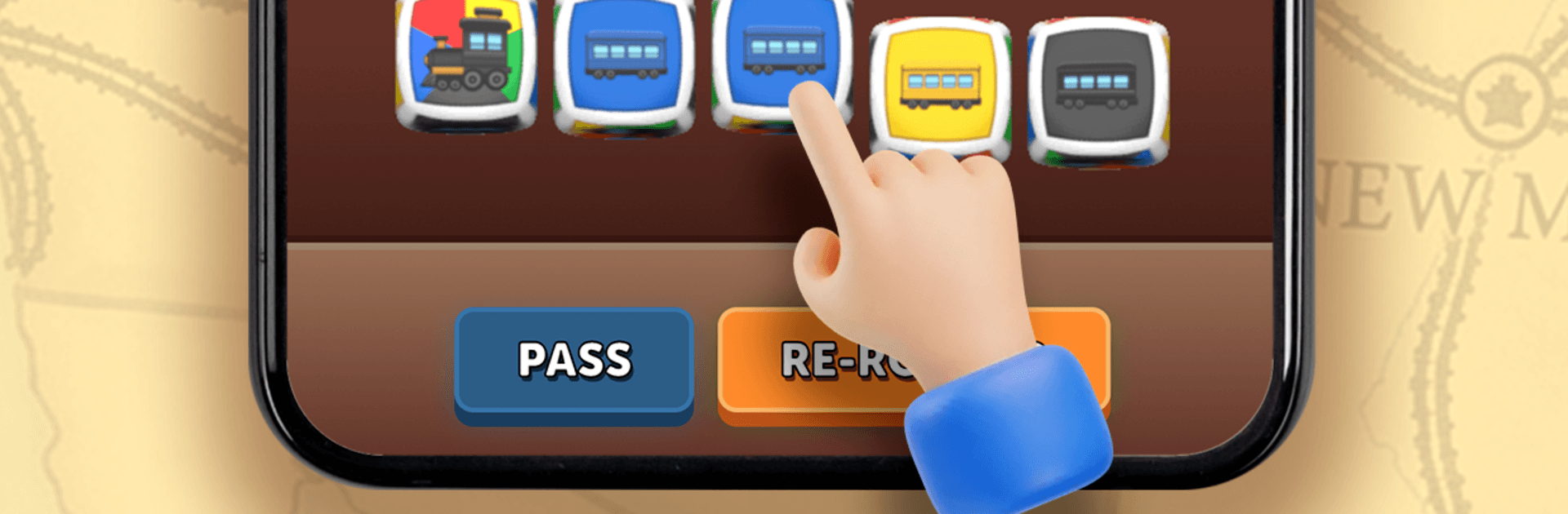
Ticket to Dice - Trains Tracks

Ticket to Dice - Trains Tracks

Board

| FunCraft Games

Play on PC with BlueStacks or from our cloud

  • Overview
  • Game Features
  • How to Play

Page Modified On: July 20, 2026

Play Ticket to Dice - Trains Tracks on PC or Mac

Explore a whole new adventure with Ticket to Dice – Trains Tracks, a Board game created by FunCraft Games. Experience great gameplay with BlueStacks, the most popular gaming platform to play Android games on your PC or Mac.

About the Game

Ticket to Dice – Trains Tracks is a quick-thinking Board strategy game where every turn is a little gamble. You’re rolling colorful train dice, plotting routes, and racing to link up hidden goal cities before someone else blocks your path. It plays great on mobile, and it’s also comfy on BlueStacks if you’d rather spread out on a bigger screen.

Game Features

  • Dice Drafting With Intent: Roll five colored dice, lock the ones you need, and take another shot on the rest. Grab the exact colors to extend your rail network without wasting a turn.
  • Claim and Connect: Build lines across a U.S. map to join your secret destination cities. Efficient paths score big; detours can cost you the match.
  • Turn-Based PvP Duels: Face real players or sharp AI in tense, back-and-forth matches where route timing and a bit of nerve matter.
  • Wild Locomotives: White locomotive dice work as any color. Save up enough and you can even snatch a route your rival already secured—moment-stealing and deliciously risky.
  • The Duel Journey: Climb through a series of increasingly crafty opponents, complete mini-challenges, and take on boss encounters that test your planning.
  • Leagues and Rankings: Win consistently to move up competitive tiers and show you can outbuild, outthink, and out-roll the rest.
  • Achievements to Chase: Hit milestones for clever plays, long connections, and flawless finishes to round out your profile.
  • Daily Goals: Short, rotating objectives give you fresh reasons to hop in and keep your collection moving.
  • Collectible Ticket Designs: Personalize your look with themed destination card styles—travel vibes, animal sets, sporty motifs, floral art, and rarer premium options that stand out at the table.

Get ready for a buttery smooth, high-performance gaming action only on BlueStacks.

Game Features

Enhancements

  • Macros
  • Multi Instance
  • Multi Instance Sync
  • Script
  • Enhancements
Macros

Macros

Automate the predictable in Ticket to Dice - Trains Tracks and transform your gameplay with Macros. Get access to inventive Macros in the BlueStacks Macro Community
Multi Instance

Multi Instance

Play Ticket to Dice - Trains Tracks on one window. And chat with your friend on the other. Press CTRL + Shift + 8 to open the Multi-Instance Manager. And start creating fresh instances or clone an existing one.
Multi Instance Sync

Multi Instance Sync

Play Ticket to Dice - Trains Tracks with the power of Multi-Instance Sync. Replicate what you are doing on the main instance on all other instances. Level up faster, play more.
Script

Script

Script your way to gaming glory in Ticket to Dice - Trains Tracks with BlueStacks Script. Write and run a set of commands to automate repeated tasks. Trigger the command by assigning it to any key.
Read More

How to Download and Play Ticket to Dice - Trains Tracks on PC or Mac

  • Download and install BlueStacks on your PC or Mac

  • Complete Google sign-in to access the Play Store, or do it later

  • Look for Ticket to Dice - Trains Tracks in the search bar at the top right corner

  • Click to install Ticket to Dice - Trains Tracks from the search results

  • Complete Google sign-in (if you skipped step 2) to install Ticket to Dice - Trains Tracks

  • Click the Ticket to Dice - Trains Tracks icon on the home screen to start playing

video
Watch Video

Minimum System Requirements

With BlueStacks 5, you can get started on a PC that fulfills the following requirements.

  • Operating System

    Microsoft Windows 7 or above, macOS 11 (Big Sur) or above

  • Processor

    Intel, AMD or Apple Silicon Processor

  • RAM

    at least 4GB

  • HDD

    10GB Free Disk Space

Note:

* You must be an Administrator on your PC. Up to date graphics drivers from Microsoft or the chipset vendor.

Ticket to Dice - Trains Tracks - FAQs

  • How to play Ticket to Dice - Trains Tracks on Windows PC & Mac?

    Play Ticket to Dice - Trains Tracks on your PC or Mac by following these simple steps.

    • Click on 'Play Ticket to Dice - Trains Tracks on PC’ to download BlueStacks
    • Install it and log-in to Google Play Store
    • Launch and play the game.
  • Why is BlueStacks the fastest and safest platform to play games on PC?

    BlueStacks respects your privacy and is always safe and secure to use. It does not carry any malware, spyware, or any sort of additional software that could harm your PC.

    It is engineered to optimize speed and performance for a seamless gaming experience.

  • What are Ticket to Dice - Trains Tracks PC requirements?

    Minimum requirement to run Ticket to Dice - Trains Tracks on your PC

    • OS: Microsoft Windows 7 or above MacOS 11 (Big Sur) or above
    • Processor: Intel, AMD or Apple Silicon Processor
    • RAM: Your PC must have at least 4GB of RAM. (Note that having 4GB or more disk space is not a substitute for RAM)
    • HDD: 10GB Free Disk Space.
    • You must be an Administrator on your PC.