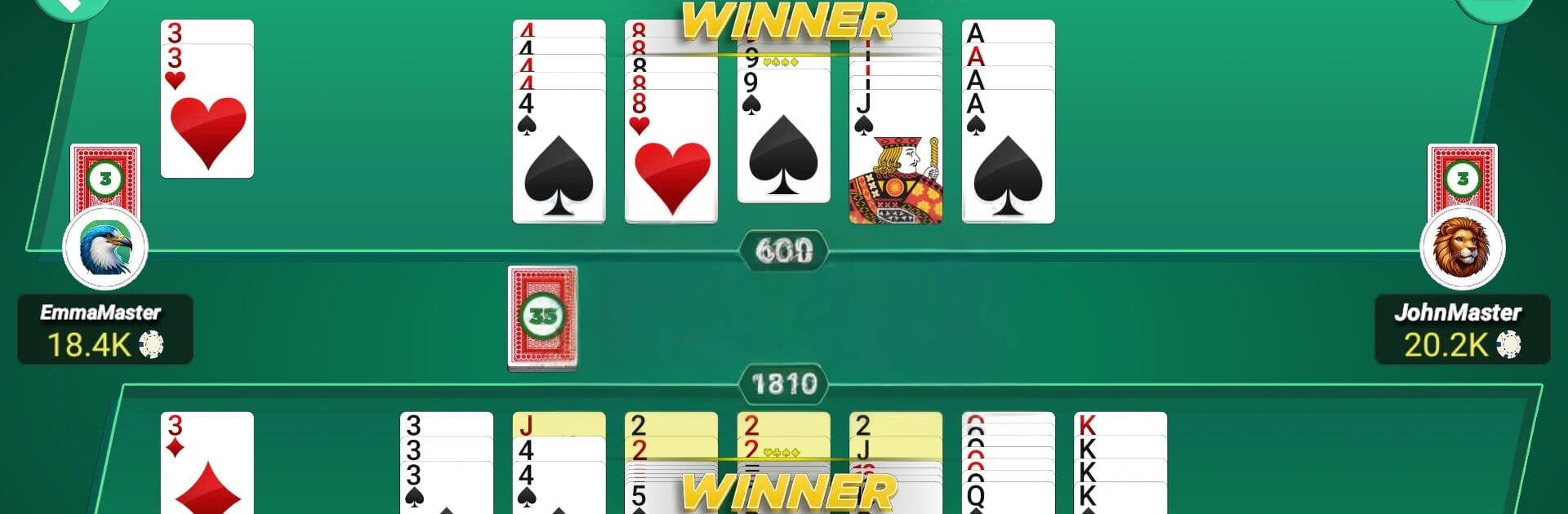
Canastra – Buraco & Canasta

Canastra – Buraco & Canasta

Card

| 52PLAY GAME

Play on PC with BlueStacks or from our cloud

  • Overview
  • Game Features
  • How to Play

Page Modified On: October 23, 2026

Play Canastra – Buraco & Canasta on PC or Mac

Explore a whole new adventure with Canastra – Buraco & Canasta, a Card game created by 52PLAY GAME. Experience great gameplay with BlueStacks, the most popular gaming platform to play Android games on your PC or Mac.

About the Game

Canastra – Buraco & Canasta brings a friendly, table-top vibe to your screen with fast setups and satisfying, thinky hands. This Card favorite lets you play solo against smart AI, team up in pairs, or jump online for quick matches using popular Brazilian Canasta and Buraco rules. New to melds, or already fluent in clean and dirty canastas? You’ll find clear rules, snappy gameplay, and plenty of room for strategy.

Game Features

  • Multiple ways to play: Sit at 2- or 4-player tables, go head-to-head, or pair up for classic partner play.
  • Online and offline: Match with friends or players worldwide, or keep the cards flying offline—no internet needed.
  • Brazilian variants: Swap between Brazilian Canasta, Open Buraco, Closed Buraco, and the classic international rule set.
  • Smart AI: Adjustable difficulty that teaches good habits, pressures your decisions, and still feels fair.
  • Clean vs. dirty canastas: Chase higher points with pure melds, or use wildcards when timing matters most.
  • Jokers and wildcards: Control the discard pile, freeze or free it, and pick the perfect moment to take it.
  • Partner tactics: Coordinate with your teammate, set up melds together, and choose the right time to knock.
  • Full scoring and clarity: Automatic counting for melds, bonuses, and target scores keeps every hand easy to follow.
  • Smooth table feel: A clean layout and quick animations keep attention on decisions, not menus.
  • New-player friendly: A short tutorial and handy tips get you playing confidently in minutes.
  • Safe, just-for-fun play: No real-money gambling—everything is purely virtual.
  • Plays great on BlueStacks: Prefer a bigger display and precise controls? It runs smoothly on BlueStacks.

Get ready for a buttery smooth, high-performance gaming action only on BlueStacks.

Game Features

Enhancements

  • Macros
  • Multi Instance
  • Multi Instance Sync
  • Script
  • Enhancements
Macros

Macros

Automate the predictable in Canastra – Buraco & Canasta and transform your gameplay with Macros. Get access to inventive Macros in the BlueStacks Macro Community
Multi Instance

Multi Instance

Play Canastra – Buraco & Canasta on one window. And chat with your friend on the other. Press CTRL + Shift + 8 to open the Multi-Instance Manager. And start creating fresh instances or clone an existing one.
Multi Instance Sync

Multi Instance Sync

Play Canastra – Buraco & Canasta with the power of Multi-Instance Sync. Replicate what you are doing on the main instance on all other instances. Level up faster, play more.
Script

Script

Script your way to gaming glory in Canastra – Buraco & Canasta with BlueStacks Script. Write and run a set of commands to automate repeated tasks. Trigger the command by assigning it to any key.
Read More

How to Download and Play Canastra – Buraco & Canasta on PC or Mac

  • Download and install BlueStacks on your PC or Mac

  • Complete Google sign-in to access the Play Store, or do it later

  • Look for Canastra – Buraco & Canasta in the search bar at the top right corner

  • Click to install Canastra – Buraco & Canasta from the search results

  • Complete Google sign-in (if you skipped step 2) to install Canastra – Buraco & Canasta

  • Click the Canastra – Buraco & Canasta icon on the home screen to start playing

video
Watch Video

Minimum System Requirements

With BlueStacks 5, you can get started on a PC that fulfills the following requirements.

  • Operating System

    Microsoft Windows 7 or above, macOS 11 (Big Sur) or above

  • Processor

    Intel, AMD or Apple Silicon Processor

  • RAM

    at least 4GB

  • HDD

    10GB Free Disk Space

Note:

* You must be an Administrator on your PC. Up to date graphics drivers from Microsoft or the chipset vendor.

Canastra – Buraco & Canasta - FAQs

  • How to play Canastra – Buraco & Canasta on Windows PC & Mac?

    Play Canastra – Buraco & Canasta on your PC or Mac by following these simple steps.

    • Click on 'Play Canastra – Buraco & Canasta on PC’ to download BlueStacks
    • Install it and log-in to Google Play Store
    • Launch and play the game.
  • Why is BlueStacks the fastest and safest platform to play games on PC?

    BlueStacks respects your privacy and is always safe and secure to use. It does not carry any malware, spyware, or any sort of additional software that could harm your PC.

    It is engineered to optimize speed and performance for a seamless gaming experience.

  • What are Canastra – Buraco & Canasta PC requirements?

    Minimum requirement to run Canastra – Buraco & Canasta on your PC

    • OS: Microsoft Windows 7 or above MacOS 11 (Big Sur) or above
    • Processor: Intel, AMD or Apple Silicon Processor
    • RAM: Your PC must have at least 4GB of RAM. (Note that having 4GB or more disk space is not a substitute for RAM)
    • HDD: 10GB Free Disk Space.
    • You must be an Administrator on your PC.