Dartmoor Smart Counter

Dartmoor Smart Counter

Card

| DIGIDICED

Play on PC with BlueStacks or from our cloud

  • Overview
  • Game Features
  • How to Play

Page Modified On: October 21, 2026

Play Dartmoor Smart Counter on PC or Mac

Step into the World of Dartmoor Smart Counter, a thrilling Card game from the house of DIGIDICED. Play this Android game on BlueStacks App Player and experience immersive gaming on PC or Mac.

About the Game

Dartmoor Smart Counter takes the post-game math off your hands. It’s a handy sidekick for the Card edition Forest Shuffle – Dartmoor, built to read your table and total everything up in seconds. Want more space to review scores and logs? It also runs smoothly on BlueStacks.

Game Features

  • Fast camera scan: Point the camera at your finished tableau and the app recognizes trees, shrubs, and terrains, then crunches your score automatically.
  • Multi-player merge: Combine up to five scans into one session so everyone’s totals land in a single scoreboard.
  • QR swap: Trade scan data between devices with quick QR codes—no manual input or spreadsheets needed.
  • Editable results: Spot a misread or forgot a card? Adjust scans on the fly before finalizing your tally.
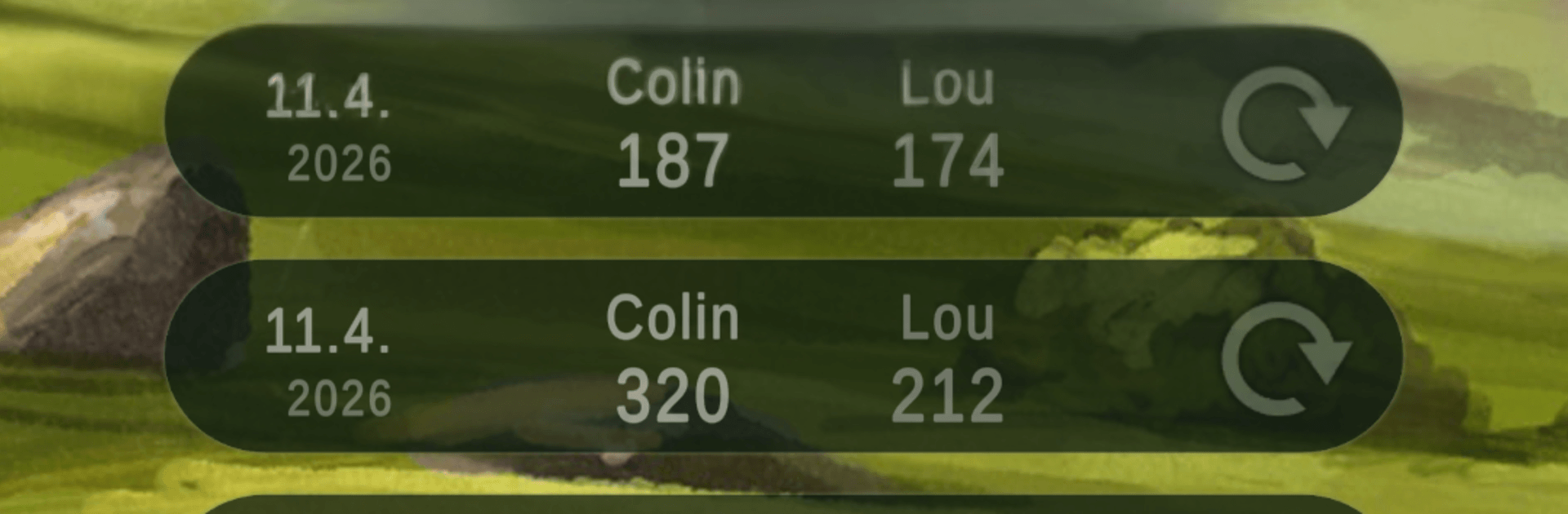
  • Session archive: Save, reopen, and compare past sessions to track progress, rematches, and favorite builds.
  • Built-in glossary: Tap into a full card appendix whenever you need a rules refresher or card reminder.
  • Language-friendly scanning: Recognition works regardless of card language, while the interface supports English and German.
  • Expansion-ready: Tailored specifically for Forest Shuffle – Dartmoor and fully compatible with its expansions and promos.
  • Easy sharing: Send final scores to your group’s chat or social channels so bragging rights are official.

BlueStacks gives you more room to focus on the game and less time adjusting around mobile limitations.


Game Features

Enhancements

  • Macros
  • Multi Instance
  • Multi Instance Sync
  • Script
  • Enhancements
Macros

Macros

Automate the predictable in Dartmoor Smart Counter and transform your gameplay with Macros. Get access to inventive Macros in the BlueStacks Macro Community
Multi Instance

Multi Instance

Play Dartmoor Smart Counter on one window. And chat with your friend on the other. Press CTRL + Shift + 8 to open the Multi-Instance Manager. And start creating fresh instances or clone an existing one.
Multi Instance Sync

Multi Instance Sync

Play Dartmoor Smart Counter with the power of Multi-Instance Sync. Replicate what you are doing on the main instance on all other instances. Level up faster, play more.
Script

Script

Script your way to gaming glory in Dartmoor Smart Counter with BlueStacks Script. Write and run a set of commands to automate repeated tasks. Trigger the command by assigning it to any key.
Read More

How to Download and Play Dartmoor Smart Counter on PC or Mac

  • Download and install BlueStacks on your PC or Mac

  • Complete Google sign-in to access the Play Store, or do it later

  • Look for Dartmoor Smart Counter in the search bar at the top right corner

  • Click to install Dartmoor Smart Counter from the search results

  • Complete Google sign-in (if you skipped step 2) to install Dartmoor Smart Counter

  • Click the Dartmoor Smart Counter icon on the home screen to start playing

video
Watch Video

Minimum System Requirements

With BlueStacks 5, you can get started on a PC that fulfills the following requirements.

  • Operating System

    Microsoft Windows 7 or above, macOS 11 (Big Sur) or above

  • Processor

    Intel, AMD or Apple Silicon Processor

  • RAM

    at least 4GB

  • HDD

    10GB Free Disk Space

Note:

* You must be an Administrator on your PC. Up to date graphics drivers from Microsoft or the chipset vendor.

Dartmoor Smart Counter - FAQs

  • How to play Dartmoor Smart Counter on Windows PC & Mac?

    Play Dartmoor Smart Counter on your PC or Mac by following these simple steps.

    • Click on 'Play Dartmoor Smart Counter on PC’ to download BlueStacks
    • Install it and log-in to Google Play Store
    • Launch and play the game.
  • Why is BlueStacks the fastest and safest platform to play games on PC?

    BlueStacks respects your privacy and is always safe and secure to use. It does not carry any malware, spyware, or any sort of additional software that could harm your PC.

    It is engineered to optimize speed and performance for a seamless gaming experience.

  • What are Dartmoor Smart Counter PC requirements?

    Minimum requirement to run Dartmoor Smart Counter on your PC

    • OS: Microsoft Windows 7 or above MacOS 11 (Big Sur) or above
    • Processor: Intel, AMD or Apple Silicon Processor
    • RAM: Your PC must have at least 4GB of RAM. (Note that having 4GB or more disk space is not a substitute for RAM)
    • HDD: 10GB Free Disk Space.
    • You must be an Administrator on your PC.