모범 놀이터: 타락자들
모범 놀이터: 타락자들

모범 놀이터: 타락자들

Card

| Jiewan Game

Play on PC with BlueStacks or from our cloud

  • Overview
  • Game Features
  • How to Play

Page Modified On: December 05, 2025

Play 모범 놀이터: 타락자들 on PC or Mac

Step into the World of 모범 놀이터: 타락자들, a thrilling Card game from the house of Jiewan Game. Play this Android game on BlueStacks App Player and experience immersive gaming on PC or Mac.

About the Game

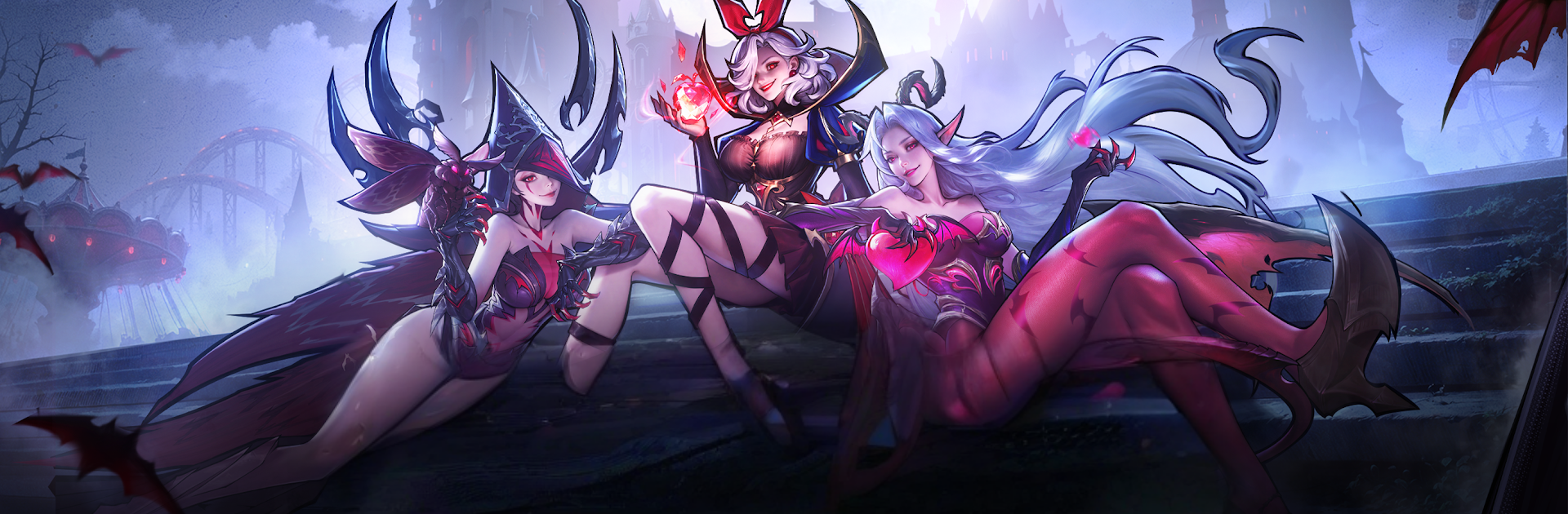
모범 놀이터: 타락자들 drops you into a twisted playground where the “bad guys” are your best chance at survival. It’s a Card game with RPG flavor: recruit fallen champions, break their will (or earn their trust), and build a lineup that can punch way above its weight. Expect quick progression, punchy battles, and a moody world that keeps surprising you.

Game Features

  • Villains, Recruited: Call in a roster of “fallen” heroes, each with their own attitude and skill set. Tame them, train them, and turn chaos into a team that actually works together.
  • Card-Driven Combat: Play smart with timing and skill choices. The right combo can flip a losing fight, so your deck decisions matter as much as raw power.
  • One-Tap Growth: Short on time? A single tap boosts your strength, and idle rewards keep rolling even when you’re away. Perfect for quick sessions or long grinds.
  • Stylish Live 2D Animations: Characters aren’t just portraits—they move, react, and show personality with HD Live 2D and slick action models that make every clash feel alive.
  • Eye-Catching Battle Effects: From flashy ultimates to distinct skill animations, fights look and sound satisfying without overwhelming the screen.
  • Adventures on the Palmarius Continent: Push deeper into this dark setting to uncover power hidden across regions, challenges, and seasonal surprises.
  • Seasonal Content Updates: Fresh modes, events, and characters arrive regularly, giving you new ways to build and experiment.
  • Smooth on PC with BlueStacks: Want a bigger view of the action? Play on PC with BlueStacks for crisp visuals and comfortable controls.

From Jiewan Game, 모범 놀이터: 타락자들 blends collection, strategy, and style into a Card experience that’s easy to start and hard to put down.

Slay your opponents with your epic moves. Play it your way on BlueStacks and dominate the battlefield.


Game Features

Enhancements

  • Macros
  • Multi Instance
  • Multi Instance Sync
  • Script
  • Enhancements
Macros

Macros

Automate the predictable in 모범 놀이터: 타락자들 and transform your gameplay with Macros. Get access to inventive Macros in the BlueStacks Macro Community
Multi Instance

Multi Instance

Play 모범 놀이터: 타락자들 on one window. And chat with your friend on the other. Press CTRL + Shift + 8 to open the Multi-Instance Manager. And start creating fresh instances or clone an existing one.
Multi Instance Sync

Multi Instance Sync

Play 모범 놀이터: 타락자들 with the power of Multi-Instance Sync. Replicate what you are doing on the main instance on all other instances. Level up faster, play more.
Script

Script

Script your way to gaming glory in 모범 놀이터: 타락자들 with BlueStacks Script. Write and run a set of commands to automate repeated tasks. Trigger the command by assigning it to any key.
Read More

How to Download and Play 모범 놀이터: 타락자들 on PC or Mac

  • Download and install BlueStacks on your PC or Mac

  • Complete Google sign-in to access the Play Store, or do it later

  • Look for 모범 놀이터: 타락자들 in the search bar at the top right corner

  • Click to install 모범 놀이터: 타락자들 from the search results

  • Complete Google sign-in (if you skipped step 2) to install 모범 놀이터: 타락자들

  • Click the 모범 놀이터: 타락자들 icon on the home screen to start playing

video
Watch Video

Minimum System Requirements

With BlueStacks 5, you can get started on a PC that fulfills the following requirements.

  • Operating System

    Microsoft Windows 7 or above, macOS 11 (Big Sur) or above

  • Processor

    Intel, AMD or Apple Silicon Processor

  • RAM

    at least 4GB

  • HDD

    10GB Free Disk Space

Note:

* You must be an Administrator on your PC. Up to date graphics drivers from Microsoft or the chipset vendor.

모범 놀이터: 타락자들 - FAQs

  • How to play 모범 놀이터: 타락자들 on Windows PC & Mac?

    Play 모범 놀이터: 타락자들 on your PC or Mac by following these simple steps.

    • Click on 'Play 모범 놀이터: 타락자들 on PC’ to download BlueStacks
    • Install it and log-in to Google Play Store
    • Launch and play the game.
  • Why is BlueStacks the fastest and safest platform to play games on PC?

    BlueStacks respects your privacy and is always safe and secure to use. It does not carry any malware, spyware, or any sort of additional software that could harm your PC.

    It is engineered to optimize speed and performance for a seamless gaming experience.

  • What are 모범 놀이터: 타락자들 PC requirements?

    Minimum requirement to run 모범 놀이터: 타락자들 on your PC

    • OS: Microsoft Windows 7 or above MacOS 11 (Big Sur) or above
    • Processor: Intel, AMD or Apple Silicon Processor
    • RAM: Your PC must have at least 4GB of RAM. (Note that having 4GB or more disk space is not a substitute for RAM)
    • HDD: 10GB Free Disk Space.
    • You must be an Administrator on your PC.