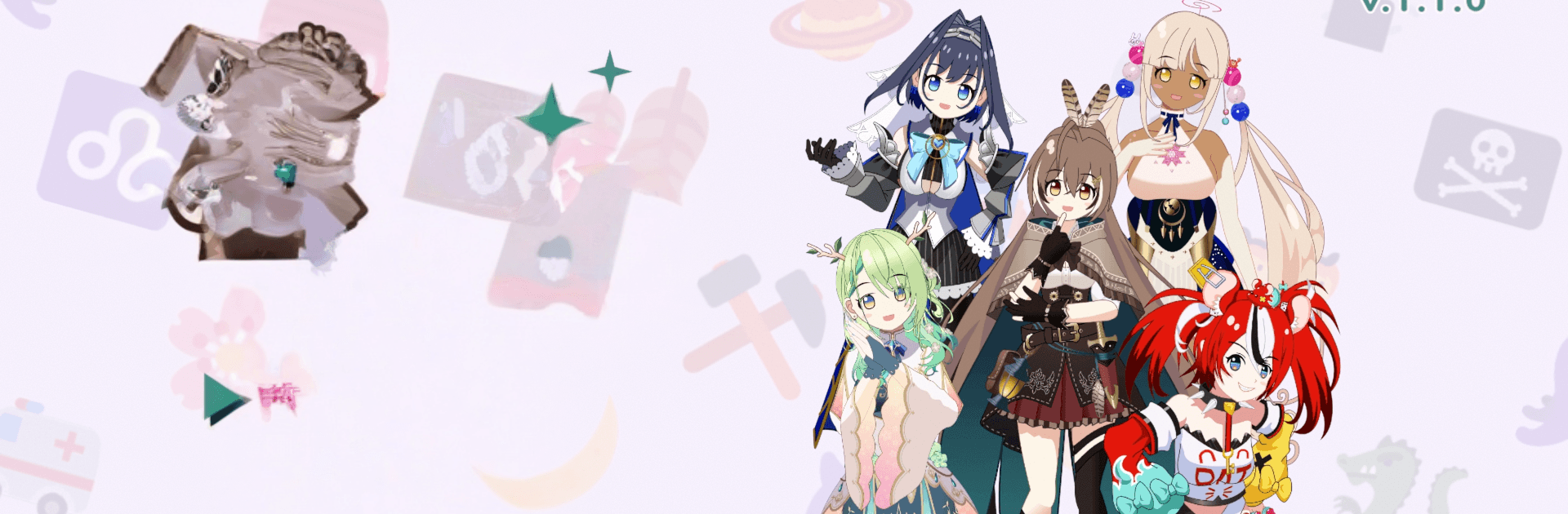
Mumei's Memory Juggling

Mumei's Memory Juggling

Card

| SoftDevWu

Play on PC with BlueStacks or from our cloud

  • Overview
  • Game Features
  • How to Play

Page Modified On: July 27, 2026

Play Mumei's Memory Juggling on PC or Mac

Mumei’s Memory Juggling by SoftDevWu has plenty to keep you busy. BlueStacks lets you play it on PC or Mac with more screen space, better control, and fewer mobile limits.

About the Game

Mumei’s Memory Juggling is a clever Card game that turns simple pair-matching into a little brain workout with personality. Matches don’t just clear the board—they trigger playful effects that reshuffle, slide, or otherwise mess with the layout, keeping you on your toes. You’ll test your recall of hololive talents while juggling chaos, timing, and a bit of friendly competition.

Game Features

  • Match-2 with a twist: Every pair you match powers special effects that can rearrange the table in unexpected ways, so planning ahead actually matters.
  • Council skills: Each Council member brings a unique skill that charges up as you play. Fire it off at the right moment to turn a near-miss into a clean win.
  • Story Mode: Follow Mumei through lighthearted encounters and memory challenges. Defeat Council members here to unlock them for other modes.
  • Time Trial: Race the clock across handcrafted stages. Quick eyes and faster decisions are the name of the game.
  • Solo Practice: Want a calmer run? Pick a Council member, choose the card sets you want, and play at your own pace to sharpen memory and strategy.
  • VS Computer: Feeling competitive? Face AI-controlled Council members and see how your tactics hold up.
  • Language options: Play in English, Spanish, or Japanese.
  • Fan-made note: This is an unofficial project inspired by hololive, created in line with COVER Corp.’s derivative works guidelines.
  • PC-friendly: Prefer a keyboard and big screen? It plays smoothly on BlueStacks without fuss.

BlueStacks gives you more room to focus on the game and less time adjusting around mobile limitations.


Game Features

Enhancements

  • Macros
  • Multi Instance
  • Multi Instance Sync
  • Script
  • Enhancements
Macros

Macros

Automate the predictable in Mumei's Memory Juggling and transform your gameplay with Macros. Get access to inventive Macros in the BlueStacks Macro Community
Multi Instance

Multi Instance

Play Mumei's Memory Juggling on one window. And chat with your friend on the other. Press CTRL + Shift + 8 to open the Multi-Instance Manager. And start creating fresh instances or clone an existing one.
Multi Instance Sync

Multi Instance Sync

Play Mumei's Memory Juggling with the power of Multi-Instance Sync. Replicate what you are doing on the main instance on all other instances. Level up faster, play more.
Script

Script

Script your way to gaming glory in Mumei's Memory Juggling with BlueStacks Script. Write and run a set of commands to automate repeated tasks. Trigger the command by assigning it to any key.
Read More

How to Download and Play Mumei's Memory Juggling on PC or Mac

  • Download and install BlueStacks on your PC or Mac

  • Complete Google sign-in to access the Play Store, or do it later

  • Look for Mumei's Memory Juggling in the search bar at the top right corner

  • Click to install Mumei's Memory Juggling from the search results

  • Complete Google sign-in (if you skipped step 2) to install Mumei's Memory Juggling

  • Click the Mumei's Memory Juggling icon on the home screen to start playing

video
Watch Video

Minimum System Requirements

With BlueStacks 5, you can get started on a PC that fulfills the following requirements.

  • Operating System

    Microsoft Windows 7 or above, macOS 11 (Big Sur) or above

  • Processor

    Intel, AMD or Apple Silicon Processor

  • RAM

    at least 4GB

  • HDD

    10GB Free Disk Space

Note:

* You must be an Administrator on your PC. Up to date graphics drivers from Microsoft or the chipset vendor.

Mumei's Memory Juggling - FAQs

  • How to play Mumei's Memory Juggling on Windows PC & Mac?

    Play Mumei's Memory Juggling on your PC or Mac by following these simple steps.

    • Click on 'Play Mumei's Memory Juggling on PC’ to download BlueStacks
    • Install it and log-in to Google Play Store
    • Launch and play the game.
  • Why is BlueStacks the fastest and safest platform to play games on PC?

    BlueStacks respects your privacy and is always safe and secure to use. It does not carry any malware, spyware, or any sort of additional software that could harm your PC.

    It is engineered to optimize speed and performance for a seamless gaming experience.

  • What are Mumei's Memory Juggling PC requirements?

    Minimum requirement to run Mumei's Memory Juggling on your PC

    • OS: Microsoft Windows 7 or above MacOS 11 (Big Sur) or above
    • Processor: Intel, AMD or Apple Silicon Processor
    • RAM: Your PC must have at least 4GB of RAM. (Note that having 4GB or more disk space is not a substitute for RAM)
    • HDD: 10GB Free Disk Space.
    • You must be an Administrator on your PC.