Poker Pro.Fr
Poker Pro.Fr

Poker Pro.Fr

Card

| CQ Gaming

Play on PC with BlueStacks or from our cloud

  • Overview
  • Game Features
  • How to Play

Page Modified On: December 05, 2025

Play Poker Pro.Fr on PC or Mac

Poker Pro.Fr brings the Card genre to life, and throws up exciting challenges for gamers. Developed by CQ Gaming, this Android game is best experienced on BlueStacks, the World’s #1 app player for PC and Mac users.

Poker Pro.Fr is a straight-up Texas Hold’em app that leans hard into social play and quick matches. On PC with BlueStacks it feels clean and easy to handle, since the table fills the screen and mouse clicks make fast folds and raises simple. The game throws players into tables from 2 up to 9 seats, so it works whether someone wants heads-up mind games or fuller rooms. Newer players get help from an odds tool that shows the chances of a hand, and there is a built-in stats page that tracks how someone is playing over time, which is actually useful if they want to tighten up their habits.

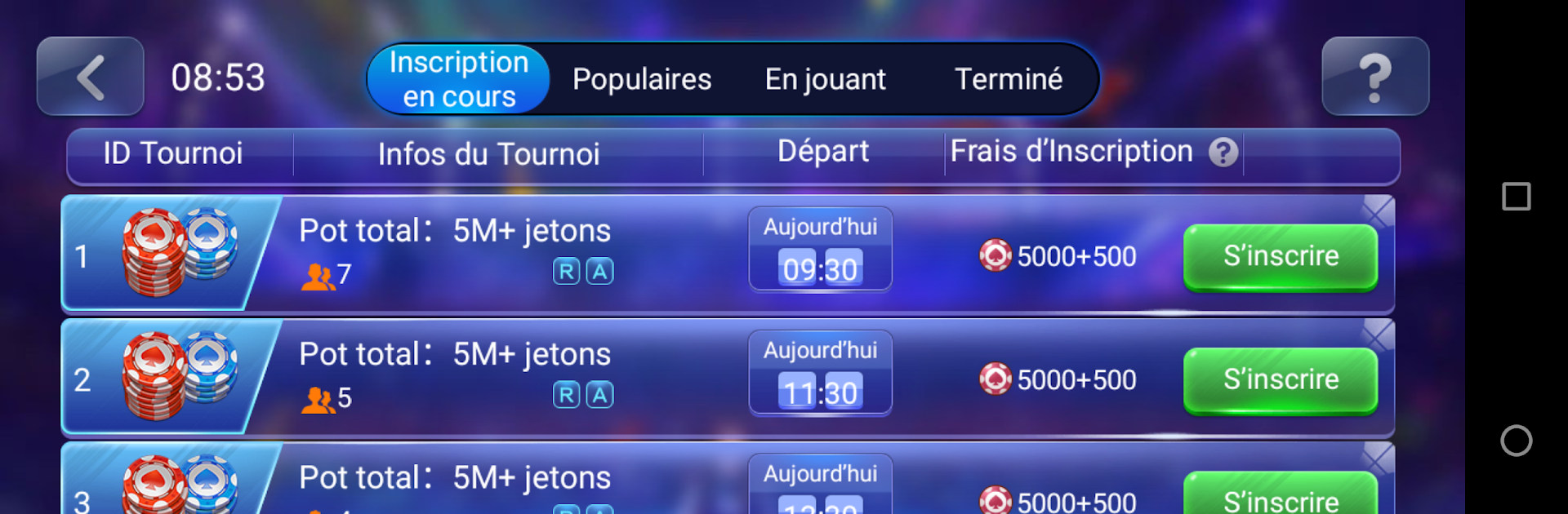
The daily action is busy. There are constant tournaments with huge chip pools, plus log-in rewards, a little wheel-of-fortune style mini game, and missions that push players to try different things. It is all play money, but there are a lot of chips flying around, so losing a stack does not tank the night. The social side is loud in a fun way: Facebook login to find friends, chip gifts, goofy projectiles to tease opponents, global rankings, and a pile of achievements to chase. Customization has a French flavor with items like an Eiffel Tower, Fleur de Lys, a cigar, even a football to dress up the avatar. It is not subtle, but it is playful. For someone who wants a casual poker room with enough stat tools to learn and plenty of daily freebies, this scratches the itch, and BlueStacks keeps it smooth and stable on a desktop setup.

Ready to top the leaderboard? We bet you do. Let precise controls and sharp visuals optimized on BlueStacks lead you to victory.


Game Features

Enhancements

  • Macros
  • Multi Instance
  • Multi Instance Sync
  • Script
  • Enhancements
Macros

Macros

Automate the predictable in Poker Pro.Fr and transform your gameplay with Macros. Get access to inventive Macros in the BlueStacks Macro Community
Multi Instance

Multi Instance

Play Poker Pro.Fr on one window. And chat with your friend on the other. Press CTRL + Shift + 8 to open the Multi-Instance Manager. And start creating fresh instances or clone an existing one.
Multi Instance Sync

Multi Instance Sync

Play Poker Pro.Fr with the power of Multi-Instance Sync. Replicate what you are doing on the main instance on all other instances. Level up faster, play more.
Script

Script

Script your way to gaming glory in Poker Pro.Fr with BlueStacks Script. Write and run a set of commands to automate repeated tasks. Trigger the command by assigning it to any key.
Read More

How to Download and Play Poker Pro.Fr on PC or Mac

  • Download and install BlueStacks on your PC or Mac

  • Complete Google sign-in to access the Play Store, or do it later

  • Look for Poker Pro.Fr in the search bar at the top right corner

  • Click to install Poker Pro.Fr from the search results

  • Complete Google sign-in (if you skipped step 2) to install Poker Pro.Fr

  • Click the Poker Pro.Fr icon on the home screen to start playing

video
Watch Video

Minimum System Requirements

With BlueStacks 5, you can get started on a PC that fulfills the following requirements.

  • Operating System

    Microsoft Windows 7 or above, macOS 11 (Big Sur) or above

  • Processor

    Intel, AMD or Apple Silicon Processor

  • RAM

    at least 4GB

  • HDD

    10GB Free Disk Space

Note:

* You must be an Administrator on your PC. Up to date graphics drivers from Microsoft or the chipset vendor.

Poker Pro.Fr - FAQs

  • How to play Poker Pro.Fr on Windows PC & Mac?

    Play Poker Pro.Fr on your PC or Mac by following these simple steps.

    • Click on 'Play Poker Pro.Fr on PC’ to download BlueStacks
    • Install it and log-in to Google Play Store
    • Launch and play the game.
  • Why is BlueStacks the fastest and safest platform to play games on PC?

    BlueStacks respects your privacy and is always safe and secure to use. It does not carry any malware, spyware, or any sort of additional software that could harm your PC.

    It is engineered to optimize speed and performance for a seamless gaming experience.

  • What are Poker Pro.Fr PC requirements?

    Minimum requirement to run Poker Pro.Fr on your PC

    • OS: Microsoft Windows 7 or above MacOS 11 (Big Sur) or above
    • Processor: Intel, AMD or Apple Silicon Processor
    • RAM: Your PC must have at least 4GB of RAM. (Note that having 4GB or more disk space is not a substitute for RAM)
    • HDD: 10GB Free Disk Space.
    • You must be an Administrator on your PC.