Air Control 2 - Premium

Air Control 2 - Premium

Casual

| Four Pixels Games

Play on PC with BlueStacks or from our cloud

  • Overview
  • Game Features
  • How to Play

Page Modified On: December 26, 2025

Play Air Control 2 - Premium on PC or Mac

Explore a whole new adventure with Air Control 2 – Premium, a Casual game created by Four Pixels Games. Experience great gameplay with BlueStacks, the most popular gaming platform to play Android games on your PC or Mac.

About the Game

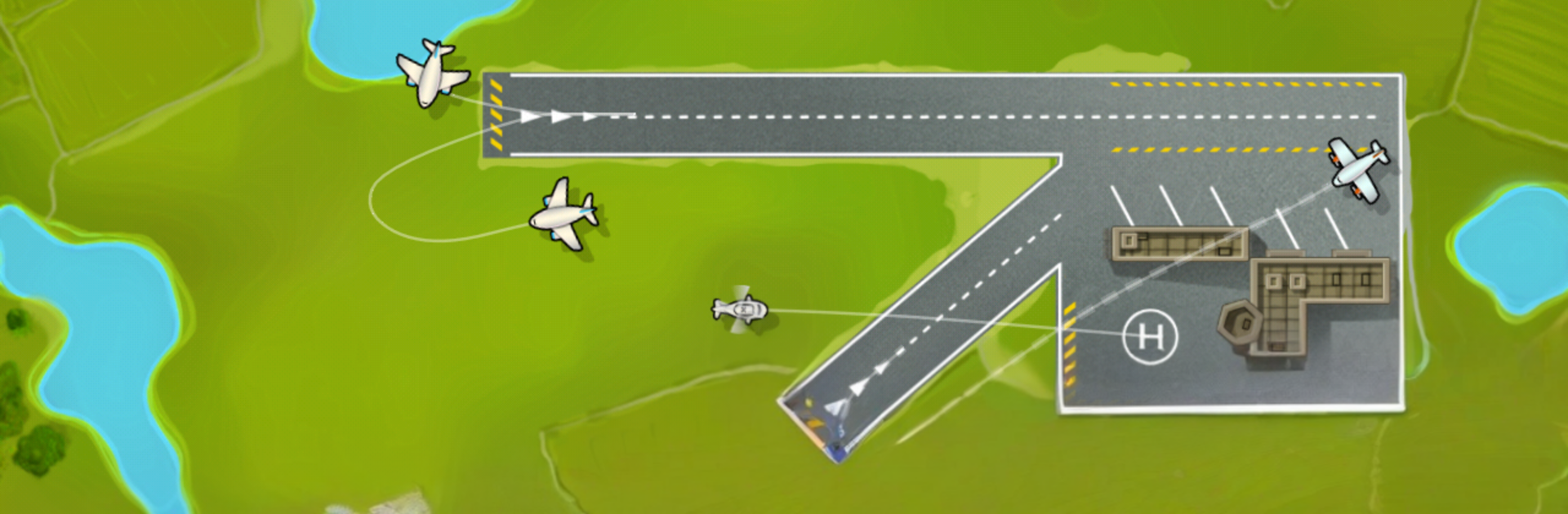
Air Control 2 – Premium is a Casual air-traffic challenge from Four Pixels Games where you’re the person in the tower, keeping busy skies from turning chaotic. Guide planes and helicopters to safe landings, juggle priorities, and react when something unexpected hits. Want a bigger view of the action? It plays nicely on PC with BlueStacks, too.

Game Features

  • Global airspace: Work across varied regions—from sunbaked deserts to icy mountain ranges—each with its own mood and pacing.
  • Shared-screen co-op: Team up on the same tablet and manage traffic together. It’s hectic, loud, and weirdly satisfying when everything clicks.
  • Big aircraft lineup: Handle nimble choppers, chunky passenger jets, and even graceful zeppelin airships, each behaving a little differently.
  • Iconic speedster: The SR-71 Blackbird streaks through your airspace like a rocket; keeping it safe while everything else is moving is a thrill.
  • Weather that fights back: Storm cells roll in and force quick reroutes, turning a tidy plan into a scramble.
  • Radio hiccups: When communication jams hit, you’ll make fast, gut-level calls to keep aircraft separated and moving.
  • Smooth pick-up-and-play: Sessions can be quick or stretch for a while—traffic ramps up naturally, so the pressure builds without a steep learning curve.
  • Satisfying risk-reward: Thread landings for maximum flow, squeeze timing to the last second, and feel that pulse of relief when two near misses pass safely.

Make your gaming sessions memorable with precise controls that give you an edge in close combats and visuals that pop up, bringing every character to life.


Game Features

Enhancements

  • Macros
  • Multi Instance
  • Script
  • Repeated Tap
  • Enhancements
Macros

Macros

Automate the predictable in Air Control 2 - Premium and transform your gameplay with Macros. Get access to inventive Macros in the BlueStacks Macro Community
Multi Instance

Multi Instance

Play Air Control 2 - Premium on one window. And chat with your friend on the other. Press CTRL + Shift + 8 to open the Multi-Instance Manager. And start creating fresh instances or clone an existing one.
Script

Script

Script your way to gaming glory in Air Control 2 - Premium with BlueStacks Script. Write and run a set of commands to automate repeated tasks. Trigger the command by assigning it to any key.
Repeated Tap

Repeated Tap

BlueStacks lets you master Air Control 2 - Premium with useful features like the Repeated Tap. Now you do not have to press the same key repeatedly to initiate an action. Just assign it to one key and you are good to go.
Read More

How to Download and Play Air Control 2 - Premium on PC or Mac

  • Download and install BlueStacks on your PC or Mac

  • Complete Google sign-in to access the Play Store, or do it later

  • Look for Air Control 2 - Premium in the search bar at the top right corner

  • Click to install Air Control 2 - Premium from the search results

  • Complete Google sign-in (if you skipped step 2) to install Air Control 2 - Premium

  • Click the Air Control 2 - Premium icon on the home screen to start playing

video
Watch Video

Minimum System Requirements

With BlueStacks 5, you can get started on a PC that fulfills the following requirements.

  • Operating System

    Microsoft Windows 7 or above, macOS 11 (Big Sur) or above

  • Processor

    Intel, AMD or Apple Silicon Processor

  • RAM

    at least 4GB

  • HDD

    10GB Free Disk Space

Note:

* You must be an Administrator on your PC. Up to date graphics drivers from Microsoft or the chipset vendor.

Air Control 2 - Premium - FAQs

  • How to play Air Control 2 - Premium on Windows PC & Mac?

    Play Air Control 2 - Premium on your PC or Mac by following these simple steps.

    • Click on 'Play Air Control 2 - Premium on PC’ to download BlueStacks
    • Install it and log-in to Google Play Store
    • Launch and play the game.
  • Why is BlueStacks the fastest and safest platform to play games on PC?

    BlueStacks respects your privacy and is always safe and secure to use. It does not carry any malware, spyware, or any sort of additional software that could harm your PC.

    It is engineered to optimize speed and performance for a seamless gaming experience.

  • What are Air Control 2 - Premium PC requirements?

    Minimum requirement to run Air Control 2 - Premium on your PC

    • OS: Microsoft Windows 7 or above MacOS 11 (Big Sur) or above
    • Processor: Intel, AMD or Apple Silicon Processor
    • RAM: Your PC must have at least 4GB of RAM. (Note that having 4GB or more disk space is not a substitute for RAM)
    • HDD: 10GB Free Disk Space.
    • You must be an Administrator on your PC.