Apex Sniper: Animal Hunt

Apex Sniper: Animal Hunt

Casual

| CozyCraft

Play on PC with BlueStacks or from our cloud

  • Overview
  • Game Features
  • How to Play

Page Modified On: September 11, 2026

Play Apex Sniper: Animal Hunt on PC or Mac

Bring your A-game to Apex Sniper: Animal Hunt, the Casual game sensation from CozyCraft. Give your gameplay the much-needed boost with precise game controls, high FPS graphics, and top-tier features on your PC or Mac with BlueStacks.

About the Game

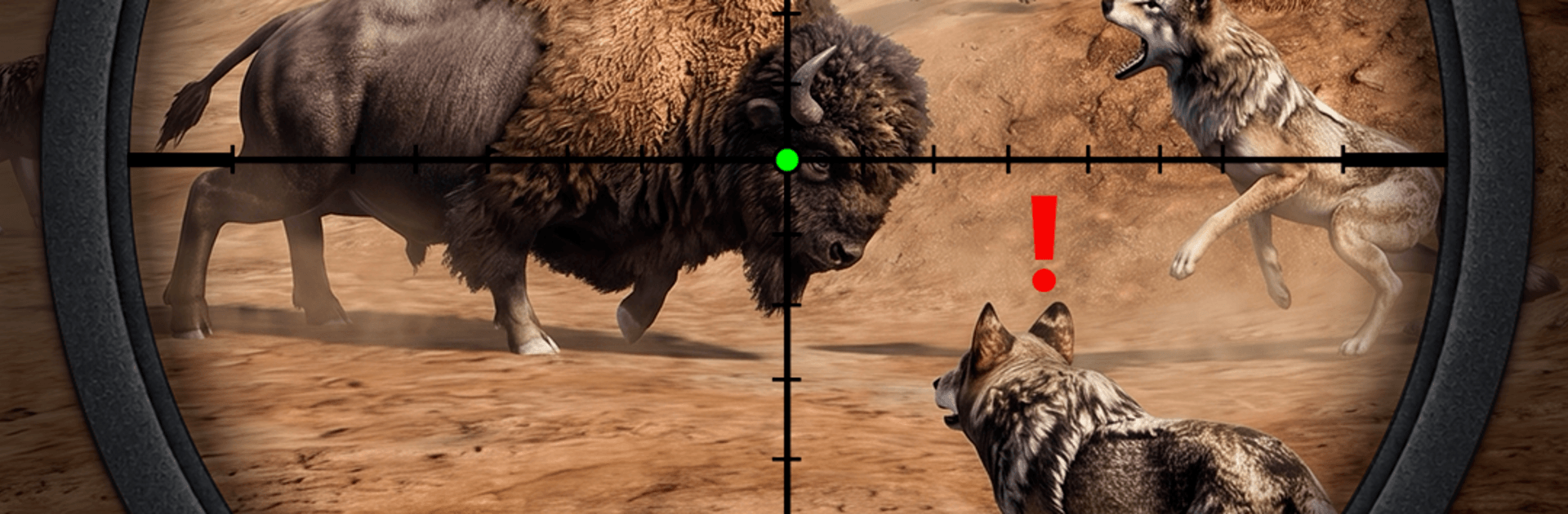
Apex Sniper: Animal Hunt puts you in the wild with a steady hand, a clear objective, and a lot of moving parts to manage. It’s a Casual hunting experience with a surprisingly tactical edge—read the wind, track your target, and make that shot count across sprawling, real-world-inspired habitats. Prefer a bigger screen and smooth aiming? It plays nicely on BlueStacks, too.

Game Features

  • Global Landscapes: Trek through open savannas, icy tundra, dense forests, and rugged highlands—each terrain pushes you to adjust your approach and timing.
  • Realistic Shooting Physics: Master distance, wind, and bullet drop; steady your breathing and line up shots that reward patience and precision.
  • Diverse Wildlife: Stalk deer, wolves, lions, bears, moose, leopards, buffalo, crocodiles, wild boars, and more—every species moves differently and reacts to your presence.
  • Tactical Scenarios: Hold the line against predator rushes, protect farms, and handle tense wildlife encounters where quick thinking matters.
  • Build Your Arsenal: Unlock and upgrade a range of precision rifles and sniper setups; tailor scopes and loadouts to match the terrain and your target.
  • Drone Recon & Traps: Scout from above to mark paths and positions, or set clever traps along trails to outsmart cautious prey.
  • Tracking & Stealth: Read footprints, use cover, and listen for natural cues; plan the shot, then execute cleanly when the window opens.
  • High-Stakes Moments: Face pressure shots, moving targets, and shifting weather—small choices add up, and a single mistake can send your quarry sprinting.

BlueStacks gives you more room to focus on the game and less time adjusting around mobile limitations.


Game Features

Enhancements

  • Macros
  • Multi Instance
  • Script
  • Repeated Tap
  • Enhancements
Macros

Macros

Automate the predictable in Apex Sniper: Animal Hunt and transform your gameplay with Macros. Get access to inventive Macros in the BlueStacks Macro Community
Multi Instance

Multi Instance

Play Apex Sniper: Animal Hunt on one window. And chat with your friend on the other. Press CTRL + Shift + 8 to open the Multi-Instance Manager. And start creating fresh instances or clone an existing one.
Script

Script

Script your way to gaming glory in Apex Sniper: Animal Hunt with BlueStacks Script. Write and run a set of commands to automate repeated tasks. Trigger the command by assigning it to any key.
Repeated Tap

Repeated Tap

BlueStacks lets you master Apex Sniper: Animal Hunt with useful features like the Repeated Tap. Now you do not have to press the same key repeatedly to initiate an action. Just assign it to one key and you are good to go.
Read More

How to Download and Play Apex Sniper: Animal Hunt on PC or Mac

  • Download and install BlueStacks on your PC or Mac

  • Complete Google sign-in to access the Play Store, or do it later

  • Look for Apex Sniper: Animal Hunt in the search bar at the top right corner

  • Click to install Apex Sniper: Animal Hunt from the search results

  • Complete Google sign-in (if you skipped step 2) to install Apex Sniper: Animal Hunt

  • Click the Apex Sniper: Animal Hunt icon on the home screen to start playing

video
Watch Video

Minimum System Requirements

With BlueStacks 5, you can get started on a PC that fulfills the following requirements.

  • Operating System

    Microsoft Windows 7 or above, macOS 11 (Big Sur) or above

  • Processor

    Intel, AMD or Apple Silicon Processor

  • RAM

    at least 4GB

  • HDD

    10GB Free Disk Space

Note:

* You must be an Administrator on your PC. Up to date graphics drivers from Microsoft or the chipset vendor.

Apex Sniper: Animal Hunt - FAQs

  • How to play Apex Sniper: Animal Hunt on Windows PC & Mac?

    Play Apex Sniper: Animal Hunt on your PC or Mac by following these simple steps.

    • Click on 'Play Apex Sniper: Animal Hunt on PC’ to download BlueStacks
    • Install it and log-in to Google Play Store
    • Launch and play the game.
  • Why is BlueStacks the fastest and safest platform to play games on PC?

    BlueStacks respects your privacy and is always safe and secure to use. It does not carry any malware, spyware, or any sort of additional software that could harm your PC.

    It is engineered to optimize speed and performance for a seamless gaming experience.

  • What are Apex Sniper: Animal Hunt PC requirements?

    Minimum requirement to run Apex Sniper: Animal Hunt on your PC

    • OS: Microsoft Windows 7 or above MacOS 11 (Big Sur) or above
    • Processor: Intel, AMD or Apple Silicon Processor
    • RAM: Your PC must have at least 4GB of RAM. (Note that having 4GB or more disk space is not a substitute for RAM)
    • HDD: 10GB Free Disk Space.
    • You must be an Administrator on your PC.