Barber Chop 2
Barber Chop 2

Barber Chop 2

Casual

| Lajeune & Associates, LLC

Play on PC with BlueStacks or from our cloud

  • Overview
  • Game Features
  • How to Play

Page Modified On: November 10, 2025

Play Barber Chop 2 on PC or Mac

From the innovators and creators at Lajeune & Associates, LLC, Barber Chop 2 is another fun addition to the World of Casual games. Go beyond your mobile screen and play it bigger and better on your PC or Mac. An immersive experience awaits you.

About the Game

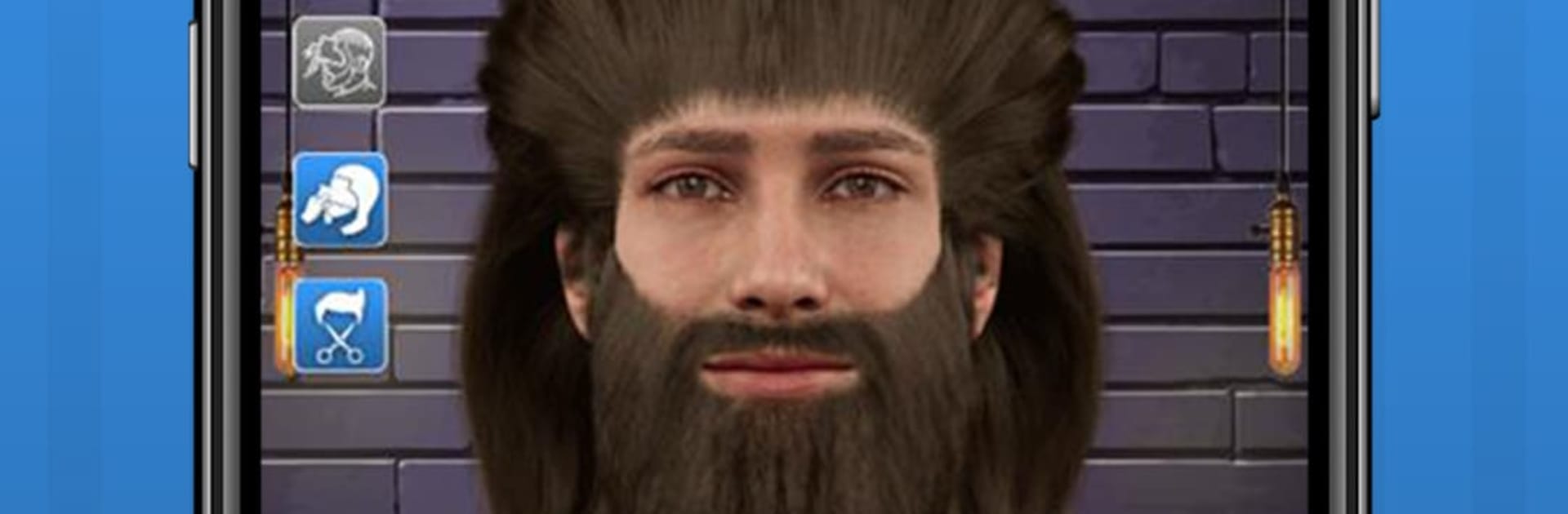
Barber Chop 2 from Lajeune & Associates, LLC is a hands-on barbershop playground where your chair, tools, and clients live right on your screen. This Casual sim lets you practice real techniques, try bold ideas, and build a portfolio without the stress of real-world mistakes. Want clean fades, sharp beard work, or wild body art? Go for it—experiment as much as you like.

Game Features

  • Real Tools, Real Angles: Use clippers, guards, scissors, and razors, then rotate the head to hit every angle. Pinch to zoom for tight lines, and use a grid to keep symmetry on point.
  • Learn As You Create: Browse haircut design images with helpful info, then recreate the look step by step or remix it into your own style.
  • Body Paint Brush: Go beyond hair. Paint full-body designs for creative shoots, themed looks, or just because it’s fun.
  • Progress You Can See: Your Barber Card tracks milestones and achievements. A built-in timer lets you test your speed for competitions or personal bests.
  • Stickers and Accessories: Finish the style with decals, extras, and little touches that make your cut pop.
  • Your Profile, Your Journey: Set up a profile, save and resume anytime, and stash your best work in your gallery.
  • Community and Compete: Explore featured designs, climb leaderboards, and follow other creators. Search the feed to discover styles and trends.
  • Steady Stream of Goals: Daily, weekly, and monthly tasks keep your skills sharp. Opt into notifications to catch new challenges.
  • Diverse Clients: Practice on characters of different genders, cultures, and hair types—perfect for building a well-rounded skill set.
  • Share in a Tap: Post your finished cuts to Instagram, TikTok, Facebook, or Twitter right from the app.
  • All the Styles You Want: Fades, beard trims, pattern work, freestyle designs—play it safe or go experimental.
  • PC-Friendly Option: Prefer a bigger workspace? Run Barber Chop 2 with BlueStacks to work comfortably with a keyboard and mouse.

Ready to top the leaderboard? We bet you do. Let precise controls and sharp visuals optimized on BlueStacks lead you to victory.


Game Features

Enhancements

  • Macros
  • Multi Instance
  • Script
  • Repeated Tap
  • Enhancements
Macros

Macros

Automate the predictable in Barber Chop 2 and transform your gameplay with Macros. Get access to inventive Macros in the BlueStacks Macro Community
Multi Instance

Multi Instance

Play Barber Chop 2 on one window. And chat with your friend on the other. Press CTRL + Shift + 8 to open the Multi-Instance Manager. And start creating fresh instances or clone an existing one.
Script

Script

Script your way to gaming glory in Barber Chop 2 with BlueStacks Script. Write and run a set of commands to automate repeated tasks. Trigger the command by assigning it to any key.
Repeated Tap

Repeated Tap

BlueStacks lets you master Barber Chop 2 with useful features like the Repeated Tap. Now you do not have to press the same key repeatedly to initiate an action. Just assign it to one key and you are good to go.
Read More

How to Download and Play Barber Chop 2 on PC or Mac

  • Download and install BlueStacks on your PC or Mac

  • Complete Google sign-in to access the Play Store, or do it later

  • Look for Barber Chop 2 in the search bar at the top right corner

  • Click to install Barber Chop 2 from the search results

  • Complete Google sign-in (if you skipped step 2) to install Barber Chop 2

  • Click the Barber Chop 2 icon on the home screen to start playing

video
Watch Video

Minimum System Requirements

With BlueStacks 5, you can get started on a PC that fulfills the following requirements.

  • Operating System

    Microsoft Windows 7 or above, macOS 11 (Big Sur) or above

  • Processor

    Intel, AMD or Apple Silicon Processor

  • RAM

    at least 4GB

  • HDD

    10GB Free Disk Space

Note:

* You must be an Administrator on your PC. Up to date graphics drivers from Microsoft or the chipset vendor.

Barber Chop 2 - FAQs

  • How to play Barber Chop 2 on Windows PC & Mac?

    Play Barber Chop 2 on your PC or Mac by following these simple steps.

    • Click on 'Play Barber Chop 2 on PC’ to download BlueStacks
    • Install it and log-in to Google Play Store
    • Launch and play the game.
  • Why is BlueStacks the fastest and safest platform to play games on PC?

    BlueStacks respects your privacy and is always safe and secure to use. It does not carry any malware, spyware, or any sort of additional software that could harm your PC.

    It is engineered to optimize speed and performance for a seamless gaming experience.

  • What are Barber Chop 2 PC requirements?

    Minimum requirement to run Barber Chop 2 on your PC

    • OS: Microsoft Windows 7 or above MacOS 11 (Big Sur) or above
    • Processor: Intel, AMD or Apple Silicon Processor
    • RAM: Your PC must have at least 4GB of RAM. (Note that having 4GB or more disk space is not a substitute for RAM)
    • HDD: 10GB Free Disk Space.
    • You must be an Administrator on your PC.