Dino Robot Battle Arena : Dinosaur game

Dino Robot Battle Arena : Dinosaur game

Casual

| FirstFox Games

Play on PC with BlueStacks or from our cloud

  • Overview
  • Game Features
  • How to Play

Page Modified On: January 02, 2026

Play Dino Robot Battle Arena : Dinosaur game on PC or Mac

Step into the World of Dino Robot Battle Arena : Dinosaur game, a thrilling Casual game from the house of FirstFox Games. Play this Android game on BlueStacks App Player and experience immersive gaming on PC or Mac.

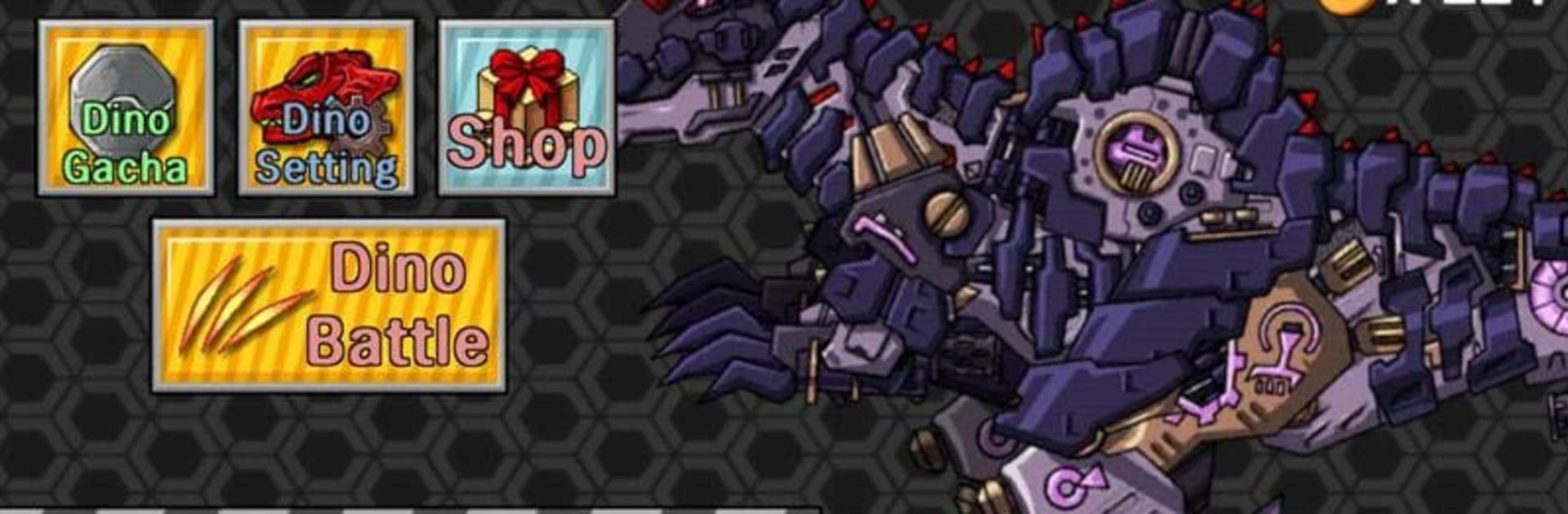
Dino Robot Battle Arena feels like a toybox of mechanical dinosaurs thrown into a fast arena brawler. It is simple on the surface, with quick fights and big flashy attacks, but there is a nice loop underneath. Players hop into matches, collect Dino coins, and spend those on new robots or extra gear, then jump back in to see what the new build can do. The roster is half the fun. There are classics like Tyranno Red, Tricera Blue, and Ptera Green, but it gets wild fast with stuff like Knight Ankylo, Deep Plesio, Terminator Tyranno, Ninja Velociraptor, even Ancient Octopus and Megalodon. Every one swings and blasts a bit differently, so swapping between them actually changes how a match plays.

Controls are straightforward and fights do not drag, which suits the collect-and-upgrade pace. Expect some grind for coins, though it never feels punishing if someone just wants a few quick rounds after work. There is a light equipment layer that lets a favorite dino hit harder or survive longer without needing spreadsheets. On PC with BlueStacks, the bigger screen makes the color and particle effects pop, and basic keymapping keeps inputs clean. The game is not trying to be a deep technical fighter, it is more about snappy bouts, filling a stable with weird robo-saurs, and finding that one build that bangs just right for a couple evenings.

Get ready for a buttery smooth, high-performance gaming action only on BlueStacks.

Game Features

Enhancements

  • Macros
  • Multi Instance
  • Script
  • Repeated Tap
  • Enhancements
Macros

Macros

Automate the predictable in Dino Robot Battle Arena : Dinosaur game and transform your gameplay with Macros. Get access to inventive Macros in the BlueStacks Macro Community
Multi Instance

Multi Instance

Play Dino Robot Battle Arena : Dinosaur game on one window. And chat with your friend on the other. Press CTRL + Shift + 8 to open the Multi-Instance Manager. And start creating fresh instances or clone an existing one.
Script

Script

Script your way to gaming glory in Dino Robot Battle Arena : Dinosaur game with BlueStacks Script. Write and run a set of commands to automate repeated tasks. Trigger the command by assigning it to any key.
Repeated Tap

Repeated Tap

BlueStacks lets you master Dino Robot Battle Arena : Dinosaur game with useful features like the Repeated Tap. Now you do not have to press the same key repeatedly to initiate an action. Just assign it to one key and you are good to go.
Read More

How to Download and Play Dino Robot Battle Arena : Dinosaur game on PC or Mac

  • Download and install BlueStacks on your PC or Mac

  • Complete Google sign-in to access the Play Store, or do it later

  • Look for Dino Robot Battle Arena : Dinosaur game in the search bar at the top right corner

  • Click to install Dino Robot Battle Arena : Dinosaur game from the search results

  • Complete Google sign-in (if you skipped step 2) to install Dino Robot Battle Arena : Dinosaur game

  • Click the Dino Robot Battle Arena : Dinosaur game icon on the home screen to start playing

video
Watch Video

Minimum System Requirements

With BlueStacks 5, you can get started on a PC that fulfills the following requirements.

  • Operating System

    Microsoft Windows 7 or above, macOS 11 (Big Sur) or above

  • Processor

    Intel, AMD or Apple Silicon Processor

  • RAM

    at least 4GB

  • HDD

    10GB Free Disk Space

Note:

* You must be an Administrator on your PC. Up to date graphics drivers from Microsoft or the chipset vendor.

Dino Robot Battle Arena : Dinosaur game - FAQs

  • How to play Dino Robot Battle Arena : Dinosaur game on Windows PC & Mac?

    Play Dino Robot Battle Arena : Dinosaur game on your PC or Mac by following these simple steps.

    • Click on 'Play Dino Robot Battle Arena : Dinosaur game on PC’ to download BlueStacks
    • Install it and log-in to Google Play Store
    • Launch and play the game.
  • Why is BlueStacks the fastest and safest platform to play games on PC?

    BlueStacks respects your privacy and is always safe and secure to use. It does not carry any malware, spyware, or any sort of additional software that could harm your PC.

    It is engineered to optimize speed and performance for a seamless gaming experience.

  • What are Dino Robot Battle Arena : Dinosaur game PC requirements?

    Minimum requirement to run Dino Robot Battle Arena : Dinosaur game on your PC

    • OS: Microsoft Windows 7 or above MacOS 11 (Big Sur) or above
    • Processor: Intel, AMD or Apple Silicon Processor
    • RAM: Your PC must have at least 4GB of RAM. (Note that having 4GB or more disk space is not a substitute for RAM)
    • HDD: 10GB Free Disk Space.
    • You must be an Administrator on your PC.