Fitness Girl - Dance & Play

Fitness Girl - Dance & Play

Casual

| Coco Play By TabTale

Play on PC with BlueStacks or from our cloud

  • Overview
  • Game Features
  • How to Play

Page Modified On: August 29, 2025

Play Fitness Girl - Dance & Play on PC or Mac

From the innovators and creators at Coco Play By TabTale, Fitness Girl – Dance & Play is another fun addition to the World of Casual games. Go beyond your mobile screen and play it bigger and better on your PC or Mac. An immersive experience awaits you.

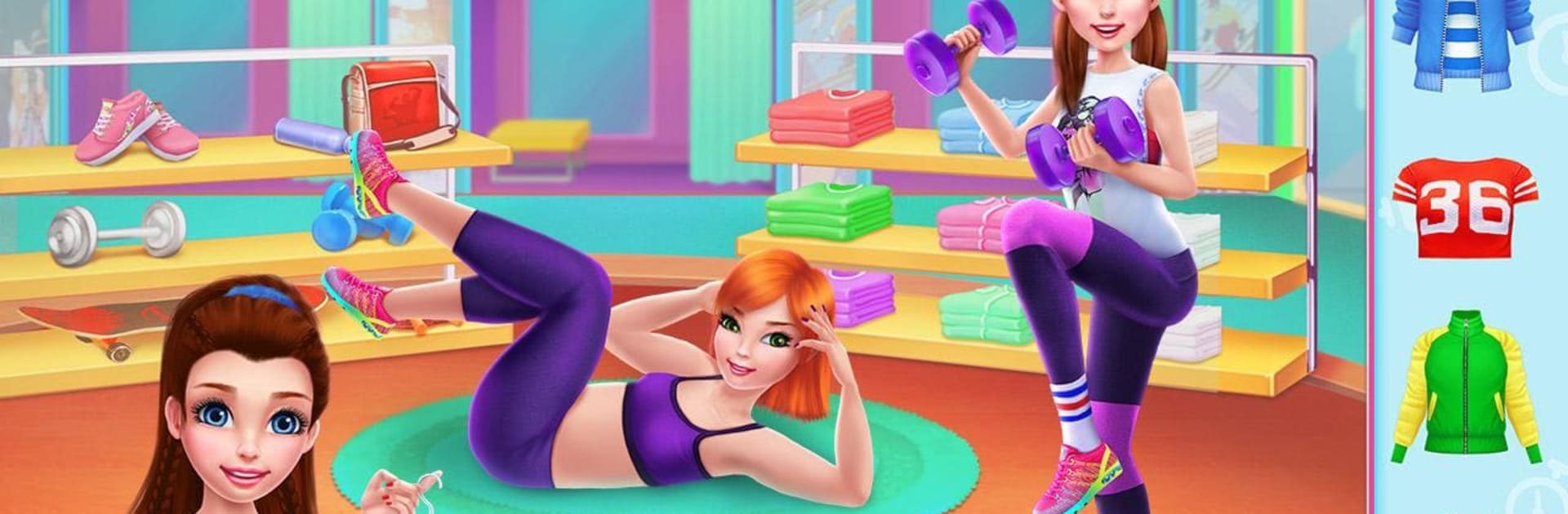
Fitness Girl – Dance & Play feels like a bright little life sim where the player becomes a fitness coach and builds a studio from scratch. It is all very upbeat. There are quick mini tasks everywhere: run dance and aerobics classes, prep at the gym so lessons look sharp, then hop into the shake bar to blend healthy drinks. The social side is a big deal too. The game has a Fit Feed that works like an in‑game social page, so players post tips and selfies, watch the fan count rise, and chase those popularity points. Outfits matter a lot, with tons of sporty clothes, makeup, and makeover bits, and there are magazine cover shoots that feel like a fun reward after a good run.

Little curveballs keep it from getting stale. If the coach gets hurt, there is a quick doctor visit mini game. When the routine gets heavy, there is a spa stop to chill. There is even a coach contest where the goal is to nail the routines and place first. It is light management mixed with fashion and bite size activities, more playful than serious fitness. On BlueStacks it plays nicely on a bigger screen, and clicking through the dress up and rhythm style taps is comfy with a mouse. Anyone into cute customization, social progress, and simple dance class action will get it fast and enjoy it.

Make your gaming sessions memorable with precise controls that give you an edge in close combats and visuals that pop up, bringing every character to life.


Game Features

Enhancements

  • Macros
  • Multi Instance
  • Script
  • Repeated Tap
  • Enhancements
Macros

Macros

Automate the predictable in Fitness Girl - Dance & Play and transform your gameplay with Macros. Get access to inventive Macros in the BlueStacks Macro Community
Multi Instance

Multi Instance

Play Fitness Girl - Dance & Play on one window. And chat with your friend on the other. Press CTRL + Shift + 8 to open the Multi-Instance Manager. And start creating fresh instances or clone an existing one.
Script

Script

Script your way to gaming glory in Fitness Girl - Dance & Play with BlueStacks Script. Write and run a set of commands to automate repeated tasks. Trigger the command by assigning it to any key.
Repeated Tap

Repeated Tap

BlueStacks lets you master Fitness Girl - Dance & Play with useful features like the Repeated Tap. Now you do not have to press the same key repeatedly to initiate an action. Just assign it to one key and you are good to go.
Read More

How to Download and Play Fitness Girl - Dance & Play on PC or Mac

  • Download and install BlueStacks on your PC or Mac

  • Complete Google sign-in to access the Play Store, or do it later

  • Look for Fitness Girl - Dance & Play in the search bar at the top right corner

  • Click to install Fitness Girl - Dance & Play from the search results

  • Complete Google sign-in (if you skipped step 2) to install Fitness Girl - Dance & Play

  • Click the Fitness Girl - Dance & Play icon on the home screen to start playing

video
Watch Video

Minimum System Requirements

With BlueStacks 5, you can get started on a PC that fulfills the following requirements.

  • Operating System

    Microsoft Windows 7 or above, macOS 11 (Big Sur) or above

  • Processor

    Intel, AMD or Apple Silicon Processor

  • RAM

    at least 4GB

  • HDD

    10GB Free Disk Space

Note:

* You must be an Administrator on your PC. Up to date graphics drivers from Microsoft or the chipset vendor.

Fitness Girl - Dance & Play - FAQs

  • How to play Fitness Girl - Dance & Play on Windows PC & Mac?

    Play Fitness Girl - Dance & Play on your PC or Mac by following these simple steps.

    • Click on 'Play Fitness Girl - Dance & Play on PC’ to download BlueStacks
    • Install it and log-in to Google Play Store
    • Launch and play the game.
  • Why is BlueStacks the fastest and safest platform to play games on PC?

    BlueStacks respects your privacy and is always safe and secure to use. It does not carry any malware, spyware, or any sort of additional software that could harm your PC.

    It is engineered to optimize speed and performance for a seamless gaming experience.

  • What are Fitness Girl - Dance & Play PC requirements?

    Minimum requirement to run Fitness Girl - Dance & Play on your PC

    • OS: Microsoft Windows 7 or above MacOS 11 (Big Sur) or above
    • Processor: Intel, AMD or Apple Silicon Processor
    • RAM: Your PC must have at least 4GB of RAM. (Note that having 4GB or more disk space is not a substitute for RAM)
    • HDD: 10GB Free Disk Space.
    • You must be an Administrator on your PC.