Glow Tales: Merge & Makeover

Glow Tales: Merge & Makeover

Casual

| Paxie Games

Play on PC with BlueStacks or from our cloud

  • Overview
  • Game Features
  • How to Play

Page Modified On: November 28, 2025

Play Glow Tales: Merge & Makeover on PC or Mac

Bring your A-game to Glow Tales: Merge & Makeover, the Casual game sensation from Paxie Games. Give your gameplay the much-needed boost with precise game controls, high FPS graphics, and top-tier features on your PC or Mac with BlueStacks.

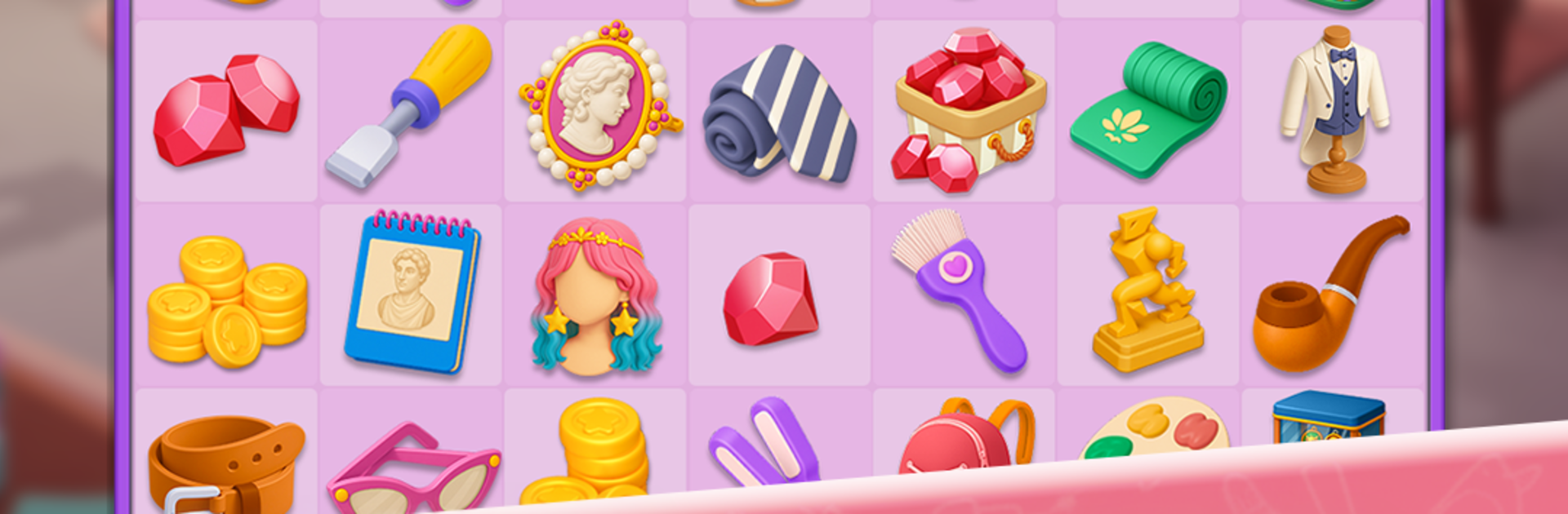
Glow Tales: Merge & Makeover is a chill merge game dressed up as a fashion and salon story. The player drags and drops little beauty items on a board, merges them into better tools and cosmetics, then uses those to style clients. One moment it is brushes and lipsticks, the next it is upgraded palettes, perfumes, hair tools, and outfits that unlock actual makeover steps. There is a full cast running the studio too. Michael is the lead who is trying to rediscover his spark, Mina is new but eager to prove herself, Collette nails the styling details, Leo snaps the after photos, and Luca handles the hair magic. Clients show up with their own mini stories, from brides trying to look perfect to celebrities who need a sharp look before they get photographed. There is even a rival group called the Glow Agency stirring up drama, so each chapter throws in a new theme and a small twist.

Moment to moment, the game is soft and relaxing. Merging has a light ASMR feel, with clean taps, gentle animations, and that nice sense of tidying a cluttered table into something that shines. Rooms in the salon slowly go from messy corners to polished spaces, and it feels good when a makeover flip finally clicks. On PC with BlueStacks, the mouse makes the dragging cleaner and the bigger screen helps when picking colors and accessories, which makes the whole merge board less fussy. It suits anyone who likes a low pressure loop with style choices, small goals to hit, and a story that keeps moving without getting heavy.

Start your journey now. Download the game on BlueStacks, invite your friends, and march on a new adventure.


Game Features

Enhancements

  • Macros
  • Multi Instance
  • Script
  • Repeated Tap
  • Enhancements
Macros

Macros

Automate the predictable in Glow Tales: Merge & Makeover and transform your gameplay with Macros. Get access to inventive Macros in the BlueStacks Macro Community
Multi Instance

Multi Instance

Play Glow Tales: Merge & Makeover on one window. And chat with your friend on the other. Press CTRL + Shift + 8 to open the Multi-Instance Manager. And start creating fresh instances or clone an existing one.
Script

Script

Script your way to gaming glory in Glow Tales: Merge & Makeover with BlueStacks Script. Write and run a set of commands to automate repeated tasks. Trigger the command by assigning it to any key.
Repeated Tap

Repeated Tap

BlueStacks lets you master Glow Tales: Merge & Makeover with useful features like the Repeated Tap. Now you do not have to press the same key repeatedly to initiate an action. Just assign it to one key and you are good to go.
Read More

How to Download and Play Glow Tales: Merge & Makeover on PC or Mac

  • Download and install BlueStacks on your PC or Mac

  • Complete Google sign-in to access the Play Store, or do it later

  • Look for Glow Tales: Merge & Makeover in the search bar at the top right corner

  • Click to install Glow Tales: Merge & Makeover from the search results

  • Complete Google sign-in (if you skipped step 2) to install Glow Tales: Merge & Makeover

  • Click the Glow Tales: Merge & Makeover icon on the home screen to start playing

video
Watch Video

Minimum System Requirements

With BlueStacks 5, you can get started on a PC that fulfills the following requirements.

  • Operating System

    Microsoft Windows 7 or above, macOS 11 (Big Sur) or above

  • Processor

    Intel, AMD or Apple Silicon Processor

  • RAM

    at least 4GB

  • HDD

    10GB Free Disk Space

Note:

* You must be an Administrator on your PC. Up to date graphics drivers from Microsoft or the chipset vendor.

Glow Tales: Merge & Makeover - FAQs

  • How to play Glow Tales: Merge & Makeover on Windows PC & Mac?

    Play Glow Tales: Merge & Makeover on your PC or Mac by following these simple steps.

    • Click on 'Play Glow Tales: Merge & Makeover on PC’ to download BlueStacks
    • Install it and log-in to Google Play Store
    • Launch and play the game.
  • Why is BlueStacks the fastest and safest platform to play games on PC?

    BlueStacks respects your privacy and is always safe and secure to use. It does not carry any malware, spyware, or any sort of additional software that could harm your PC.

    It is engineered to optimize speed and performance for a seamless gaming experience.

  • What are Glow Tales: Merge & Makeover PC requirements?

    Minimum requirement to run Glow Tales: Merge & Makeover on your PC

    • OS: Microsoft Windows 7 or above MacOS 11 (Big Sur) or above
    • Processor: Intel, AMD or Apple Silicon Processor
    • RAM: Your PC must have at least 4GB of RAM. (Note that having 4GB or more disk space is not a substitute for RAM)
    • HDD: 10GB Free Disk Space.
    • You must be an Administrator on your PC.