Goal Legend-Penalty Guardian

Goal Legend-Penalty Guardian

Casual

| RevolutionGames Studio

Play on PC with BlueStacks or from our cloud

  • Overview
  • Game Features
  • How to Play

Page Modified On: November 03, 2025

Play Goal Legend-Penalty Guardian on PC or Mac

Explore a whole new adventure with Goal Legend-Penalty Guardian, a Casual game created by RevolutionGames Studio. Experience great gameplay with BlueStacks, the most popular gaming platform to play Android games on your PC or Mac.

About the Game

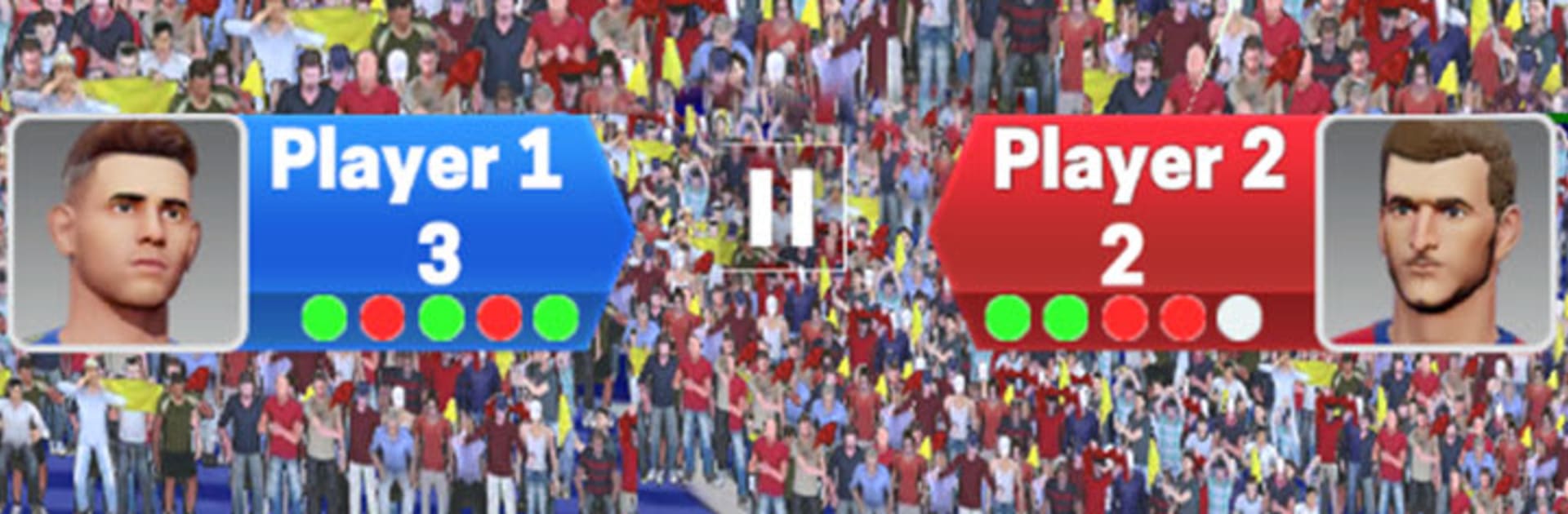
Goal Legend-Penalty Guardian turns every match into a tense back-and-forth duel where you alternate between hitting the perfect shot and protecting your net. It’s quick, tactical, and surprisingly suspenseful—miss a read and the other side can snatch the lead. Expect short rounds, clutch saves, and that “one more try” feeling.

Game Features

  • Turn-Swap Gameplay: Attack one moment, guard the posts the next. Every round flips roles, so you’re always adapting and outsmarting your rival.
  • Beat the Clock: Each attempt is timed, pushing you to pick the angle, power, and placement fast. On defense, anticipate, position, and react before the whistle.
  • Smart Shooting & Saves: Bend it around the wall, slot it low, or blast it top corner—then switch and read the shooter’s tells to pull off a clean stop.
  • Tactics and Team Choices: Choose teams and player types, then fine-tune your approach. Prefer a tight backline or an all-out press? Build a plan and stick to it—or switch mid-match.
  • Score-Chasing Duels: Goals earn points and momentum. Leads swing, the pressure climbs, and the final turns can flip everything.
  • Polished Match Feel: Crisp visuals, smooth animations, and a lively stadium vibe make every kick and fingertip save feel big.
  • Friendly for Newcomers, Deep for Fans: Easy to learn in a minute, packed with mind games you’ll still be mastering after many matches.
  • Play Your Way: Great on mobile with touch controls, and also comfy on PC with BlueStacks if you want more screen space.
  • From RevolutionGames Studio: A focused Casual experience built for fast, competitive soccer showdowns.

Ready to top the leaderboard? We bet you do. Let precise controls and sharp visuals optimized on BlueStacks lead you to victory.


Game Features

Enhancements

  • Macros
  • Multi Instance
  • Script
  • Repeated Tap
  • Enhancements
Macros

Macros

Automate the predictable in Goal Legend-Penalty Guardian and transform your gameplay with Macros. Get access to inventive Macros in the BlueStacks Macro Community
Multi Instance

Multi Instance

Play Goal Legend-Penalty Guardian on one window. And chat with your friend on the other. Press CTRL + Shift + 8 to open the Multi-Instance Manager. And start creating fresh instances or clone an existing one.
Script

Script

Script your way to gaming glory in Goal Legend-Penalty Guardian with BlueStacks Script. Write and run a set of commands to automate repeated tasks. Trigger the command by assigning it to any key.
Repeated Tap

Repeated Tap

BlueStacks lets you master Goal Legend-Penalty Guardian with useful features like the Repeated Tap. Now you do not have to press the same key repeatedly to initiate an action. Just assign it to one key and you are good to go.
Read More

How to Download and Play Goal Legend-Penalty Guardian on PC or Mac

  • Download and install BlueStacks on your PC or Mac

  • Complete Google sign-in to access the Play Store, or do it later

  • Look for Goal Legend-Penalty Guardian in the search bar at the top right corner

  • Click to install Goal Legend-Penalty Guardian from the search results

  • Complete Google sign-in (if you skipped step 2) to install Goal Legend-Penalty Guardian

  • Click the Goal Legend-Penalty Guardian icon on the home screen to start playing

video
Watch Video

Minimum System Requirements

With BlueStacks 5, you can get started on a PC that fulfills the following requirements.

  • Operating System

    Microsoft Windows 7 or above, macOS 11 (Big Sur) or above

  • Processor

    Intel, AMD or Apple Silicon Processor

  • RAM

    at least 4GB

  • HDD

    10GB Free Disk Space

Note:

* You must be an Administrator on your PC. Up to date graphics drivers from Microsoft or the chipset vendor.

Goal Legend-Penalty Guardian - FAQs

  • How to play Goal Legend-Penalty Guardian on Windows PC & Mac?

    Play Goal Legend-Penalty Guardian on your PC or Mac by following these simple steps.

    • Click on 'Play Goal Legend-Penalty Guardian on PC’ to download BlueStacks
    • Install it and log-in to Google Play Store
    • Launch and play the game.
  • Why is BlueStacks the fastest and safest platform to play games on PC?

    BlueStacks respects your privacy and is always safe and secure to use. It does not carry any malware, spyware, or any sort of additional software that could harm your PC.

    It is engineered to optimize speed and performance for a seamless gaming experience.

  • What are Goal Legend-Penalty Guardian PC requirements?

    Minimum requirement to run Goal Legend-Penalty Guardian on your PC

    • OS: Microsoft Windows 7 or above MacOS 11 (Big Sur) or above
    • Processor: Intel, AMD or Apple Silicon Processor
    • RAM: Your PC must have at least 4GB of RAM. (Note that having 4GB or more disk space is not a substitute for RAM)
    • HDD: 10GB Free Disk Space.
    • You must be an Administrator on your PC.