Indian Wedding Dress up Game

Indian Wedding Dress up Game

Casual

| Ginchu Games

Play on PC with BlueStacks or from our cloud

  • Overview
  • Game Features
  • How to Play

Page Modified On: October 13, 2026

Play Indian Wedding Dress up Game on PC or Mac

Explore a whole new adventure with Indian Wedding Dress up Game, a Casual game created by Ginchu Games. Experience great gameplay with BlueStacks, the most popular gaming platform to play Android games on your PC or Mac.

About the Game

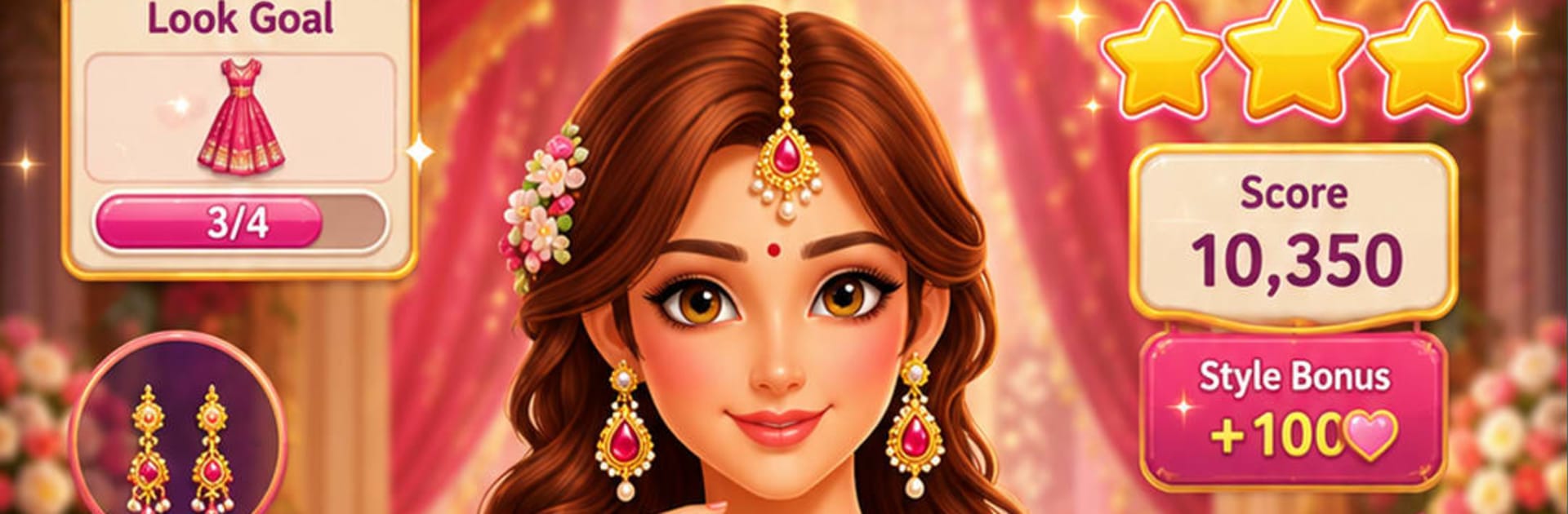
Indian Wedding Dress up Game is all about planning the perfect big-day glow-up, from the first salon visit to the final photos. It’s a Casual experience where you play stylist, makeup artist, and fashion planner for a royal-inspired bride (and yes, the groom gets a makeover too). Expect rich colors, traditional touches, and tons of mix-and-match fun that feels relaxing and creative.

Game Features

  • Bridal spa and glow-up: Start with a calming face cleanse and massage to prep the bride’s skin before makeup, because a smooth canvas makes everything pop.
  • Full makeup studio: Build the look with customizable eyebrow shapes, eyeliner, mascara, blush, eye colors, eyeshadow palettes, and lip shades—switch tones until it feels just right.
  • Hairstyles with color play: Try braids, buns, or loose waves, then tweak highlights and shades to match the outfit or the jewelry.
  • Traditional outfits wardrobe: Dress the bride in elegant sarees and lehengas, blending modern diva flair with classic styles for a royal finish.
  • Jewelry and accessories: Layer on rings, necklaces, earrings, bangles, clutches, heels, and more to complete every ensemble down to the last sparkle.
  • Mehndi and fine details: Choose intricate henna designs and matching bindis to bring that authentic ceremonial charm to the final look.
  • Groom styling included: Coordinate the groom’s attire and accessories so the couple’s outfits complement each other in photos and at the mandap.
  • Ritual-ready levels: Style looks for different wedding moments and ceremonies, meeting specific goals as you progress through themed stages.
  • Venue décor and photoshoot: Set up backdrops and decorations, then snap polished shots of the couple’s finished style for a keepsake gallery feel.
  • Real-time try-ons: Swap colors, outfits, and accessories instantly to compare looks on the fly—extra smooth if you’re playing on BlueStacks.
  • Offline-friendly play: Create and experiment anytime, even without an internet connection, so your styling streak never has to wait.

Ready to top the leaderboard? We bet you do. Let precise controls and sharp visuals optimized on BlueStacks lead you to victory.


Game Features

Enhancements

  • Macros
  • Multi Instance
  • Script
  • Repeated Tap
  • Enhancements
Macros

Macros

Automate the predictable in Indian Wedding Dress up Game and transform your gameplay with Macros. Get access to inventive Macros in the BlueStacks Macro Community
Multi Instance

Multi Instance

Play Indian Wedding Dress up Game on one window. And chat with your friend on the other. Press CTRL + Shift + 8 to open the Multi-Instance Manager. And start creating fresh instances or clone an existing one.
Script

Script

Script your way to gaming glory in Indian Wedding Dress up Game with BlueStacks Script. Write and run a set of commands to automate repeated tasks. Trigger the command by assigning it to any key.
Repeated Tap

Repeated Tap

BlueStacks lets you master Indian Wedding Dress up Game with useful features like the Repeated Tap. Now you do not have to press the same key repeatedly to initiate an action. Just assign it to one key and you are good to go.
Read More

How to Download and Play Indian Wedding Dress up Game on PC or Mac

  • Download and install BlueStacks on your PC or Mac

  • Complete Google sign-in to access the Play Store, or do it later

  • Look for Indian Wedding Dress up Game in the search bar at the top right corner

  • Click to install Indian Wedding Dress up Game from the search results

  • Complete Google sign-in (if you skipped step 2) to install Indian Wedding Dress up Game

  • Click the Indian Wedding Dress up Game icon on the home screen to start playing

video
Watch Video

Minimum System Requirements

With BlueStacks 5, you can get started on a PC that fulfills the following requirements.

  • Operating System

    Microsoft Windows 7 or above, macOS 11 (Big Sur) or above

  • Processor

    Intel, AMD or Apple Silicon Processor

  • RAM

    at least 4GB

  • HDD

    10GB Free Disk Space

Note:

* You must be an Administrator on your PC. Up to date graphics drivers from Microsoft or the chipset vendor.

Indian Wedding Dress up Game - FAQs

  • How to play Indian Wedding Dress up Game on Windows PC & Mac?

    Play Indian Wedding Dress up Game on your PC or Mac by following these simple steps.

    • Click on 'Play Indian Wedding Dress up Game on PC’ to download BlueStacks
    • Install it and log-in to Google Play Store
    • Launch and play the game.
  • Why is BlueStacks the fastest and safest platform to play games on PC?

    BlueStacks respects your privacy and is always safe and secure to use. It does not carry any malware, spyware, or any sort of additional software that could harm your PC.

    It is engineered to optimize speed and performance for a seamless gaming experience.

  • What are Indian Wedding Dress up Game PC requirements?

    Minimum requirement to run Indian Wedding Dress up Game on your PC

    • OS: Microsoft Windows 7 or above MacOS 11 (Big Sur) or above
    • Processor: Intel, AMD or Apple Silicon Processor
    • RAM: Your PC must have at least 4GB of RAM. (Note that having 4GB or more disk space is not a substitute for RAM)
    • HDD: 10GB Free Disk Space.
    • You must be an Administrator on your PC.