Kids Road Builder - Kids Games

Kids Road Builder - Kids Games

Casual

| Fabulous Fun

Play on PC with BlueStacks or from our cloud

  • Overview
  • Game Features
  • How to Play

Page Modified On: September 12, 2025

Play Kids Road Builder - Kids Games on PC or Mac

Step into the World of Kids Road Builder – Kids Games, a thrilling Casual game from the house of Fabulous Fun. Play this Android game on BlueStacks App Player and experience immersive gaming on PC or Mac.

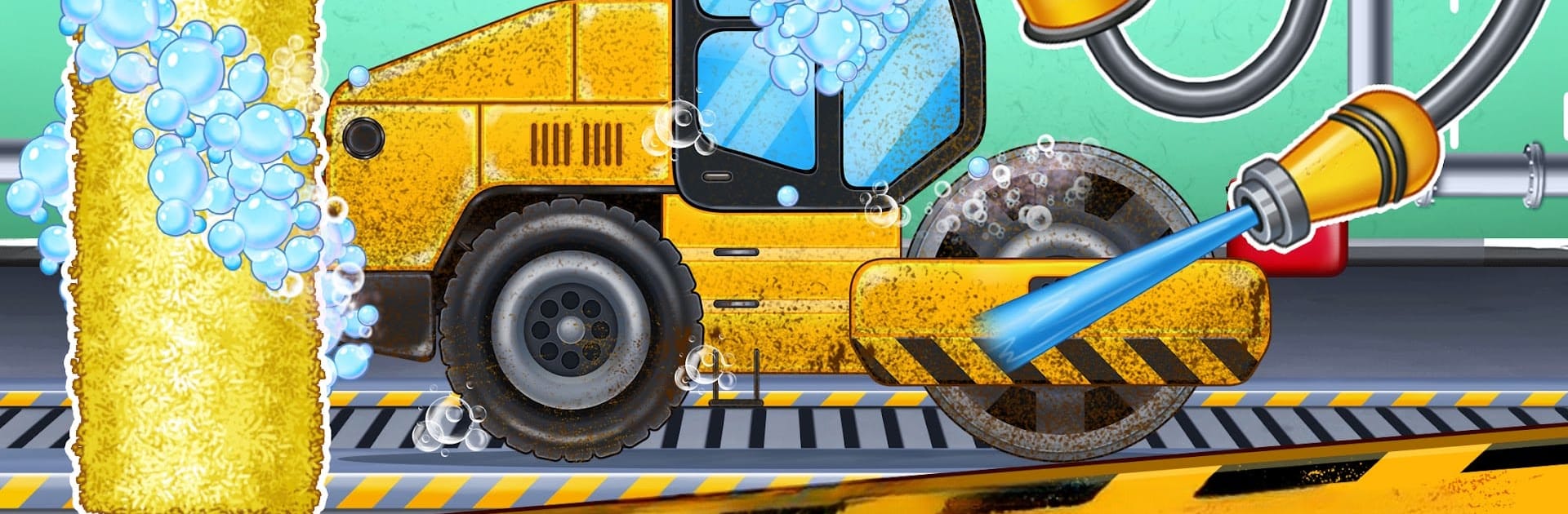
Kids Road Builder is a simple, step by step construction game where every action is a tiny job, and it feels made for kids who love trucks and big machines. It starts by tearing up a cracked road, first the driller breaks the leftover chunks, then an excavator digs out the bad surface, and a cleaner truck sweeps the mess so the site looks tidy. There is a little mini game that crushes big stones into mix, load it into a dumper, pour it into a truck, spread it across the lane, and send a heavy road roller to press everything flat. After that comes a quirky bit with coal that gets heated and mixed with other materials to make asphalt, spread it, paint the lines, and the highway looks brand new.

What stands out is how clear the prompts are, big arrows and oversized buttons, so there is very little reading and no stress. The machines are the stars, bulldozer, crane, digger, sand excavator, loaders, dumper trucks, a road roller, even tractors, each with its own simple swipe or drag to control. On PC with BlueStacks, using a mouse to drag levers and aim the crane feels smooth, no tiny touch targets to fight. It is not about strategy or management, it is more like a calm chain of tasks with chunky sounds and bright colors. Great for younger players who want to feel like a road builder, and for anyone who just wants to zone out fixing a road without timers or fuss.

Make your gaming sessions memorable with precise controls that give you an edge in close combats and visuals that pop up, bringing every character to life.


Game Features

Enhancements

  • Macros
  • Multi Instance
  • Script
  • Repeated Tap
  • Enhancements
Macros

Macros

Automate the predictable in Kids Road Builder - Kids Games and transform your gameplay with Macros. Get access to inventive Macros in the BlueStacks Macro Community
Multi Instance

Multi Instance

Play Kids Road Builder - Kids Games on one window. And chat with your friend on the other. Press CTRL + Shift + 8 to open the Multi-Instance Manager. And start creating fresh instances or clone an existing one.
Script

Script

Script your way to gaming glory in Kids Road Builder - Kids Games with BlueStacks Script. Write and run a set of commands to automate repeated tasks. Trigger the command by assigning it to any key.
Repeated Tap

Repeated Tap

BlueStacks lets you master Kids Road Builder - Kids Games with useful features like the Repeated Tap. Now you do not have to press the same key repeatedly to initiate an action. Just assign it to one key and you are good to go.
Read More

How to Download and Play Kids Road Builder - Kids Games on PC or Mac

  • Download and install BlueStacks on your PC or Mac

  • Complete Google sign-in to access the Play Store, or do it later

  • Look for Kids Road Builder - Kids Games in the search bar at the top right corner

  • Click to install Kids Road Builder - Kids Games from the search results

  • Complete Google sign-in (if you skipped step 2) to install Kids Road Builder - Kids Games

  • Click the Kids Road Builder - Kids Games icon on the home screen to start playing

video
Watch Video

Minimum System Requirements

With BlueStacks 5, you can get started on a PC that fulfills the following requirements.

  • Operating System

    Microsoft Windows 7 or above, macOS 11 (Big Sur) or above

  • Processor

    Intel, AMD or Apple Silicon Processor

  • RAM

    at least 4GB

  • HDD

    10GB Free Disk Space

Note:

* You must be an Administrator on your PC. Up to date graphics drivers from Microsoft or the chipset vendor.

Kids Road Builder - Kids Games - FAQs

  • How to play Kids Road Builder - Kids Games on Windows PC & Mac?

    Play Kids Road Builder - Kids Games on your PC or Mac by following these simple steps.

    • Click on 'Play Kids Road Builder - Kids Games on PC’ to download BlueStacks
    • Install it and log-in to Google Play Store
    • Launch and play the game.
  • Why is BlueStacks the fastest and safest platform to play games on PC?

    BlueStacks respects your privacy and is always safe and secure to use. It does not carry any malware, spyware, or any sort of additional software that could harm your PC.

    It is engineered to optimize speed and performance for a seamless gaming experience.

  • What are Kids Road Builder - Kids Games PC requirements?

    Minimum requirement to run Kids Road Builder - Kids Games on your PC

    • OS: Microsoft Windows 7 or above MacOS 11 (Big Sur) or above
    • Processor: Intel, AMD or Apple Silicon Processor
    • RAM: Your PC must have at least 4GB of RAM. (Note that having 4GB or more disk space is not a substitute for RAM)
    • HDD: 10GB Free Disk Space.
    • You must be an Administrator on your PC.