轉運江湖
轉運江湖

轉運江湖

Casual

| Superjoy Interactive Games Limited

Play on PC with BlueStacks or from our cloud

  • Overview
  • Game Features
  • How to Play

Page Modified On: August 24, 2026

Play 轉運江湖 on PC or Mac

轉運江湖 by Superjoy Interactive Games Limited has plenty to keep you busy. BlueStacks lets you play it on PC or Mac with more screen space, better control, and fewer mobile limits.

About the Game

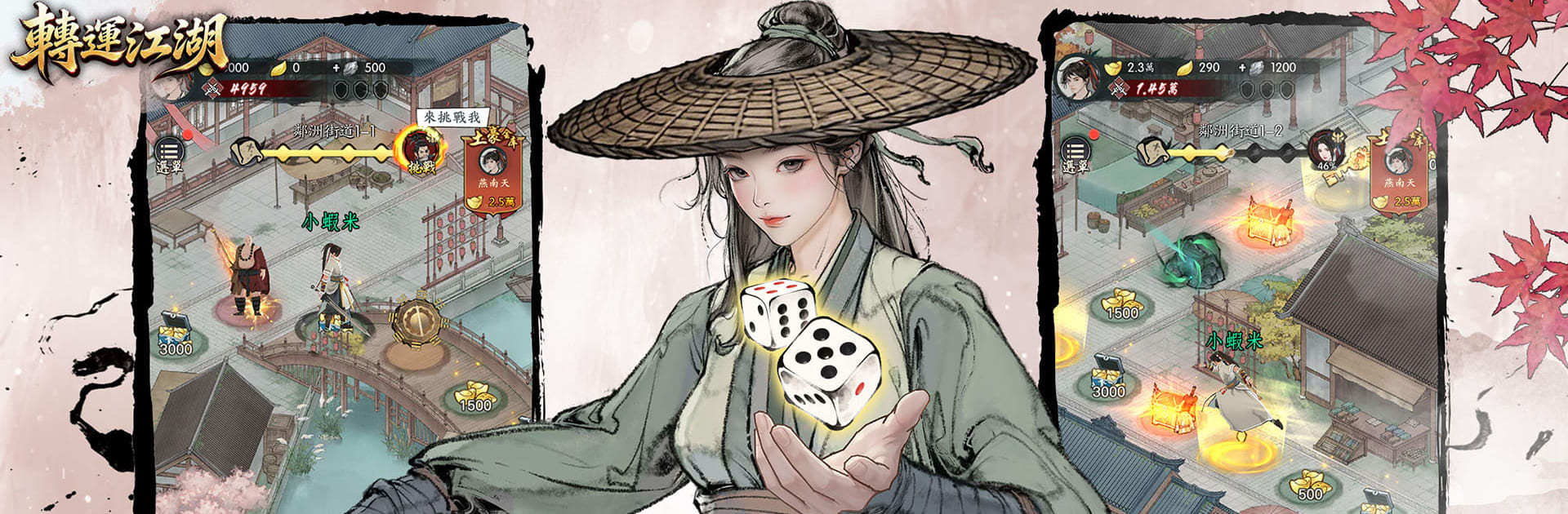
轉運江湖 is a Casual wuxia-inspired board adventure where every dice roll can flip your luck. You wander a hand‑drawn jianghu, bump into quirky strangers, and collect curious treasures as chance steers your path. Quick sessions, light strategy, and a steady sense of progress—without the heavy grind.

Game Features

  • Roll-and-roam gameplay: Toss the dice, move from tile to tile, and pick routes that feel right in the moment—snappy, simple, and surprisingly tactical.
  • Unpredictable encounters: One step brings a windfall, the next a touching side story or a tricky choice; fate keeps you guessing in the best way.
  • Light progression: Gather coins, relics, and manuals to shape your fighter at your own pace—no spreadsheets, no stress.
  • Rewards that snowball: Frequent surprises and bite-size goals keep resources coming, so momentum never stalls.
  • Laid-back pacing: Make meaningful progress without marathon sessions; dip in for a few minutes and still feel accomplished.
  • Ink-wash aesthetic: Enjoy elegant brushwork, soft colors, and clean effects that make the jianghu feel calm yet alive.
  • Play-in-short-bursts: Perfect for quick breaks, a commute, or winding down before bed—it respects your time.
  • Optional PC comfort with BlueStacks: Prefer playing on a bigger screen with easy controls? 轉運江湖 runs smoothly on BlueStacks, keeping the chill vibe intact.

Ready to top the leaderboard? We bet you do. Let precise controls and sharp visuals optimized on BlueStacks lead you to victory.


Game Features

Enhancements

  • Macros
  • Multi Instance
  • Script
  • Repeated Tap
  • Enhancements
Macros

Macros

Automate the predictable in 轉運江湖 and transform your gameplay with Macros. Get access to inventive Macros in the BlueStacks Macro Community
Multi Instance

Multi Instance

Play 轉運江湖 on one window. And chat with your friend on the other. Press CTRL + Shift + 8 to open the Multi-Instance Manager. And start creating fresh instances or clone an existing one.
Script

Script

Script your way to gaming glory in 轉運江湖 with BlueStacks Script. Write and run a set of commands to automate repeated tasks. Trigger the command by assigning it to any key.
Repeated Tap

Repeated Tap

BlueStacks lets you master 轉運江湖 with useful features like the Repeated Tap. Now you do not have to press the same key repeatedly to initiate an action. Just assign it to one key and you are good to go.
Read More

How to Download and Play 轉運江湖 on PC or Mac

  • Download and install BlueStacks on your PC or Mac

  • Complete Google sign-in to access the Play Store, or do it later

  • Look for 轉運江湖 in the search bar at the top right corner

  • Click to install 轉運江湖 from the search results

  • Complete Google sign-in (if you skipped step 2) to install 轉運江湖

  • Click the 轉運江湖 icon on the home screen to start playing

video
Watch Video

Minimum System Requirements

With BlueStacks 5, you can get started on a PC that fulfills the following requirements.

  • Operating System

    Microsoft Windows 7 or above, macOS 11 (Big Sur) or above

  • Processor

    Intel, AMD or Apple Silicon Processor

  • RAM

    at least 4GB

  • HDD

    10GB Free Disk Space

Note:

* You must be an Administrator on your PC. Up to date graphics drivers from Microsoft or the chipset vendor.

轉運江湖 - FAQs

  • How to play 轉運江湖 on Windows PC & Mac?

    Play 轉運江湖 on your PC or Mac by following these simple steps.

    • Click on 'Play 轉運江湖 on PC’ to download BlueStacks
    • Install it and log-in to Google Play Store
    • Launch and play the game.
  • Why is BlueStacks the fastest and safest platform to play games on PC?

    BlueStacks respects your privacy and is always safe and secure to use. It does not carry any malware, spyware, or any sort of additional software that could harm your PC.

    It is engineered to optimize speed and performance for a seamless gaming experience.

  • What are 轉運江湖 PC requirements?

    Minimum requirement to run 轉運江湖 on your PC

    • OS: Microsoft Windows 7 or above MacOS 11 (Big Sur) or above
    • Processor: Intel, AMD or Apple Silicon Processor
    • RAM: Your PC must have at least 4GB of RAM. (Note that having 4GB or more disk space is not a substitute for RAM)
    • HDD: 10GB Free Disk Space.
    • You must be an Administrator on your PC.