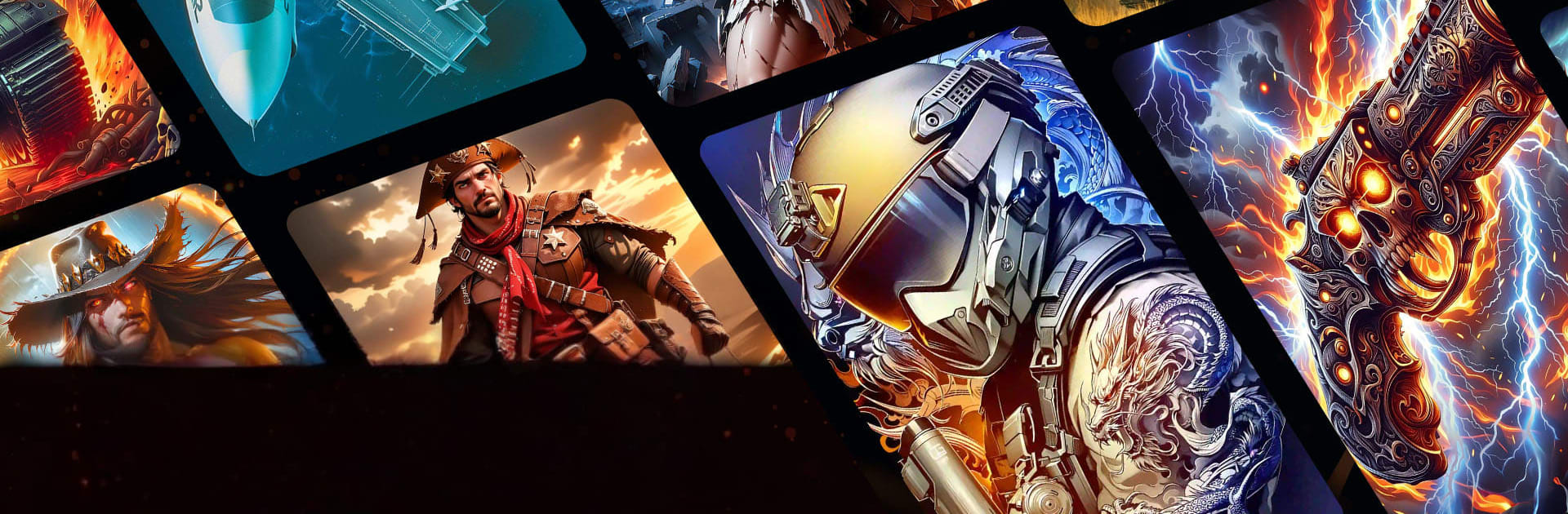
Military War Coloring Games

Military War Coloring Games

Casual

| Fancy Games Studio

Play on PC with BlueStacks or from our cloud

  • Overview
  • Game Features
  • How to Play

Page Modified On: June 29, 2026

Play Military War Coloring Games on PC or Mac

Explore a whole new adventure with Military War Coloring Games, a Casual game created by Fancy Games Studio. Experience great gameplay with BlueStacks, the most popular gaming platform to play Android games on your PC or Mac.

About the Game

Military War Coloring Games is a Casual color-by-number app with a bold twist: it’s all about soldiers, gear, and iconic scenes from land, sea, and air. It turns tough-as-nails military imagery into a calming, pick-up-anytime creative break. Want a quick de-stress session or a longer, more detailed project? It handles both without fuss. You can even enjoy it on a larger screen with BlueStacks if you like a roomier canvas.

Game Features

  • Military Focus – Fill in tanks, jets, submarines, elite squads, and tactical landscapes with satisfying tap-to-color precision.
  • Simple Numbered Coloring – Each segment is labeled, so you always know what to paint next. No guesswork, just smooth progress.
  • Omega Color Collection – Tackle a premium set of ultra-detailed artworks built for players who crave a challenge and love seeing intricate results.
  • Warriors Across Eras – From medieval knights and Spartans to modern operators and special forces, build a gallery that spans centuries of strategy and grit.
  • Vehicles & Gear Galore – Armored vehicles, fighter jets, helicopters, naval fleets, and mission-ready equipment—it’s a full hangar’s worth of material to color.
  • Relaxation That Sticks – Settle into a mellow flow where focus replaces noise. Five minutes or fifty, it’s easy to unwind here.
  • For Beginners to Pros – Quick, breezy pieces sit alongside multi-layered, high-detail images, so you can color at your own pace.
  • Ever‑Growing Library – Fresh artwork drops regularly, keeping your queue full of new missions, scenes, and characters to complete.

BlueStacks gives you more room to focus on the game and less time adjusting around mobile limitations.


Game Features

Enhancements

  • Macros
  • Multi Instance
  • Script
  • Repeated Tap
  • Enhancements
Macros

Macros

Automate the predictable in Military War Coloring Games and transform your gameplay with Macros. Get access to inventive Macros in the BlueStacks Macro Community
Multi Instance

Multi Instance

Play Military War Coloring Games on one window. And chat with your friend on the other. Press CTRL + Shift + 8 to open the Multi-Instance Manager. And start creating fresh instances or clone an existing one.
Script

Script

Script your way to gaming glory in Military War Coloring Games with BlueStacks Script. Write and run a set of commands to automate repeated tasks. Trigger the command by assigning it to any key.
Repeated Tap

Repeated Tap

BlueStacks lets you master Military War Coloring Games with useful features like the Repeated Tap. Now you do not have to press the same key repeatedly to initiate an action. Just assign it to one key and you are good to go.
Read More

How to Download and Play Military War Coloring Games on PC or Mac

  • Download and install BlueStacks on your PC or Mac

  • Complete Google sign-in to access the Play Store, or do it later

  • Look for Military War Coloring Games in the search bar at the top right corner

  • Click to install Military War Coloring Games from the search results

  • Complete Google sign-in (if you skipped step 2) to install Military War Coloring Games

  • Click the Military War Coloring Games icon on the home screen to start playing

video
Watch Video

Minimum System Requirements

With BlueStacks 5, you can get started on a PC that fulfills the following requirements.

  • Operating System

    Microsoft Windows 7 or above, macOS 11 (Big Sur) or above

  • Processor

    Intel, AMD or Apple Silicon Processor

  • RAM

    at least 4GB

  • HDD

    10GB Free Disk Space

Note:

* You must be an Administrator on your PC. Up to date graphics drivers from Microsoft or the chipset vendor.

Military War Coloring Games - FAQs

  • How to play Military War Coloring Games on Windows PC & Mac?

    Play Military War Coloring Games on your PC or Mac by following these simple steps.

    • Click on 'Play Military War Coloring Games on PC’ to download BlueStacks
    • Install it and log-in to Google Play Store
    • Launch and play the game.
  • Why is BlueStacks the fastest and safest platform to play games on PC?

    BlueStacks respects your privacy and is always safe and secure to use. It does not carry any malware, spyware, or any sort of additional software that could harm your PC.

    It is engineered to optimize speed and performance for a seamless gaming experience.

  • What are Military War Coloring Games PC requirements?

    Minimum requirement to run Military War Coloring Games on your PC

    • OS: Microsoft Windows 7 or above MacOS 11 (Big Sur) or above
    • Processor: Intel, AMD or Apple Silicon Processor
    • RAM: Your PC must have at least 4GB of RAM. (Note that having 4GB or more disk space is not a substitute for RAM)
    • HDD: 10GB Free Disk Space.
    • You must be an Administrator on your PC.