Rocket Hit
Rocket Hit

Rocket Hit

Casual

| Gola Games

Play on PC with BlueStacks or from our cloud

  • Overview
  • Game Features
  • How to Play

Page Modified On: June 02, 2026

Play Rocket Hit on PC or Mac

Play Rocket Hit by Gola Games on PC or Mac with BlueStacks. Use a bigger screen, mouse and keyboard controls, and smoother performance while you play.

About the Game

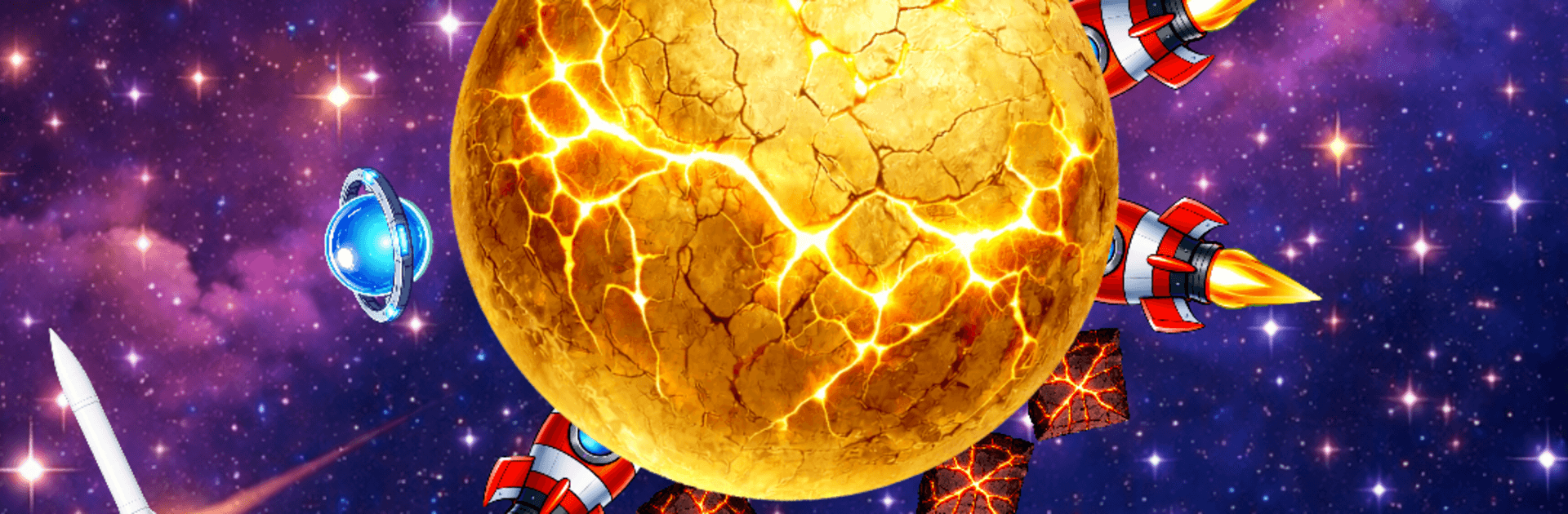
Rocket Hit is a snappy Casual arcade puzzler where every tap matters. You’re firing rockets at fast-spinning worlds, trying to sneak shots between the ones you’ve already stuck in the surface. It’s quick, tense, and oddly satisfying—one perfect hit leads to another, until the whole planet finally cracks.

Game Features

  • Precision Timing: Plan your shot as each planet speeds up, slows down, or flips direction. Hesitate or rush it, and you’ll clip a rocket already lodged there.
  • Planet Variety: Bounce between familiar blue worlds, frosty moons, and blazing giants—each with its own rhythm and quirks.
  • Surprise Bosses: Every so often, a boss planet shows up with weird spin patterns. Beat it clean to snag special rocket skins.
  • Build Your Hangar: Earn stardust from clean hits and shattered worlds to unlock sleek missiles, alien hardware, and classic shuttles.
  • One-Hand Friendly: Tap-to-fire controls make it easy to play anywhere—short rounds, instant restarts, zero fuss.
  • Reflex Challenge: It’s pure timing and nerve. Chase streaks, rack up scores, and climb the leaderboard if you’re feeling brave.
  • Slick Look and Feel: Smooth animations, bright neon trails, and punchy effects—plus satisfying haptics on supported devices.
  • Clean Feedback Loop: Watch, wait, tap, and listen for that crack when the planet finally gives. It never gets old.
  • Play Your Way: On the go on your phone, or on a bigger screen with BlueStacks if that’s more your style.

BlueStacks gives you more room to focus on the game and less time adjusting around mobile limitations.


Game Features

Enhancements

  • Macros
  • Multi Instance
  • Script
  • Repeated Tap
  • Enhancements
Macros

Macros

Automate the predictable in Rocket Hit and transform your gameplay with Macros. Get access to inventive Macros in the BlueStacks Macro Community
Multi Instance

Multi Instance

Play Rocket Hit on one window. And chat with your friend on the other. Press CTRL + Shift + 8 to open the Multi-Instance Manager. And start creating fresh instances or clone an existing one.
Script

Script

Script your way to gaming glory in Rocket Hit with BlueStacks Script. Write and run a set of commands to automate repeated tasks. Trigger the command by assigning it to any key.
Repeated Tap

Repeated Tap

BlueStacks lets you master Rocket Hit with useful features like the Repeated Tap. Now you do not have to press the same key repeatedly to initiate an action. Just assign it to one key and you are good to go.
Read More

How to Download and Play Rocket Hit on PC or Mac

  • Download and install BlueStacks on your PC or Mac

  • Complete Google sign-in to access the Play Store, or do it later

  • Look for Rocket Hit in the search bar at the top right corner

  • Click to install Rocket Hit from the search results

  • Complete Google sign-in (if you skipped step 2) to install Rocket Hit

  • Click the Rocket Hit icon on the home screen to start playing

video
Watch Video

Minimum System Requirements

With BlueStacks 5, you can get started on a PC that fulfills the following requirements.

  • Operating System

    Microsoft Windows 7 or above, macOS 11 (Big Sur) or above

  • Processor

    Intel, AMD or Apple Silicon Processor

  • RAM

    at least 4GB

  • HDD

    10GB Free Disk Space

Note:

* You must be an Administrator on your PC. Up to date graphics drivers from Microsoft or the chipset vendor.

Rocket Hit - FAQs

  • How to play Rocket Hit on Windows PC & Mac?

    Play Rocket Hit on your PC or Mac by following these simple steps.

    • Click on 'Play Rocket Hit on PC’ to download BlueStacks
    • Install it and log-in to Google Play Store
    • Launch and play the game.
  • Why is BlueStacks the fastest and safest platform to play games on PC?

    BlueStacks respects your privacy and is always safe and secure to use. It does not carry any malware, spyware, or any sort of additional software that could harm your PC.

    It is engineered to optimize speed and performance for a seamless gaming experience.

  • What are Rocket Hit PC requirements?

    Minimum requirement to run Rocket Hit on your PC

    • OS: Microsoft Windows 7 or above MacOS 11 (Big Sur) or above
    • Processor: Intel, AMD or Apple Silicon Processor
    • RAM: Your PC must have at least 4GB of RAM. (Note that having 4GB or more disk space is not a substitute for RAM)
    • HDD: 10GB Free Disk Space.
    • You must be an Administrator on your PC.