Badminton Go
Badminton Go

Badminton Go

Sports

| Gola Games

Play on PC with BlueStacks or from our cloud

  • Overview
  • Game Features
  • How to Play

Page Modified On: January 13, 2026

Play Badminton Go on PC or Mac

Step into the World of Badminton Go, a thrilling Sports game from the house of Gola Games. Play this Android game on BlueStacks App Player and experience immersive gaming on PC or Mac.

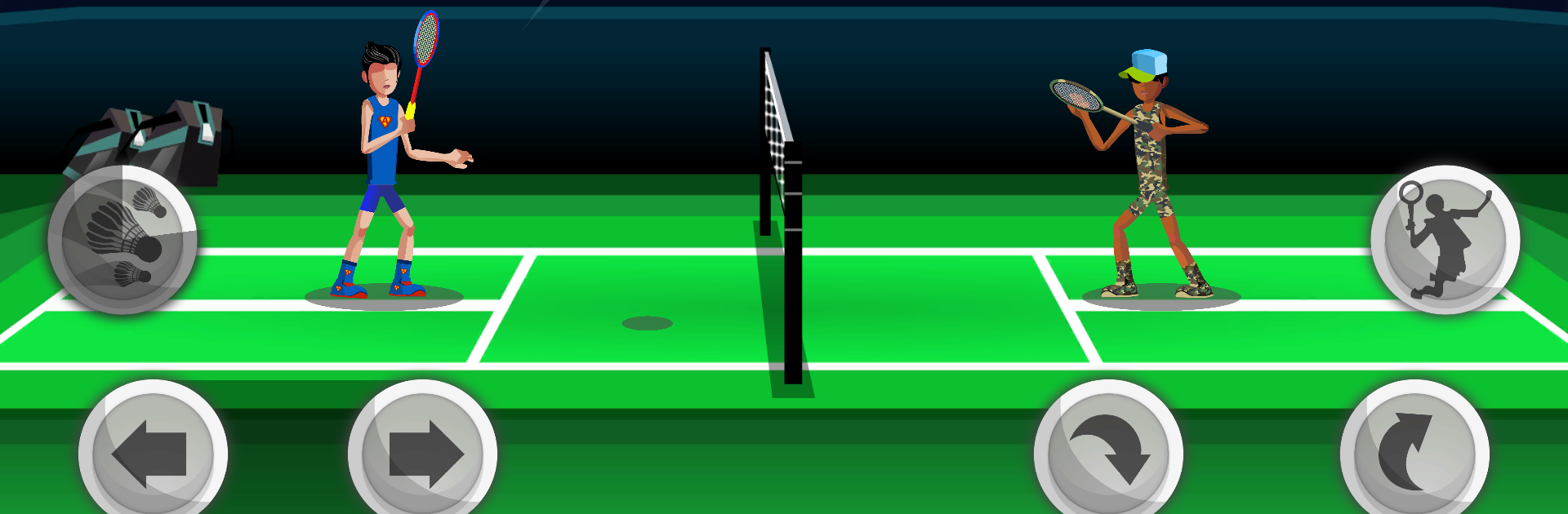
Badminton Go plays like fast arcade badminton with a few superpowers tossed in for fun. The court is shown in a clean 2.5D view, hits feel snappy, and the shuttle has a nice weight so rallies build up tension instead of ending at random. There is a simple Practice mode to figure out timing, a Ranked queue for people who want to climb, and a Tournament bracket for a longer run. Movement is quick, so spacing and footwork matter, then a well timed dash or smash can flip a rally. Sound is punchy too, that crisp thwack when a clean hit lands does a lot.

The hook is the special abilities. Things like Flash Dash, Clones, Invisibility, Crazy Smash, Energizer, Weight Shift, and Chronology Control change how a point plays out, so there is a light bit of strategy beyond just reacting. Choosing when to trigger a power, and baiting the opponent to waste theirs, feels good. Characters can wear different outfits and gear that look nice and add small boosts, so there is room to tune a playstyle without turning the game into a grind. On PC through BlueStacks, mapping movement and shots to keys is straightforward and the bigger screen helps track angles, especially on smashes down the line. It lands in a sweet spot where casual matches are easy to jump into, yet there is enough depth to keep chasing better rallies.

Start your journey now. Download the game on BlueStacks, invite your friends, and march on a new adventure.


Game Features

Enhancements

  • Macros
  • Multi Instance
  • Multi Instance Sync
  • Script
  • Enhancements
Macros

Macros

Automate the predictable in Badminton Go and transform your gameplay with Macros. Get access to inventive Macros in the BlueStacks Macro Community
Multi Instance

Multi Instance

Play Badminton Go on one window. And chat with your friend on the other. Press CTRL + Shift + 8 to open the Multi-Instance Manager. And start creating fresh instances or clone an existing one.
Multi Instance Sync

Multi Instance Sync

Play Badminton Go with the power of Multi-Instance Sync. Replicate what you are doing on the main instance on all other instances. Level up faster, play more.
Script

Script

Script your way to gaming glory in Badminton Go with BlueStacks Script. Write and run a set of commands to automate repeated tasks. Trigger the command by assigning it to any key.
Read More

How to Download and Play Badminton Go on PC or Mac

  • Download and install BlueStacks on your PC or Mac

  • Complete Google sign-in to access the Play Store, or do it later

  • Look for Badminton Go in the search bar at the top right corner

  • Click to install Badminton Go from the search results

  • Complete Google sign-in (if you skipped step 2) to install Badminton Go

  • Click the Badminton Go icon on the home screen to start playing

video
Watch Video

Minimum System Requirements

With BlueStacks 5, you can get started on a PC that fulfills the following requirements.

  • Operating System

    Microsoft Windows 7 or above, macOS 11 (Big Sur) or above

  • Processor

    Intel, AMD or Apple Silicon Processor

  • RAM

    at least 4GB

  • HDD

    10GB Free Disk Space

Note:

* You must be an Administrator on your PC. Up to date graphics drivers from Microsoft or the chipset vendor.

Badminton Go - FAQs

  • How to play Badminton Go on Windows PC & Mac?

    Play Badminton Go on your PC or Mac by following these simple steps.

    • Click on 'Play Badminton Go on PC’ to download BlueStacks
    • Install it and log-in to Google Play Store
    • Launch and play the game.
  • Why is BlueStacks the fastest and safest platform to play games on PC?

    BlueStacks respects your privacy and is always safe and secure to use. It does not carry any malware, spyware, or any sort of additional software that could harm your PC.

    It is engineered to optimize speed and performance for a seamless gaming experience.

  • What are Badminton Go PC requirements?

    Minimum requirement to run Badminton Go on your PC

    • OS: Microsoft Windows 7 or above MacOS 11 (Big Sur) or above
    • Processor: Intel, AMD or Apple Silicon Processor
    • RAM: Your PC must have at least 4GB of RAM. (Note that having 4GB or more disk space is not a substitute for RAM)
    • HDD: 10GB Free Disk Space.
    • You must be an Administrator on your PC.