Royal Tailor: Diy Fashion Star

Royal Tailor: Diy Fashion Star

Casual

| Tap Happy

Play on PC with BlueStacks or from our cloud

  • Overview
  • Game Features
  • How to Play

Page Modified On: May 18, 2026

Play Royal Tailor: Diy Fashion Star on PC or Mac

From the innovators and creators at Tap Happy, Royal Tailor: Diy Fashion Star is another fun addition to the World of Casual games. Go beyond your mobile screen and play it bigger and better on your PC or Mac. An immersive experience awaits you.

About the Game

Royal Tailor: Diy Fashion Star is a hands-on fashion sandbox where you’re the creative force behind a storied tailoring shop. It’s all about measuring, cutting, styling, and sending clients out looking like royalty—sometimes literally. This Casual title from Tap Happy keeps things friendly and approachable, letting you learn the craft step by step while growing a busy boutique. Prefer playing on a bigger screen? It feels right at home on BlueStacks.

Game Features

  • Measurements — Grab your tape and size up each client so every outfit fits just right, from shoulders to hem.
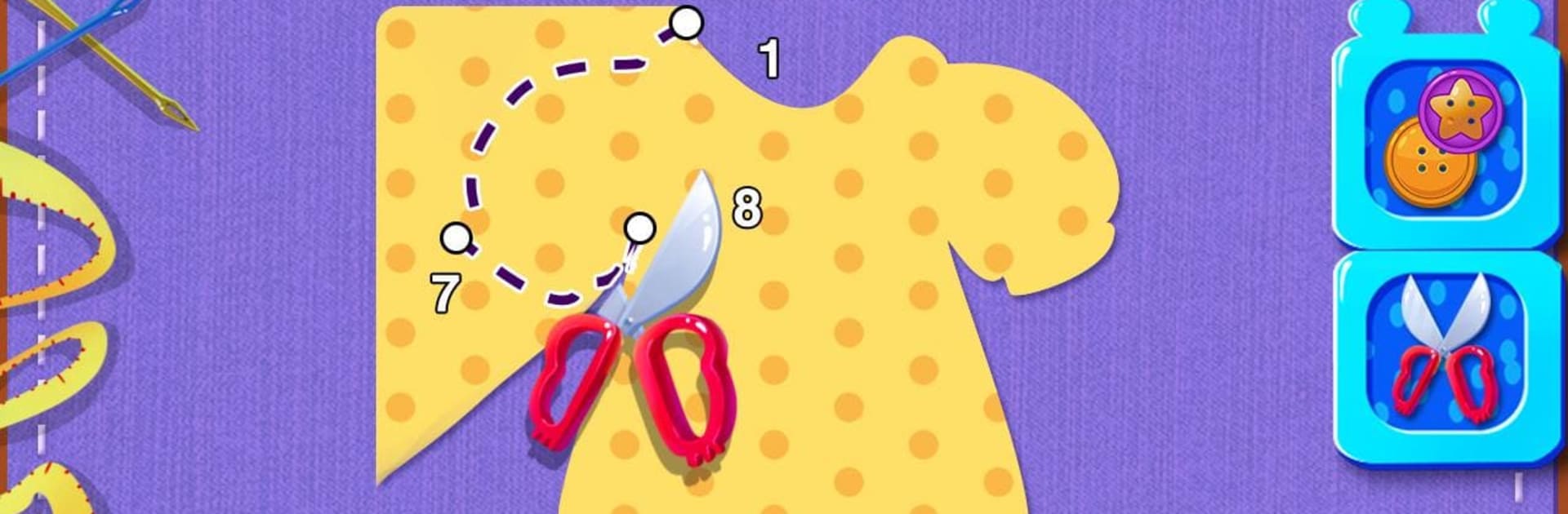
  • Fabric & Cutting — Pick the cloth that suits the look, then trace patterns and slice clean lines for a perfect base.
  • Details & Embellishments — Buttons, trims, ribbons, and more—mix and match accents to give each piece a signature flair.
  • Royal Commissions — Design custom looks for noble guests and special VIP requests, tailoring styles to their tastes.
  • Staff Styling — Dress your shop attendant in polished uniforms that match your brand and mood.
  • Shop Care — Sweep, tidy, and keep the workspace spotless so creativity (and customers) keep flowing.
  • Photo Studio — Snap gorgeous pictures of your finished outfits and show off your handiwork to friends and family.
  • Grow the Business — Take on more orders, improve your setup, and turn your little atelier into a sought-after destination.

Ready to top the leaderboard? We bet you do. Let precise controls and sharp visuals optimized on BlueStacks lead you to victory.


Game Features

Enhancements

  • Macros
  • Multi Instance
  • Script
  • Repeated Tap
  • Enhancements
Macros

Macros

Automate the predictable in Royal Tailor: Diy Fashion Star and transform your gameplay with Macros. Get access to inventive Macros in the BlueStacks Macro Community
Multi Instance

Multi Instance

Play Royal Tailor: Diy Fashion Star on one window. And chat with your friend on the other. Press CTRL + Shift + 8 to open the Multi-Instance Manager. And start creating fresh instances or clone an existing one.
Script

Script

Script your way to gaming glory in Royal Tailor: Diy Fashion Star with BlueStacks Script. Write and run a set of commands to automate repeated tasks. Trigger the command by assigning it to any key.
Repeated Tap

Repeated Tap

BlueStacks lets you master Royal Tailor: Diy Fashion Star with useful features like the Repeated Tap. Now you do not have to press the same key repeatedly to initiate an action. Just assign it to one key and you are good to go.
Read More

How to Download and Play Royal Tailor: Diy Fashion Star on PC or Mac

  • Download and install BlueStacks on your PC or Mac

  • Complete Google sign-in to access the Play Store, or do it later

  • Look for Royal Tailor: Diy Fashion Star in the search bar at the top right corner

  • Click to install Royal Tailor: Diy Fashion Star from the search results

  • Complete Google sign-in (if you skipped step 2) to install Royal Tailor: Diy Fashion Star

  • Click the Royal Tailor: Diy Fashion Star icon on the home screen to start playing

video
Watch Video

Minimum System Requirements

With BlueStacks 5, you can get started on a PC that fulfills the following requirements.

  • Operating System

    Microsoft Windows 7 or above, macOS 11 (Big Sur) or above

  • Processor

    Intel, AMD or Apple Silicon Processor

  • RAM

    at least 4GB

  • HDD

    10GB Free Disk Space

Note:

* You must be an Administrator on your PC. Up to date graphics drivers from Microsoft or the chipset vendor.

Royal Tailor: Diy Fashion Star - FAQs

  • How to play Royal Tailor: Diy Fashion Star on Windows PC & Mac?

    Play Royal Tailor: Diy Fashion Star on your PC or Mac by following these simple steps.

    • Click on 'Play Royal Tailor: Diy Fashion Star on PC’ to download BlueStacks
    • Install it and log-in to Google Play Store
    • Launch and play the game.
  • Why is BlueStacks the fastest and safest platform to play games on PC?

    BlueStacks respects your privacy and is always safe and secure to use. It does not carry any malware, spyware, or any sort of additional software that could harm your PC.

    It is engineered to optimize speed and performance for a seamless gaming experience.

  • What are Royal Tailor: Diy Fashion Star PC requirements?

    Minimum requirement to run Royal Tailor: Diy Fashion Star on your PC

    • OS: Microsoft Windows 7 or above MacOS 11 (Big Sur) or above
    • Processor: Intel, AMD or Apple Silicon Processor
    • RAM: Your PC must have at least 4GB of RAM. (Note that having 4GB or more disk space is not a substitute for RAM)
    • HDD: 10GB Free Disk Space.
    • You must be an Administrator on your PC.