Sea Muncher-Big Bite Fish

Sea Muncher-Big Bite Fish

Casual

| Dear Dream Game

Play on PC with BlueStacks or from our cloud

  • Overview
  • Game Features
  • How to Play

Page Modified On: October 30, 2026

Play Sea Muncher-Big Bite Fish on PC or Mac

Sea Muncher-Big Bite Fish by Dear Dream Game has plenty to keep you busy. BlueStacks lets you play it on PC or Mac with more screen space, better control, and fewer mobile limits.

About the Game

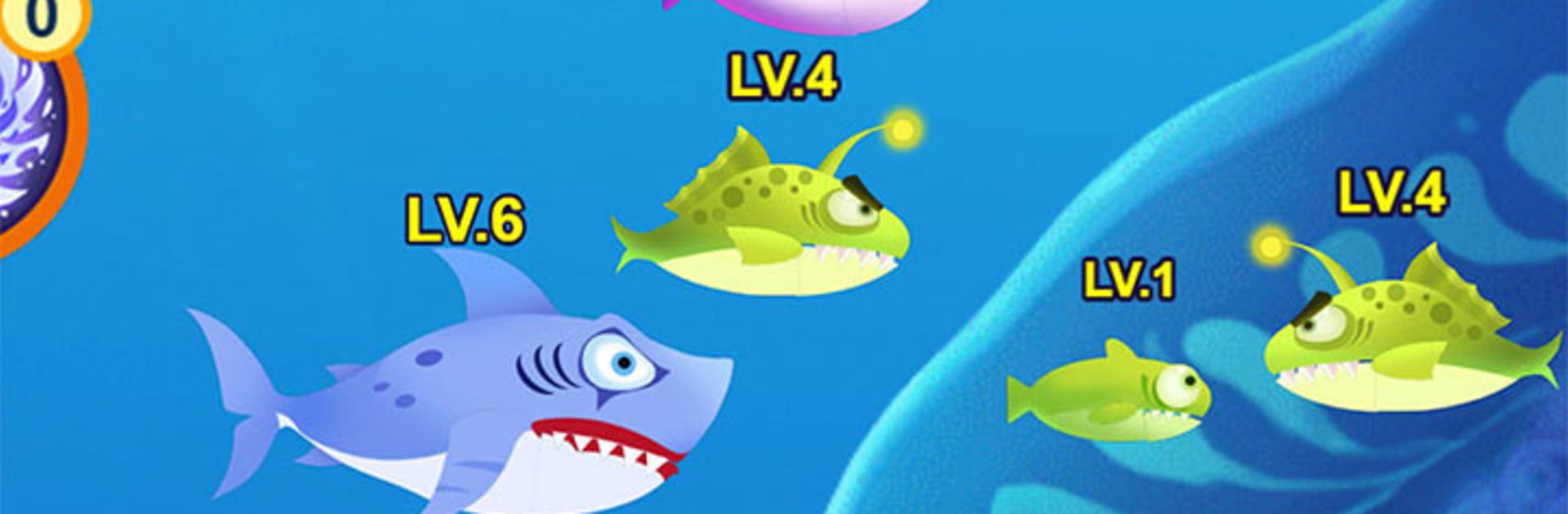
Sea Muncher-Big Bite Fish is a Casual take on ocean survival where you start as a snack-sized fish and work your way up the food chain. It’s quick, tense, and strangely relaxing—one minute you’re nibbling at tiny targets, the next you’re outmaneuvering something with teeth the size of you. Expect close calls, sudden sprints, and a watery world that’s beautiful but never fully safe; it also feels great on BlueStacks if you like a bigger view and smooth controls.

Game Features

  • Start Small, Grow Bold: Begin as a little fish and gobble up tinier creatures to bulk up, unlocking the thrill of turning yesterday’s threat into today’s snack.
  • Hunt or Hide, Your Call: Read the water, pick smart routes, and decide when to pounce or slip into the shadows before something enormous notices you.
  • Swarming Schools, Real Panic: Dense schools shift and surge around you, creating hectic traffic and sudden gaps that can save you—or trap you.
  • Big Fish, Bigger Stakes: Predators patrol trenches and rifts; one wrong move and you’re lunch, but a clean escape feels incredible.
  • Tension That Never Lets Go: Even at the top of the chain, new terrors appear, keeping every run sharp, risky, and oddly addictive.
  • Haunting Deep-Sea Vibe: Murky trenches, flickers of light, and distant silhouettes build a moody, slightly spooky atmosphere without getting in the way.
  • Freeform Progress, Real Consequences: Grow step by step through what you eat; reckless chomps can end a run, careful routes turn you into a powerhouse.
  • Plays Great on BlueStacks: Prefer a roomier screen and precise input? The game feels crisp and responsive there without changing its pick-up-and-play feel.

Get ready for a buttery smooth, high-performance gaming action only on BlueStacks.

Game Features

Enhancements

  • Macros
  • Multi Instance
  • Script
  • Repeated Tap
  • Enhancements
Macros

Macros

Automate the predictable in Sea Muncher-Big Bite Fish and transform your gameplay with Macros. Get access to inventive Macros in the BlueStacks Macro Community
Multi Instance

Multi Instance

Play Sea Muncher-Big Bite Fish on one window. And chat with your friend on the other. Press CTRL + Shift + 8 to open the Multi-Instance Manager. And start creating fresh instances or clone an existing one.
Script

Script

Script your way to gaming glory in Sea Muncher-Big Bite Fish with BlueStacks Script. Write and run a set of commands to automate repeated tasks. Trigger the command by assigning it to any key.
Repeated Tap

Repeated Tap

BlueStacks lets you master Sea Muncher-Big Bite Fish with useful features like the Repeated Tap. Now you do not have to press the same key repeatedly to initiate an action. Just assign it to one key and you are good to go.
Read More

How to Download and Play Sea Muncher-Big Bite Fish on PC or Mac

  • Download and install BlueStacks on your PC or Mac

  • Complete Google sign-in to access the Play Store, or do it later

  • Look for Sea Muncher-Big Bite Fish in the search bar at the top right corner

  • Click to install Sea Muncher-Big Bite Fish from the search results

  • Complete Google sign-in (if you skipped step 2) to install Sea Muncher-Big Bite Fish

  • Click the Sea Muncher-Big Bite Fish icon on the home screen to start playing

video
Watch Video

Minimum System Requirements

With BlueStacks 5, you can get started on a PC that fulfills the following requirements.

  • Operating System

    Microsoft Windows 7 or above, macOS 11 (Big Sur) or above

  • Processor

    Intel, AMD or Apple Silicon Processor

  • RAM

    at least 4GB

  • HDD

    10GB Free Disk Space

Note:

* You must be an Administrator on your PC. Up to date graphics drivers from Microsoft or the chipset vendor.

Sea Muncher-Big Bite Fish - FAQs

  • How to play Sea Muncher-Big Bite Fish on Windows PC & Mac?

    Play Sea Muncher-Big Bite Fish on your PC or Mac by following these simple steps.

    • Click on 'Play Sea Muncher-Big Bite Fish on PC’ to download BlueStacks
    • Install it and log-in to Google Play Store
    • Launch and play the game.
  • Why is BlueStacks the fastest and safest platform to play games on PC?

    BlueStacks respects your privacy and is always safe and secure to use. It does not carry any malware, spyware, or any sort of additional software that could harm your PC.

    It is engineered to optimize speed and performance for a seamless gaming experience.

  • What are Sea Muncher-Big Bite Fish PC requirements?

    Minimum requirement to run Sea Muncher-Big Bite Fish on your PC

    • OS: Microsoft Windows 7 or above MacOS 11 (Big Sur) or above
    • Processor: Intel, AMD or Apple Silicon Processor
    • RAM: Your PC must have at least 4GB of RAM. (Note that having 4GB or more disk space is not a substitute for RAM)
    • HDD: 10GB Free Disk Space.
    • You must be an Administrator on your PC.