The Outcast Warrior
The Outcast Warrior

The Outcast Warrior

Casual

| Zzoo

Play on PC with BlueStacks or from our cloud

  • Overview
  • Game Features
  • How to Play

Page Modified On: January 06, 2026

Play The Outcast Warrior on PC or Mac

From the innovators and creators at Zzoo, The Outcast Warrior is another fun addition to the World of Casual games. Go beyond your mobile screen and play it bigger and better on your PC or Mac. An immersive experience awaits you.

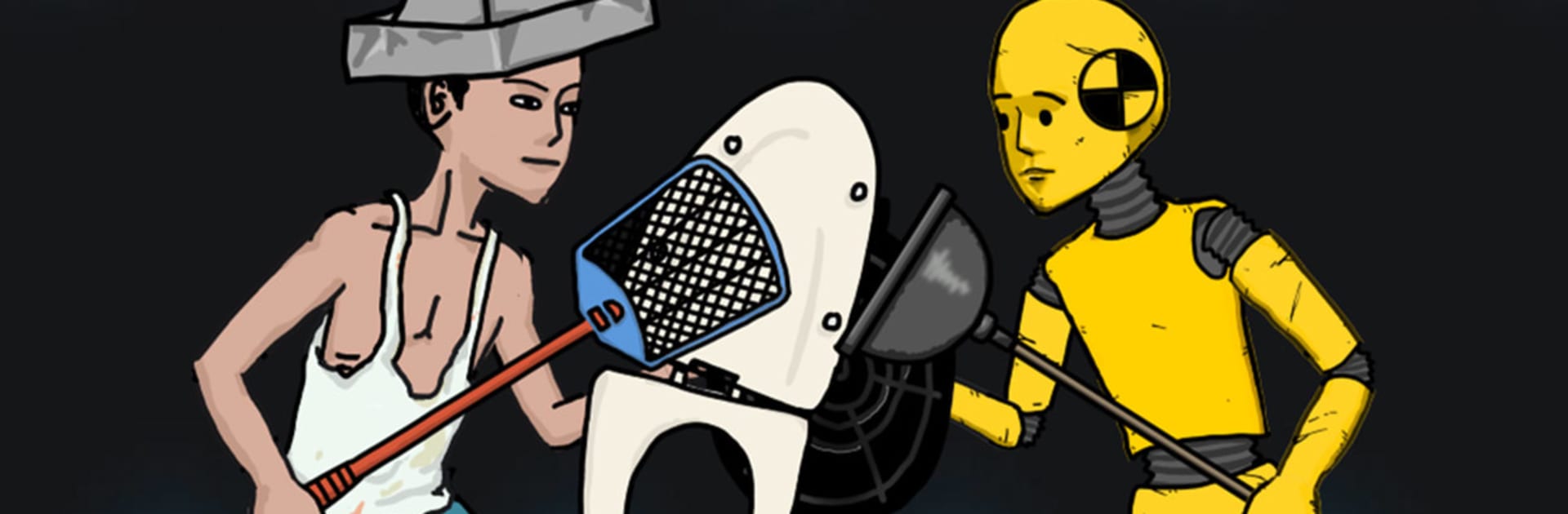
The Outcast Warrior is a straight-up mind duel dressed as a card battler. Two players square off, pick an action, and hope they read the other person right. It is mostly attack versus defend, with the tension coming from guessing patterns, baiting a response, then flipping the round with a single, gutsy choice. There is no fluff to hide behind. If someone wins, it is because they predicted better, not because they grinded a spreadsheet. Rounds are snappy, momentum swings hard, and that little pause before revealing cards feels way bigger than it should. The cast is a bunch of oddball, outcast heroes, and the whole thing leans into this over-the-top, slightly absurd tone that keeps matches light even when they get sweaty.

What stands out is how clean the decisions feel. One wrong move and a sure lead can collapse. One smart read and a lost game suddenly turns. Players who enjoy bluffing, pattern hunting, and calling out habits will thrive, while anyone who wants heavy deck building or long setups may bounce off. On PC with BlueStacks, the click-to-commit flow is quick, animations look crisp, and switching between matches feels smooth. It is easy to play a handful of games, tell yourself just one more, then queue again because the next read will totally land.

Get ready for a buttery smooth, high-performance gaming action only on BlueStacks.

Game Features

Enhancements

  • Macros
  • Multi Instance
  • Script
  • Repeated Tap
  • Enhancements
Macros

Macros

Automate the predictable in The Outcast Warrior and transform your gameplay with Macros. Get access to inventive Macros in the BlueStacks Macro Community
Multi Instance

Multi Instance

Play The Outcast Warrior on one window. And chat with your friend on the other. Press CTRL + Shift + 8 to open the Multi-Instance Manager. And start creating fresh instances or clone an existing one.
Script

Script

Script your way to gaming glory in The Outcast Warrior with BlueStacks Script. Write and run a set of commands to automate repeated tasks. Trigger the command by assigning it to any key.
Repeated Tap

Repeated Tap

BlueStacks lets you master The Outcast Warrior with useful features like the Repeated Tap. Now you do not have to press the same key repeatedly to initiate an action. Just assign it to one key and you are good to go.
Read More

How to Download and Play The Outcast Warrior on PC or Mac

  • Download and install BlueStacks on your PC or Mac

  • Complete Google sign-in to access the Play Store, or do it later

  • Look for The Outcast Warrior in the search bar at the top right corner

  • Click to install The Outcast Warrior from the search results

  • Complete Google sign-in (if you skipped step 2) to install The Outcast Warrior

  • Click the The Outcast Warrior icon on the home screen to start playing

video
Watch Video

Minimum System Requirements

With BlueStacks 5, you can get started on a PC that fulfills the following requirements.

  • Operating System

    Microsoft Windows 7 or above, macOS 11 (Big Sur) or above

  • Processor

    Intel, AMD or Apple Silicon Processor

  • RAM

    at least 4GB

  • HDD

    10GB Free Disk Space

Note:

* You must be an Administrator on your PC. Up to date graphics drivers from Microsoft or the chipset vendor.

The Outcast Warrior - FAQs

  • How to play The Outcast Warrior on Windows PC & Mac?

    Play The Outcast Warrior on your PC or Mac by following these simple steps.

    • Click on 'Play The Outcast Warrior on PC’ to download BlueStacks
    • Install it and log-in to Google Play Store
    • Launch and play the game.
  • Why is BlueStacks the fastest and safest platform to play games on PC?

    BlueStacks respects your privacy and is always safe and secure to use. It does not carry any malware, spyware, or any sort of additional software that could harm your PC.

    It is engineered to optimize speed and performance for a seamless gaming experience.

  • What are The Outcast Warrior PC requirements?

    Minimum requirement to run The Outcast Warrior on your PC

    • OS: Microsoft Windows 7 or above MacOS 11 (Big Sur) or above
    • Processor: Intel, AMD or Apple Silicon Processor
    • RAM: Your PC must have at least 4GB of RAM. (Note that having 4GB or more disk space is not a substitute for RAM)
    • HDD: 10GB Free Disk Space.
    • You must be an Administrator on your PC.