Trash Goblin
Trash Goblin

Trash Goblin

Casual

| Doghowl Games Ltd

Play on PC with BlueStacks or from our cloud

Click here to Pre-Register for Trash Goblin
  • Overview
  • Features
  • How to Play

Page Modified On: August 31, 2026

Play Trash Goblin on PC or Mac

Step into the World of Trash Goblin, a thrilling Casual game from the house of Doghowl Games Ltd. Play this Android game on BlueStacks App Player and experience immersive gaming on PC or Mac.

About the Game

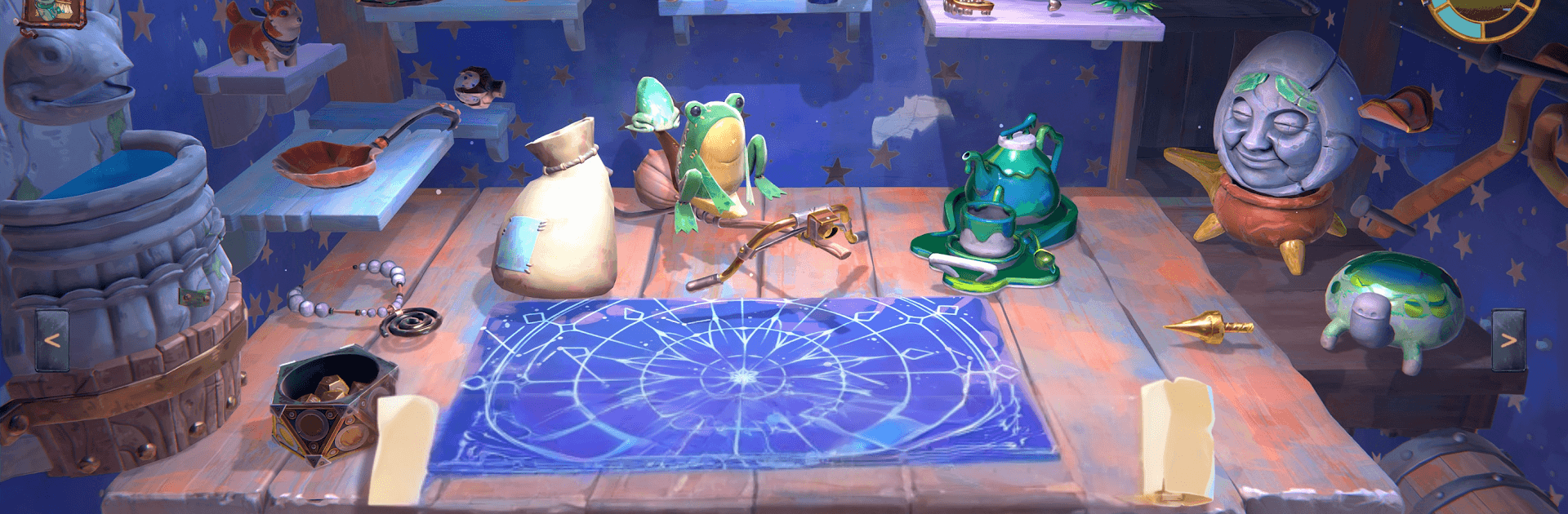
Trash Goblin is a laid‑back little shop where you rescue forgotten odds and ends, fix them up, and send them off to happy new homes. This Casual experience is all about tinkering at your own pace—cleaning, combining, and displaying strange finds while a parade of friendly regulars pop in with curiosities and requests. Prefer to play on a bigger screen? It runs smoothly on PC with BlueStacks.

Game Features

  • Unearth hidden oddities: Chip away at crust, clay, rust, and other stubborn layers—each one breaks differently—until the mystery underneath finally peeks through.
  • Make it shine: Scrub, rinse, and polish your discoveries so they’re ready for the shelf and tempting to buyers.
  • Upcycle with flair: Mix and match trinkets to build imaginative one‑offs, from quirky mashups to surprisingly classy showpieces.
  • Quirky customers, real charm: Meet browsers, collectors, and eccentrics with tastes of their own—some want something specific, others just love a good story.
  • Tools and space that grow with you: Spend your hard‑earned coins on better gear and more room so you can work cleaner, faster, and a little more cleverly.
  • Smart selling touches: Set out a showcase mat to nudge interest in certain wares, let a soak tub handle overnight cleaning, or use an honesty box to clear pieces you’re done with.
  • Make the shop yours: Rearrange shelves, add plants, swap wallpaper, even freshen up your cozy corner so the place feels like home.
  • Maximum chill, zero stress: Gentle day limits keep things breezy—no fail screens, no pressure—so you can potter around and come back to customers who always return.

BlueStacks gives you more room to focus on the game and less time adjusting around mobile limitations.


Features

  • Macros

    Automate the predictable in Trash Goblin and transform your gameplay with Macros. Get access to inventive Macros in the BlueStacks Macro Community

  • Multi Instance

    Play Trash Goblin on one window. And chat with your friend on the other. Press CTRL + Shift + 8 to open the Multi-Instance Manager. And start creating fresh instances or clone an existing one.

  • Script

    Script your way to gaming glory in Trash Goblin with BlueStacks Script. Write and run a set of commands to automate repeated tasks. Trigger the command by assigning it to any key.

  • Repeated Tap

    BlueStacks lets you master Trash Goblin with useful features like the Repeated Tap. Now you do not have to press the same key repeatedly to initiate an action. Just assign it to one key and you are good to go.

How to Download and Play Trash Goblin on PC or Mac

  • Download and install BlueStacks on your PC or Mac

  • Complete Google sign-in to access the Play Store, or do it later

  • Look for Trash Goblin in the search bar at the top right corner

  • Click to install Trash Goblin from the search results

  • Complete Google sign-in (if you skipped step 2) to install Trash Goblin

  • Click the Trash Goblin icon on the home screen to start playing

video
Watch Video

Minimum System Requirements

With BlueStacks 5, you can get started on a PC that fulfills the following requirements.

  • Operating System

    Microsoft Windows 7 or above, macOS 11 (Big Sur) or above

  • Processor

    Intel, AMD or Apple Silicon Processor

  • RAM

    at least 4GB

  • HDD

    10GB Free Disk Space

Note:

* You must be an Administrator on your PC. Up to date graphics drivers from Microsoft or the chipset vendor.

Exclusive Gaming Content. And More.

Get the latest updates on the BlueStacks Blog.

See More
Trash Goblin

Be among the first to play Trash Goblin on PC

Get notified when the Game launches

Trash Goblin - FAQs

  • How to play Trash Goblin on Windows PC & Mac?

    Play Trash Goblin on your PC or Mac by following these simple steps.

    • Click on 'Play Trash Goblin on PC’ to download BlueStacks
    • Install it and log-in to Google Play Store
    • Launch and play the game.
  • Why is BlueStacks the fastest and safest platform to play games on PC?

    BlueStacks respects your privacy and is always safe and secure to use. It does not carry any malware, spyware, or any sort of additional software that could harm your PC.

    It is engineered to optimize speed and performance for a seamless gaming experience.

  • What are Trash Goblin PC requirements?

    Minimum requirement to run Trash Goblin on your PC

    • OS: Microsoft Windows 7 or above MacOS 11 (Big Sur) or above
    • Processor: Intel, AMD or Apple Silicon Processor
    • RAM: Your PC must have at least 4GB of RAM. (Note that having 4GB or more disk space is not a substitute for RAM)
    • HDD: 10GB Free Disk Space.
    • You must be an Administrator on your PC.