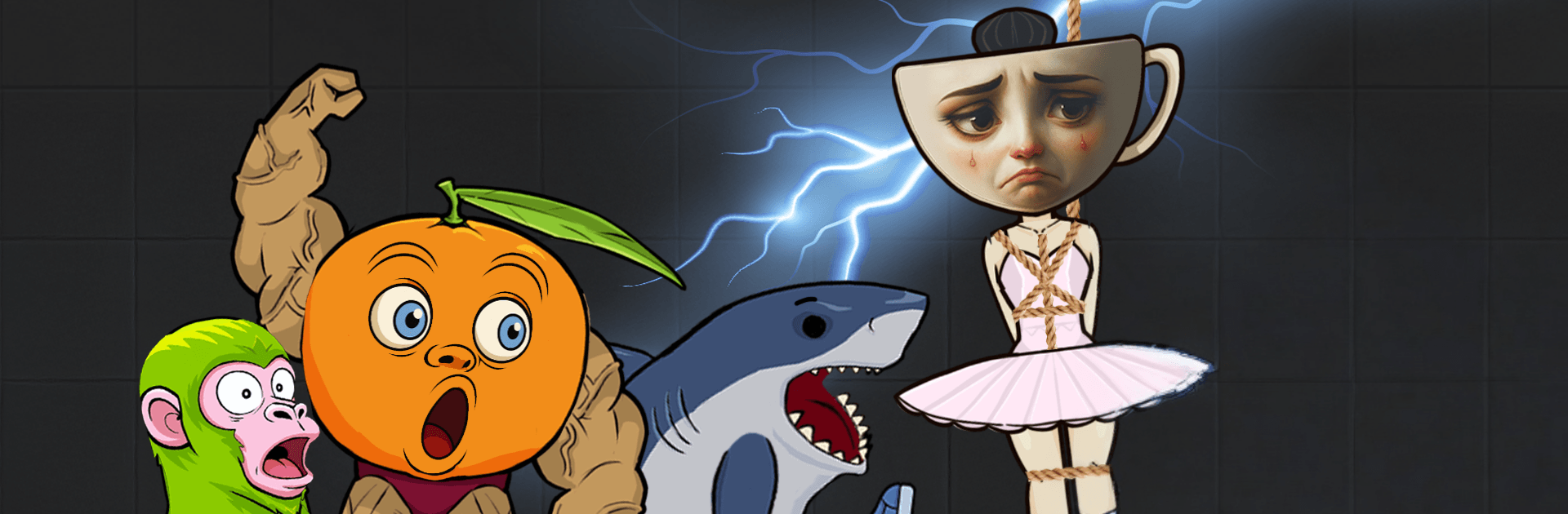
Tung Sahur: Brainrot Sandbox

Tung Sahur: Brainrot Sandbox

Casual

| Tappy Game

Play on PC with BlueStacks or from our cloud

  • Overview
  • Game Features
  • How to Play

Page Modified On: August 24, 2026

Play Tung Sahur: Brainrot Sandbox on PC or Mac

Tung Sahur: Brainrot Sandbox brings the Casual genre to life, and throws up exciting challenges for gamers. Developed by Tappy Game, this Android game is best experienced on BlueStacks, the World’s #1 app player for PC and Mac users.

About the Game

Tung Sahur: Brainrot Sandbox is a Casual physics playground with a spooky twist. It’s all about tinkering, causing chaos, and seeing what weirdness happens when creepy dolls, zombies, and other oddities meet ragdoll physics. Play with your imagination, not a rulebook—and if you prefer a bigger screen and smoother input, BlueStacks makes it easy to mess around on PC too.

Game Features

  • Ragdoll Mayhem: Toss, pull, fling, and watch characters wobble with satisfyingly goofy physics that make every experiment feel fresh.
  • Oddball Cast: Mix and match eerie dolls, zombies, and shadowy figures—each reacts in its own amusing, slightly unsettling way.
  • Build-Anything Toolkit: Grab gadgets, traps, and quirky devices to wire up scenes, stage accidents, and spark chain reactions.
  • Open-Ended Play: No missions or timers—set your own goals, try wild ideas, then push them further just because you can.
  • Creepy-Cool Vibe: Dark visuals and subtle horror touches keep things eerie without going overboard, perfect for spooky-but-fun sessions.
  • Easy to Pick Up: Simple drag-and-drop controls let you start fast, while the physics keep surprising you as you experiment.
  • Chaos You Can Curate: Test momentum, stack unstable towers, trigger domino effects—small tweaks can lead to big, hilarious messes.

Start playing Tung Sahur: Brainrot Sandbox on BlueStacks and get a smoother, more comfortable PC or Mac setup.


Game Features

Enhancements

  • Macros
  • Multi Instance
  • Script
  • Repeated Tap
  • Enhancements
Macros

Macros

Automate the predictable in Tung Sahur: Brainrot Sandbox and transform your gameplay with Macros. Get access to inventive Macros in the BlueStacks Macro Community
Multi Instance

Multi Instance

Play Tung Sahur: Brainrot Sandbox on one window. And chat with your friend on the other. Press CTRL + Shift + 8 to open the Multi-Instance Manager. And start creating fresh instances or clone an existing one.
Script

Script

Script your way to gaming glory in Tung Sahur: Brainrot Sandbox with BlueStacks Script. Write and run a set of commands to automate repeated tasks. Trigger the command by assigning it to any key.
Repeated Tap

Repeated Tap

BlueStacks lets you master Tung Sahur: Brainrot Sandbox with useful features like the Repeated Tap. Now you do not have to press the same key repeatedly to initiate an action. Just assign it to one key and you are good to go.
Read More

How to Download and Play Tung Sahur: Brainrot Sandbox on PC or Mac

  • Download and install BlueStacks on your PC or Mac

  • Complete Google sign-in to access the Play Store, or do it later

  • Look for Tung Sahur: Brainrot Sandbox in the search bar at the top right corner

  • Click to install Tung Sahur: Brainrot Sandbox from the search results

  • Complete Google sign-in (if you skipped step 2) to install Tung Sahur: Brainrot Sandbox

  • Click the Tung Sahur: Brainrot Sandbox icon on the home screen to start playing

video
Watch Video

Minimum System Requirements

With BlueStacks 5, you can get started on a PC that fulfills the following requirements.

  • Operating System

    Microsoft Windows 7 or above, macOS 11 (Big Sur) or above

  • Processor

    Intel, AMD or Apple Silicon Processor

  • RAM

    at least 4GB

  • HDD

    10GB Free Disk Space

Note:

* You must be an Administrator on your PC. Up to date graphics drivers from Microsoft or the chipset vendor.

Tung Sahur: Brainrot Sandbox - FAQs

  • How to play Tung Sahur: Brainrot Sandbox on Windows PC & Mac?

    Play Tung Sahur: Brainrot Sandbox on your PC or Mac by following these simple steps.

    • Click on 'Play Tung Sahur: Brainrot Sandbox on PC’ to download BlueStacks
    • Install it and log-in to Google Play Store
    • Launch and play the game.
  • Why is BlueStacks the fastest and safest platform to play games on PC?

    BlueStacks respects your privacy and is always safe and secure to use. It does not carry any malware, spyware, or any sort of additional software that could harm your PC.

    It is engineered to optimize speed and performance for a seamless gaming experience.

  • What are Tung Sahur: Brainrot Sandbox PC requirements?

    Minimum requirement to run Tung Sahur: Brainrot Sandbox on your PC

    • OS: Microsoft Windows 7 or above MacOS 11 (Big Sur) or above
    • Processor: Intel, AMD or Apple Silicon Processor
    • RAM: Your PC must have at least 4GB of RAM. (Note that having 4GB or more disk space is not a substitute for RAM)
    • HDD: 10GB Free Disk Space.
    • You must be an Administrator on your PC.