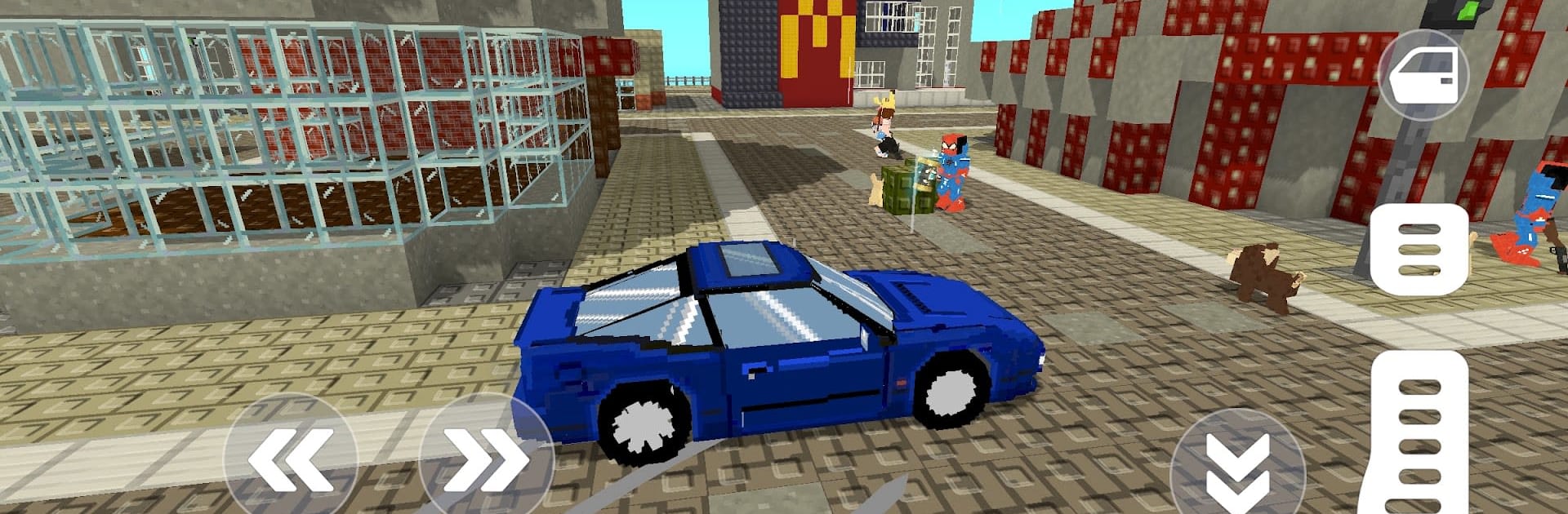
Crafty Blox World
Crafty Blox World

Crafty Blox World

Casual

| Tappy Game

Play on PC with BlueStacks or from our cloud

  • Overview
  • Game Features
  • How to Play

Page Modified On: August 11, 2026

Play Crafty Blox World on PC or Mac

Step into the World of Crafty Blox World, a thrilling Casual game from the house of Tappy Game. Play this Android game on BlueStacks App Player and experience immersive gaming on PC or Mac.

About the Game

Crafty Blox World is a Casual sandbox where building and battling live side by side. One moment you’re stacking blocks into a cozy cabin or a towering fortress, and the next you’re fending off nasty creatures with anything you’ve crafted. It’s chill when you want it to be, intense when it needs to be, and easy to lose track of time in.

Game Features

  • Build Your Way: Collect materials, reshape the land, and snap blocks together to make anything—from simple shelters to sprawling bases packed with detail.
  • Crafting That Matters: Turn raw resources into tools, gear, and gadgets that actually change how you explore, fight, and survive.
  • Combat With Bite: Grab a blade, line up your shots, or toss something that goes boom. Different enemies push you to mix up tactics and loadouts.
  • Explore New Biomes: Wander through forests, deserts, and other blocky regions hiding rare ores, secrets, and handy surprises.
  • Friends, Foes, and Fauna: Trade with villagers, watch for dangerous creatures, and tame mounts to cover more ground fast.
  • Make It Yours: Outfit your character with skins and accessories to match your mood or your base’s vibe.
  • Fully Interactive World: Place, break, and rebuild on the fly, then tweak terrain to carve paths, dig hideouts, or open new routes.
  • Smooth On Mobile: Clean visuals and responsive controls make building and fighting feel natural on the go.
  • PC-Friendly Option: Prefer keyboard and mouse? You can jump in on BlueStacks without changing how the game feels.

Start playing Crafty Blox World on BlueStacks and get a smoother, more comfortable PC or Mac setup.


Game Features

Enhancements

  • Macros
  • Multi Instance
  • Script
  • Repeated Tap
  • Enhancements
Macros

Macros

Automate the predictable in Crafty Blox World and transform your gameplay with Macros. Get access to inventive Macros in the BlueStacks Macro Community
Multi Instance

Multi Instance

Play Crafty Blox World on one window. And chat with your friend on the other. Press CTRL + Shift + 8 to open the Multi-Instance Manager. And start creating fresh instances or clone an existing one.
Script

Script

Script your way to gaming glory in Crafty Blox World with BlueStacks Script. Write and run a set of commands to automate repeated tasks. Trigger the command by assigning it to any key.
Repeated Tap

Repeated Tap

BlueStacks lets you master Crafty Blox World with useful features like the Repeated Tap. Now you do not have to press the same key repeatedly to initiate an action. Just assign it to one key and you are good to go.
Read More

How to Download and Play Crafty Blox World on PC or Mac

  • Download and install BlueStacks on your PC or Mac

  • Complete Google sign-in to access the Play Store, or do it later

  • Look for Crafty Blox World in the search bar at the top right corner

  • Click to install Crafty Blox World from the search results

  • Complete Google sign-in (if you skipped step 2) to install Crafty Blox World

  • Click the Crafty Blox World icon on the home screen to start playing

video
Watch Video

Minimum System Requirements

With BlueStacks 5, you can get started on a PC that fulfills the following requirements.

  • Operating System

    Microsoft Windows 7 or above, macOS 11 (Big Sur) or above

  • Processor

    Intel, AMD or Apple Silicon Processor

  • RAM

    at least 4GB

  • HDD

    10GB Free Disk Space

Note:

* You must be an Administrator on your PC. Up to date graphics drivers from Microsoft or the chipset vendor.

Crafty Blox World - FAQs

  • How to play Crafty Blox World on Windows PC & Mac?

    Play Crafty Blox World on your PC or Mac by following these simple steps.

    • Click on 'Play Crafty Blox World on PC’ to download BlueStacks
    • Install it and log-in to Google Play Store
    • Launch and play the game.
  • Why is BlueStacks the fastest and safest platform to play games on PC?

    BlueStacks respects your privacy and is always safe and secure to use. It does not carry any malware, spyware, or any sort of additional software that could harm your PC.

    It is engineered to optimize speed and performance for a seamless gaming experience.

  • What are Crafty Blox World PC requirements?

    Minimum requirement to run Crafty Blox World on your PC

    • OS: Microsoft Windows 7 or above MacOS 11 (Big Sur) or above
    • Processor: Intel, AMD or Apple Silicon Processor
    • RAM: Your PC must have at least 4GB of RAM. (Note that having 4GB or more disk space is not a substitute for RAM)
    • HDD: 10GB Free Disk Space.
    • You must be an Administrator on your PC.