Alien Story - Fairy Tale Kids

Alien Story - Fairy Tale Kids

Educational

| LMJ Games

Play on PC with BlueStacks or from our cloud

  • Overview
  • Game Features
  • How to Play

Page Modified On: April 07, 2026

Play Alien Story - Fairy Tale Kids on PC or Mac

Join millions to experience Alien Story – Fairy Tale Kids, an exciting Educational game from LMJ Games. With BlueStacks App Player, you are always a step ahead of your opponent, ready to outplay them with faster gameplay and better control with the mouse and keyboard on your PC or Mac.

About the Game

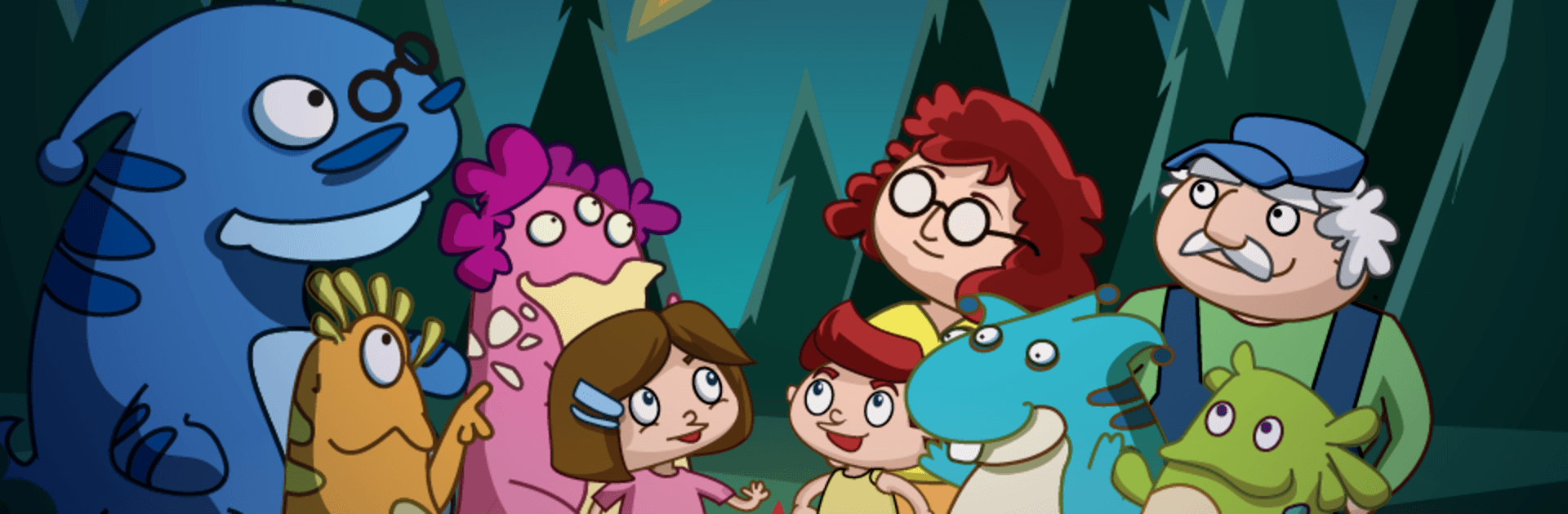
Alien Story – Fairy Tale Kids is a story-led Educational adventure from LMJ Games about Bobby, a curious little alien who accidentally gets stuck on Earth. He teams up with friendly kids, and together they solve bite-size brain games to help him find the way home. It’s playful, gentle, and great for elementary learners (roughly ages 5–8), with enough challenge for eager preschoolers too.

Game Features

  • Story + Smart Play: A warm, chapter-based tale where short puzzles slide between scenes, so learning naturally pushes the story forward.
  • Variety of Mini-Games: Spot the odd one out, match look-alike ladybugs, flip memory cards, solve kid-sized Sudoku, weave through mazes, piece together jigsaws, build simple analogies, arrange pictures to tell a mini-story, pick the right planet from clues, recall quirky alien creatures, and even pair the correct nut and bolt size.
  • Built by Educators: Activities were crafted by a teacher and early-childhood specialist to practice visual memory, logic, attention, and concentration without piling on pressure.
  • Four Difficulty Levels: Choose the level that fits today’s mood—then bump it up as skills grow.
  • Always New: Puzzle layouts are generated fresh every time, keeping repeat sessions surprising and fun.
  • Play Your Way: Finish the story once, then open a menu where each mini-game can be played on its own whenever you like.
  • For Ages 5–8: Friendly for boys and girls in early elementary; also works well for advanced preschoolers and kindergarteners who love a challenge.
  • Multilingual Support: Available in 15 languages, including English, Spanish, German, French, Japanese, and more.
  • Easy to Access: Works on phones and tablets; you can also enjoy it on PC with BlueStacks if that’s your preferred setup.

Get ready for a buttery smooth, high-performance gaming action only on BlueStacks.

Game Features

Enhancements

  • Macros
  • Multi Instance
  • Multi Instance Sync
  • Script
  • Enhancements
Macros

Macros

Automate the predictable in Alien Story - Fairy Tale Kids and transform your gameplay with Macros. Get access to inventive Macros in the BlueStacks Macro Community
Multi Instance

Multi Instance

Play Alien Story - Fairy Tale Kids on one window. And chat with your friend on the other. Press CTRL + Shift + 8 to open the Multi-Instance Manager. And start creating fresh instances or clone an existing one.
Multi Instance Sync

Multi Instance Sync

Play Alien Story - Fairy Tale Kids with the power of Multi-Instance Sync. Replicate what you are doing on the main instance on all other instances. Level up faster, play more.
Script

Script

Script your way to gaming glory in Alien Story - Fairy Tale Kids with BlueStacks Script. Write and run a set of commands to automate repeated tasks. Trigger the command by assigning it to any key.
Read More

How to Download and Play Alien Story - Fairy Tale Kids on PC or Mac

  • Download and install BlueStacks on your PC or Mac

  • Complete Google sign-in to access the Play Store, or do it later

  • Look for Alien Story - Fairy Tale Kids in the search bar at the top right corner

  • Click to install Alien Story - Fairy Tale Kids from the search results

  • Complete Google sign-in (if you skipped step 2) to install Alien Story - Fairy Tale Kids

  • Click the Alien Story - Fairy Tale Kids icon on the home screen to start playing

video
Watch Video

Minimum System Requirements

With BlueStacks 5, you can get started on a PC that fulfills the following requirements.

  • Operating System

    Microsoft Windows 7 or above, macOS 11 (Big Sur) or above

  • Processor

    Intel, AMD or Apple Silicon Processor

  • RAM

    at least 4GB

  • HDD

    10GB Free Disk Space

Note:

* You must be an Administrator on your PC. Up to date graphics drivers from Microsoft or the chipset vendor.

Alien Story - Fairy Tale Kids - FAQs

  • How to play Alien Story - Fairy Tale Kids on Windows PC & Mac?

    Play Alien Story - Fairy Tale Kids on your PC or Mac by following these simple steps.

    • Click on 'Play Alien Story - Fairy Tale Kids on PC’ to download BlueStacks
    • Install it and log-in to Google Play Store
    • Launch and play the game.
  • Why is BlueStacks the fastest and safest platform to play games on PC?

    BlueStacks respects your privacy and is always safe and secure to use. It does not carry any malware, spyware, or any sort of additional software that could harm your PC.

    It is engineered to optimize speed and performance for a seamless gaming experience.

  • What are Alien Story - Fairy Tale Kids PC requirements?

    Minimum requirement to run Alien Story - Fairy Tale Kids on your PC

    • OS: Microsoft Windows 7 or above MacOS 11 (Big Sur) or above
    • Processor: Intel, AMD or Apple Silicon Processor
    • RAM: Your PC must have at least 4GB of RAM. (Note that having 4GB or more disk space is not a substitute for RAM)
    • HDD: 10GB Free Disk Space.
    • You must be an Administrator on your PC.