Dinosaur Patrol Boat: for kids

Dinosaur Patrol Boat: for kids

Educational

| Yateland Games for kids

Play on PC with BlueStacks or from our cloud

  • Overview
  • Game Features
  • How to Play

Page Modified On: January 08, 2026

Play Dinosaur Patrol Boat: for kids on PC or Mac

Join millions to experience Dinosaur Patrol Boat: for kids, an exciting Educational game from Yateland Games for kids. With BlueStacks App Player, you are always a step ahead of your opponent, ready to outplay them with faster gameplay and better control with the mouse and keyboard on your PC or Mac.

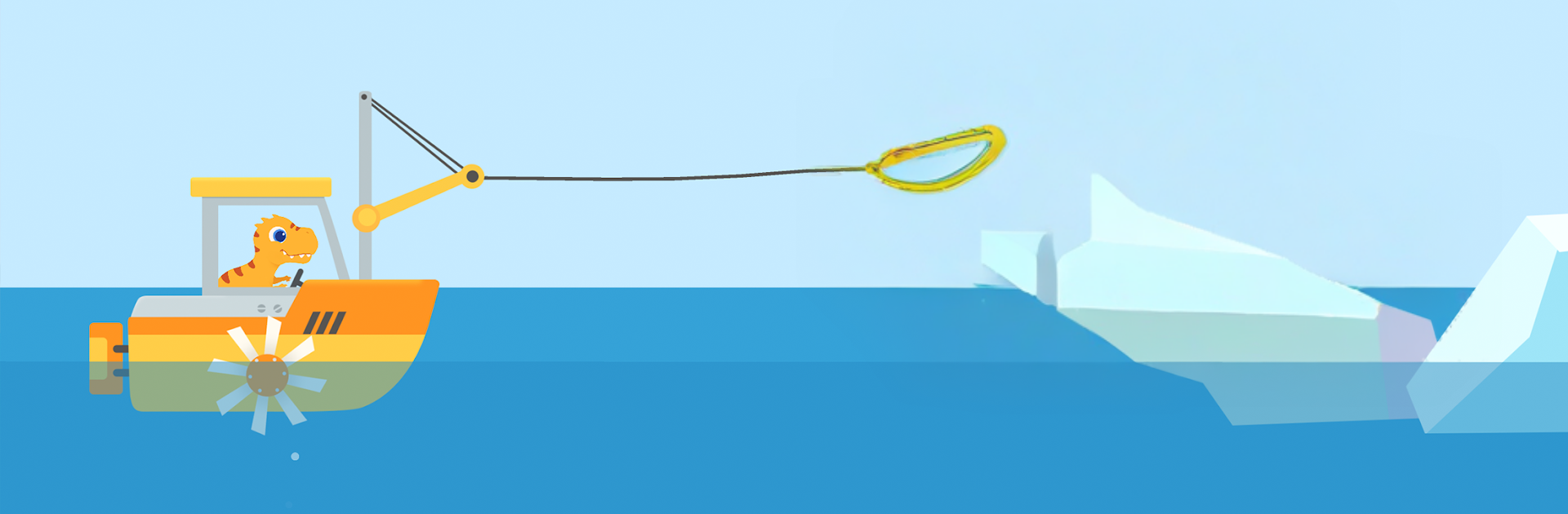
Dinosaur Patrol Boat: for kids is a cute little rescue game where dinosaurs run the coast guard and every mission is about helping someone in trouble on the water. Players pick a colorful patrol boat and head out across calm bays, tropical beaches, even icy seas, then figure out which tool to use to fix the mess. There is a water cannon for fires, propellers to push past obstacles, and a basket of fish to distract the cranky sea creatures. Missions are short and clear, so kids get that quick “helped them!” feeling without getting stuck. The puzzles are gentle: match the problem to the right gadget, steer around a few bumps, grab the stranded dino, done.

The whole thing looks bright and friendly, with chunky buttons and big animations that kids can read easily. There are coins and little boosters to scoop up along the way, including a nitro rocket that makes the boat zip for a bit. Nothing complicated to manage, just simple cause and effect that teaches a tiny bit of planning. On PC through BlueStacks, steering with the mouse feels smooth, clicking tools is easier than tiny taps, and the bigger screen makes spotting hazards and coins simpler. It clearly aims at preschool age, with slow pacing and no pop-up surprises, and adults will notice it repeats a lot, which is actually fine for toddlers who love running the same rescue again. Controls are forgiving, the sound effects are cheerful, and the game keeps attention without turning stressful or noisy.

Ready to top the leaderboard? We bet you do. Let precise controls and sharp visuals optimized on BlueStacks lead you to victory.


Game Features

Enhancements

  • Macros
  • Multi Instance
  • Multi Instance Sync
  • Script
  • Enhancements
Macros

Macros

Automate the predictable in Dinosaur Patrol Boat: for kids and transform your gameplay with Macros. Get access to inventive Macros in the BlueStacks Macro Community
Multi Instance

Multi Instance

Play Dinosaur Patrol Boat: for kids on one window. And chat with your friend on the other. Press CTRL + Shift + 8 to open the Multi-Instance Manager. And start creating fresh instances or clone an existing one.
Multi Instance Sync

Multi Instance Sync

Play Dinosaur Patrol Boat: for kids with the power of Multi-Instance Sync. Replicate what you are doing on the main instance on all other instances. Level up faster, play more.
Script

Script

Script your way to gaming glory in Dinosaur Patrol Boat: for kids with BlueStacks Script. Write and run a set of commands to automate repeated tasks. Trigger the command by assigning it to any key.
Read More

How to Download and Play Dinosaur Patrol Boat: for kids on PC or Mac

  • Download and install BlueStacks on your PC or Mac

  • Complete Google sign-in to access the Play Store, or do it later

  • Look for Dinosaur Patrol Boat: for kids in the search bar at the top right corner

  • Click to install Dinosaur Patrol Boat: for kids from the search results

  • Complete Google sign-in (if you skipped step 2) to install Dinosaur Patrol Boat: for kids

  • Click the Dinosaur Patrol Boat: for kids icon on the home screen to start playing

video
Watch Video

Minimum System Requirements

With BlueStacks 5, you can get started on a PC that fulfills the following requirements.

  • Operating System

    Microsoft Windows 7 or above, macOS 11 (Big Sur) or above

  • Processor

    Intel, AMD or Apple Silicon Processor

  • RAM

    at least 4GB

  • HDD

    10GB Free Disk Space

Note:

* You must be an Administrator on your PC. Up to date graphics drivers from Microsoft or the chipset vendor.

Dinosaur Patrol Boat: for kids - FAQs

  • How to play Dinosaur Patrol Boat: for kids on Windows PC & Mac?

    Play Dinosaur Patrol Boat: for kids on your PC or Mac by following these simple steps.

    • Click on 'Play Dinosaur Patrol Boat: for kids on PC’ to download BlueStacks
    • Install it and log-in to Google Play Store
    • Launch and play the game.
  • Why is BlueStacks the fastest and safest platform to play games on PC?

    BlueStacks respects your privacy and is always safe and secure to use. It does not carry any malware, spyware, or any sort of additional software that could harm your PC.

    It is engineered to optimize speed and performance for a seamless gaming experience.

  • What are Dinosaur Patrol Boat: for kids PC requirements?

    Minimum requirement to run Dinosaur Patrol Boat: for kids on your PC

    • OS: Microsoft Windows 7 or above MacOS 11 (Big Sur) or above
    • Processor: Intel, AMD or Apple Silicon Processor
    • RAM: Your PC must have at least 4GB of RAM. (Note that having 4GB or more disk space is not a substitute for RAM)
    • HDD: 10GB Free Disk Space.
    • You must be an Administrator on your PC.