Farm land! Harvest Games!

Farm land! Harvest Games!

Educational

| GoKids! publishing

Play on PC with BlueStacks or from our cloud

  • Overview
  • Game Features
  • How to Play

Page Modified On: May 18, 2026

Play Farm land! Harvest Games! on PC or Mac

Join millions to experience Farm land! Harvest Games!, an exciting Educational game from GoKids! publishing. With BlueStacks App Player, you are always a step ahead of your opponent, ready to outplay them with faster gameplay and better control with the mouse and keyboard on your PC or Mac.

About the Game

Farm land! Harvest Games! makes big farm work feel fun and approachable, especially for curious kids who like to tinker and learn. This Educational title from GoKids! publishing turns the journey from wheat to warm bread into a hands-on story, filled with mini-games, friendly instructions, and lots of farm machines to explore. Prefer a bigger screen for all those tractors and harvesters? It runs nicely on BlueStacks, too.

Game Features

  • From Field to Fresh Bread: Prep the soil, plant seeds, care for the crops, harvest the grain, and follow it all the way to the bakery for a freshly baked loaf.
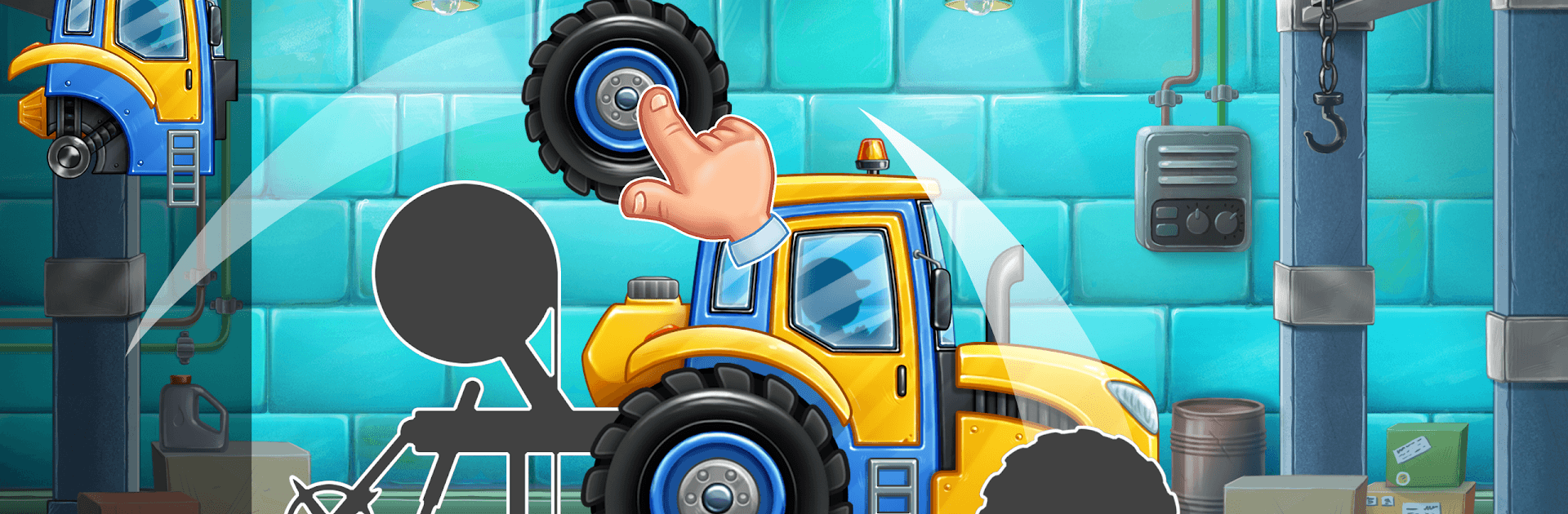
  • Build, Fix, and Tinker: Solve simple puzzles to assemble and repair vehicles, get parts in place, and make sure every machine is ready for work.
  • Wash and Send to Work: Clean muddy tractors and combines, check that everything’s in order, and send your fleet back to the fields for the next job.
  • Meet the Big Helpers: Learn the names and roles of real farming machines—seeders, fertilizer spreaders, tractors, and huge combine harvesters—and see what each one actually does.
  • Mini-Games that Teach: Short, playful activities boost memory, attention, and observation while naturally building fine motor skills and hand–eye coordination.
  • Kid-Friendly Flow: Clear prompts and gentle pacing keep tasks doable for younger players, with just enough challenge to keep them engaged and curious about where food comes from.

Start your journey now. Download the game on BlueStacks, invite your friends, and march on a new adventure.


Game Features

Enhancements

  • Macros
  • Multi Instance
  • Multi Instance Sync
  • Script
  • Enhancements
Macros

Macros

Automate the predictable in Farm land! Harvest Games! and transform your gameplay with Macros. Get access to inventive Macros in the BlueStacks Macro Community
Multi Instance

Multi Instance

Play Farm land! Harvest Games! on one window. And chat with your friend on the other. Press CTRL + Shift + 8 to open the Multi-Instance Manager. And start creating fresh instances or clone an existing one.
Multi Instance Sync

Multi Instance Sync

Play Farm land! Harvest Games! with the power of Multi-Instance Sync. Replicate what you are doing on the main instance on all other instances. Level up faster, play more.
Script

Script

Script your way to gaming glory in Farm land! Harvest Games! with BlueStacks Script. Write and run a set of commands to automate repeated tasks. Trigger the command by assigning it to any key.
Read More

How to Download and Play Farm land! Harvest Games! on PC or Mac

  • Download and install BlueStacks on your PC or Mac

  • Complete Google sign-in to access the Play Store, or do it later

  • Look for Farm land! Harvest Games! in the search bar at the top right corner

  • Click to install Farm land! Harvest Games! from the search results

  • Complete Google sign-in (if you skipped step 2) to install Farm land! Harvest Games!

  • Click the Farm land! Harvest Games! icon on the home screen to start playing

video
Watch Video

Minimum System Requirements

With BlueStacks 5, you can get started on a PC that fulfills the following requirements.

  • Operating System

    Microsoft Windows 7 or above, macOS 11 (Big Sur) or above

  • Processor

    Intel, AMD or Apple Silicon Processor

  • RAM

    at least 4GB

  • HDD

    10GB Free Disk Space

Note:

* You must be an Administrator on your PC. Up to date graphics drivers from Microsoft or the chipset vendor.

Farm land! Harvest Games! - FAQs

  • How to play Farm land! Harvest Games! on Windows PC & Mac?

    Play Farm land! Harvest Games! on your PC or Mac by following these simple steps.

    • Click on 'Play Farm land! Harvest Games! on PC’ to download BlueStacks
    • Install it and log-in to Google Play Store
    • Launch and play the game.
  • Why is BlueStacks the fastest and safest platform to play games on PC?

    BlueStacks respects your privacy and is always safe and secure to use. It does not carry any malware, spyware, or any sort of additional software that could harm your PC.

    It is engineered to optimize speed and performance for a seamless gaming experience.

  • What are Farm land! Harvest Games! PC requirements?

    Minimum requirement to run Farm land! Harvest Games! on your PC

    • OS: Microsoft Windows 7 or above MacOS 11 (Big Sur) or above
    • Processor: Intel, AMD or Apple Silicon Processor
    • RAM: Your PC must have at least 4GB of RAM. (Note that having 4GB or more disk space is not a substitute for RAM)
    • HDD: 10GB Free Disk Space.
    • You must be an Administrator on your PC.