TV SPIELFILM - TV-Programm

TV SPIELFILM - TV-Programm

Entertainment

| TV SPIELFILM | BurdaForward GmbH

Play on PC with BlueStacks or from our cloud

  • Overview
  • How to Download

Page Modified On: September 19, 2025

Run TV SPIELFILM - TV-Programm on PC or Mac

Upgrade your experience. Try TV SPIELFILM – TV-Programm, the fantastic Entertainment app from TV SPIELFILM | BurdaForward GmbH, from the comfort of your laptop, PC, or Mac, only on BlueStacks.

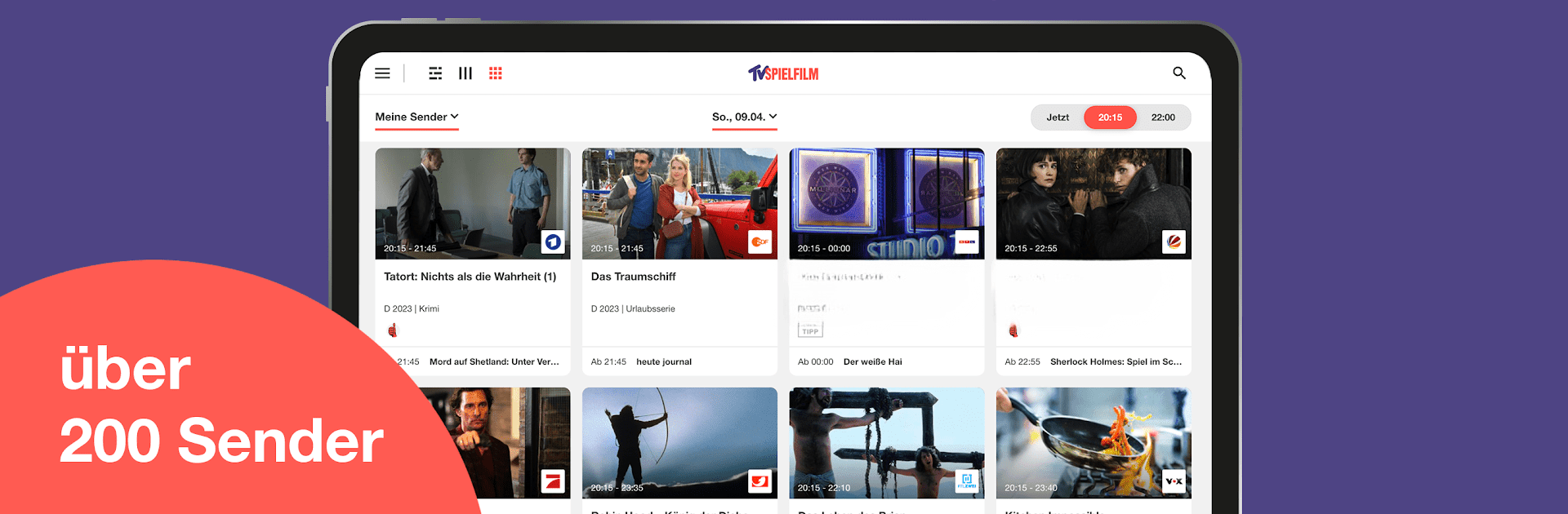
TV SPIELFILM feels like a tidy TV guide that actually makes sense. It opens to what is on right now, and with one click jumps to 8:15 p.m. or 10:00 p.m., so finding tonight’s main event is quick. The grid is clean, the show pages have trailers, photos, and short reviews, and there are little editor picks sprinkled in, so it does not feel like guessing. It covers a lot of channels, well over two hundred, including the usual big German stations and a bunch of niche and regional ones. Shows like Tatort, The Masked Singer, Der Bergdoktor, or Babylon Berlin pop up with context, not just listings.

What stands out is the streaming guide. It does not only tell what is on TV, it also tips what to watch from ARD, ZDF, RTL libraries and the big platforms like Netflix, Amazon Prime, and Disney. Think The Crown, Gen V, Deutsches Haus, and similar titles, all gathered in one place. Users can build a personal channel list, reorder things, set a watch list, and get reminders when something is about to start. There are news updates about stars and series, plus alerts if schedules change because of current events. Ads are there in the free version, but there is a small monthly option to remove them. On PC with BlueStacks, scrolling the channel grid on a big monitor is smoother, and the keyboard makes searching names or sorting lists faster, so planning an evening watch is less fiddly.

Ready to experience TV SPIELFILM – TV-Programm on a bigger screen, in all its glory? Download BlueStacks now.


How to Download and Run TV SPIELFILM - TV-Programm on PC or Mac

  • Download and install BlueStacks on your PC or Mac

  • Complete Google sign-in to access the Play Store, or do it later

  • Look for TV SPIELFILM - TV-Programm in the search bar at the top right corner

  • Click to install TV SPIELFILM - TV-Programm from the search results

  • Complete Google sign-in (if you skipped step 2) to install TV SPIELFILM - TV-Programm

  • Click the TV SPIELFILM - TV-Programm icon on the home screen to start playing

video
Watch Video

Minimum System Requirements

With BlueStacks 5, you can get started on a PC that fulfills the following requirements.

  • Operating System

    Microsoft Windows 7 or above, macOS 11 (Big Sur) or above

  • Processor

    Intel, AMD or Apple Silicon Processor

  • RAM

    at least 4GB

  • HDD

    10GB Free Disk Space

Note:

* You must be an Administrator on your PC. Up to date graphics drivers from Microsoft or the chipset vendor.

TV SPIELFILM - TV-Programm - FAQs

  • How to Run TV SPIELFILM - TV-Programm on Windows PC & Mac?

    Run TV SPIELFILM - TV-Programm on your PC or Mac by following these simple steps.

    • Click on ‘Download TV SPIELFILM - TV-Programm on PC’ to download BlueStacks
    • Install it and log-in to Google Play Store
    • Launch and run the app.
  • Why is BlueStacks the fastest and safest platform to play games on PC?

    BlueStacks respects your privacy and is always safe and secure to use. It does not carry any malware, spyware, or any sort of additional software that could harm your PC.

    It is engineered to optimize speed and performance for a seamless gaming experience.

  • What are TV SPIELFILM - TV-Programm PC requirements?

    Minimum requirement to run TV SPIELFILM - TV-Programm on your PC

    • OS: Microsoft Windows 7 and above:
    • Processor: Intel or AMD Processor:
    • RAM: Your PC must have at least 2GB of RAM. (Note that having 2GB or more disk space is not a substitute for RAM):
    • HDD: 5GB Free Disk Space.
    • You must be an Administrator on your PC.