
Baby Glow Phone Games for Kids

Baby Glow Phone Games for Kids

Music & Audio

| NutBolt Games

Play on PC with BlueStacks or from our cloud

  • Overview
  • How to Download

Page Modified On: November 20, 2025

Run Baby Glow Phone Games for Kids on PC or Mac

Get freedom from your phone’s obvious limitations. Use Baby Glow Phone Games for Kids, made by NutBolt Games, a Music & Audio app on your PC or Mac with BlueStacks, and level up your experience.

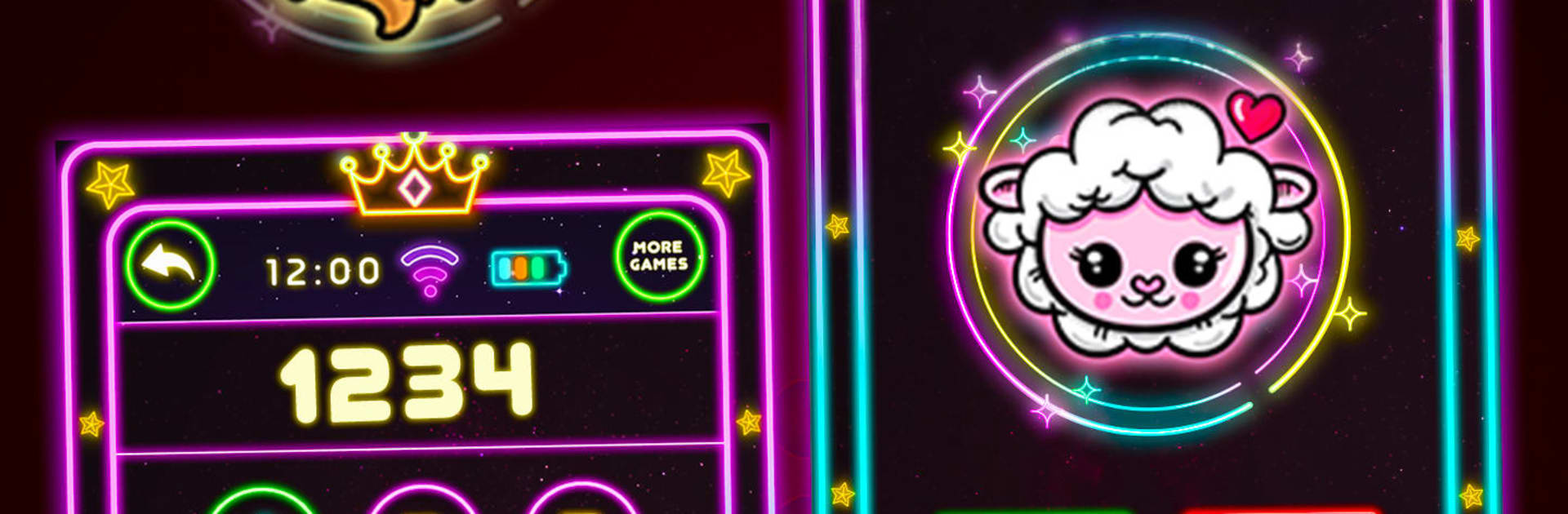
Baby Glow Phone Games for Kids feels like handing a toddler a pretend, glowing phone that actually teaches a bunch of small things while they poke around. The whole screen is bright and chunky, so little fingers find the big buttons fast. It is built around mini activities that feel playful first, learning second. One minute there are cute animal calls with silly sounds and simple chat prompts, then it slides into coloring with neon brushes that light up the page. The math bits are gentle counting and number games, nothing stressful, just tap and see what happens. There is a pop it game that is basically digital bubble wrap for fidgety hands, plus a tiny piano where kids explore notes and instruments without any rules getting in the way.

What stands out is how varied it is without getting cluttered. Colors and shapes, sorting and spinning puzzles, surprise egg unboxings that reveal little toys, a bunch of small loops that hold attention but feel safe for ages 1 to 5. The pretend phone idea keeps it familiar, and the glow theme makes everything easy to spot. On PC through BlueStacks, it works well with simple mouse clicks and a bigger screen, which helps when small hands usually miss tiny icons on a real phone. It encourages pretend play and basic skills like memory, attention, and fine motor control, but it still feels like playtime, not homework.

Eager to take your app experience to the next level? Start right away by downloading BlueStacks on your PC or Mac.


How to Download and Run Baby Glow Phone Games for Kids on PC or Mac

  • Download and install BlueStacks on your PC or Mac

  • Complete Google sign-in to access the Play Store, or do it later

  • Look for Baby Glow Phone Games for Kids in the search bar at the top right corner

  • Click to install Baby Glow Phone Games for Kids from the search results

  • Complete Google sign-in (if you skipped step 2) to install Baby Glow Phone Games for Kids

  • Click the Baby Glow Phone Games for Kids icon on the home screen to start playing

video
Watch Video

Minimum System Requirements

With BlueStacks 5, you can get started on a PC that fulfills the following requirements.

  • Operating System

    Microsoft Windows 7 or above, macOS 11 (Big Sur) or above

  • Processor

    Intel, AMD or Apple Silicon Processor

  • RAM

    at least 4GB

  • HDD

    10GB Free Disk Space

Note:

* You must be an Administrator on your PC. Up to date graphics drivers from Microsoft or the chipset vendor.

Baby Glow Phone Games for Kids - FAQs

  • How to Run Baby Glow Phone Games for Kids on Windows PC & Mac?

    Run Baby Glow Phone Games for Kids on your PC or Mac by following these simple steps.

    • Click on ‘Download Baby Glow Phone Games for Kids on PC’ to download BlueStacks
    • Install it and log-in to Google Play Store
    • Launch and run the app.
  • Why is BlueStacks the fastest and safest platform to play games on PC?

    BlueStacks respects your privacy and is always safe and secure to use. It does not carry any malware, spyware, or any sort of additional software that could harm your PC.

    It is engineered to optimize speed and performance for a seamless gaming experience.

  • What are Baby Glow Phone Games for Kids PC requirements?

    Minimum requirement to run Baby Glow Phone Games for Kids on your PC

    • OS: Microsoft Windows 7 and above:
    • Processor: Intel or AMD Processor:
    • RAM: Your PC must have at least 2GB of RAM. (Note that having 2GB or more disk space is not a substitute for RAM):
    • HDD: 5GB Free Disk Space.
    • You must be an Administrator on your PC.



