
Enhanced Music Controller Lite

Enhanced Music Controller Lite

Music & Audio

| Mikhail Kulesh

Play on PC with BlueStacks or from our cloud

  • Overview
  • How to Download

Page Modified On: November 28, 2025

Run Enhanced Music Controller Lite on PC or Mac

Multitask effortlessly on your PC or Mac as you try out Enhanced Music Controller Lite, a Music & Audio app by Mikhail Kulesh on BlueStacks.

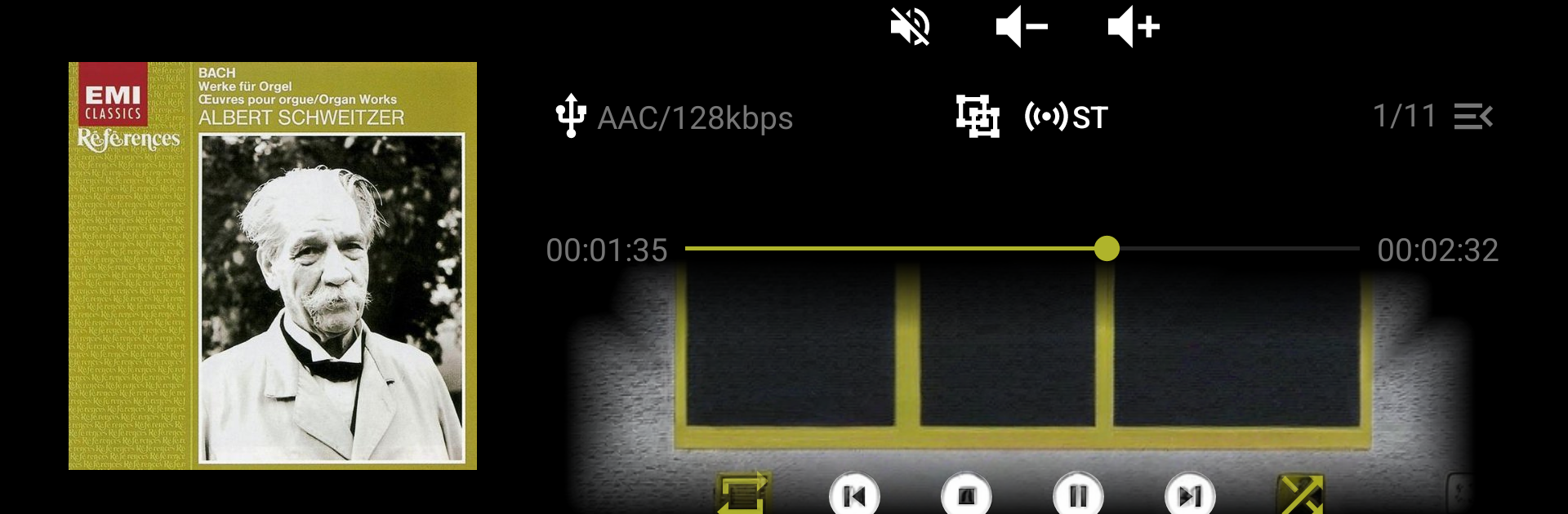
Enhanced Music Controller Lite feels like a no‑nonsense remote for home audio gear, only cleaner than most stock apps. It runs over the local network and plays nice with a bunch of newer receivers and network players, especially Onkyo, Pioneer, and Integra units from around 2016 onward, plus Denon and Marantz models with HEOS built in, and some TEAC gear. On a PC with BlueStacks it comes across like a tidy control desk. Big, clear buttons for play, pause, skip, seeking through a track, repeat and random, and quick shortcuts into sources. The play queue is easy to manage too, so adding or reordering tracks does not feel fiddly. Tone controls are right there as well, including listening modes and bass, center, treble, and sub levels, which is great when someone wants to tweak the sound without diving through receiver menus.

What stands out most is how private and lightweight it feels. No ads, no trackers, no odd permissions nagging for GPS. The layout follows modern Material design with theme options, and it scales fine in portrait or landscape, which weirdly helps when running it in a desktop window. If the receiver supports it, the app gives quick access to TuneIn, Spotify, Deezer, or Tidal, plus DAB, FM, or AM. Multi‑zone and multi‑room are here too, including FlareConnect on the Onkyo side, and it can even talk to the receiver over OpenVPN when away from home. There are a few limits worth knowing. It will not stream music from the phone or PC to the receiver, and logging in to Spotify, Deezer, or Tidal still requires the official brand app once. Older Pioneer models before 2016 and a handful of Denon or Onkyo units are not supported, and some devices lack the full play queue features by firmware design. Overall it feels simple, fast, and very focused on getting out of the way so the music can just play.

Big screen. Bigger performance. Use BlueStacks on your PC or Mac to run your favorite apps.

How to Download and Run Enhanced Music Controller Lite on PC or Mac

  • Download and install BlueStacks on your PC or Mac

  • Complete Google sign-in to access the Play Store, or do it later

  • Look for Enhanced Music Controller Lite in the search bar at the top right corner

  • Click to install Enhanced Music Controller Lite from the search results

  • Complete Google sign-in (if you skipped step 2) to install Enhanced Music Controller Lite

  • Click the Enhanced Music Controller Lite icon on the home screen to start playing

video
Watch Video

Minimum System Requirements

With BlueStacks 5, you can get started on a PC that fulfills the following requirements.

  • Operating System

    Microsoft Windows 7 or above, macOS 11 (Big Sur) or above

  • Processor

    Intel, AMD or Apple Silicon Processor

  • RAM

    at least 4GB

  • HDD

    10GB Free Disk Space

Note:

* You must be an Administrator on your PC. Up to date graphics drivers from Microsoft or the chipset vendor.

Enhanced Music Controller Lite - FAQs

  • How to Run Enhanced Music Controller Lite on Windows PC & Mac?

    Run Enhanced Music Controller Lite on your PC or Mac by following these simple steps.

    • Click on ‘Download Enhanced Music Controller Lite on PC’ to download BlueStacks
    • Install it and log-in to Google Play Store
    • Launch and run the app.
  • Why is BlueStacks the fastest and safest platform to play games on PC?

    BlueStacks respects your privacy and is always safe and secure to use. It does not carry any malware, spyware, or any sort of additional software that could harm your PC.

    It is engineered to optimize speed and performance for a seamless gaming experience.

  • What are Enhanced Music Controller Lite PC requirements?

    Minimum requirement to run Enhanced Music Controller Lite on your PC

    • OS: Microsoft Windows 7 and above:
    • Processor: Intel or AMD Processor:
    • RAM: Your PC must have at least 2GB of RAM. (Note that having 2GB or more disk space is not a substitute for RAM):
    • HDD: 5GB Free Disk Space.
    • You must be an Administrator on your PC.




