
Appointments Planner Scheduler

Appointments Planner Scheduler

Productivity

| Laurentiu Popa | Rention

Play on PC with BlueStacks or from our cloud

  • Overview
  • How to Download

Page Modified On: October 24, 2025

Run Appointments Planner Scheduler on PC or Mac

Multitask effortlessly on your PC or Mac as you try out Appointments Planner Scheduler, a Productivity app by Laurentiu Popa | Rention on BlueStacks.

About the App

Juggling clients, bookings, and random schedule changes? Appointments Planner Scheduler keeps all of that in one place so you don’t have to. It’s a clean, flexible Productivity app from Laurentiu Popa | Rention that helps solo pros, small crews, and bigger teams stay organized without the mess. Prefer a bigger view while planning? You can also use it on BlueStacks for a roomy desktop layout.

App Features

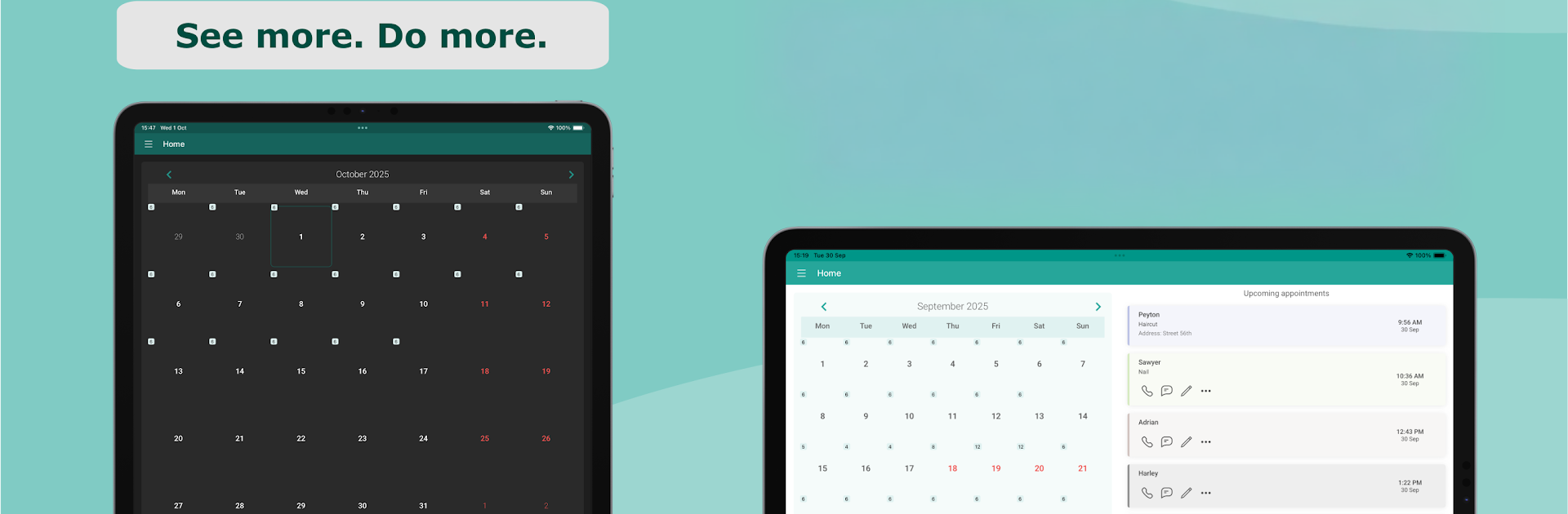
  • Fast calendar overview: Scan your day, week, or month and spot open times right away. Moving things around is quick and painless.
  • Smart reminders: Set alerts minutes, hours, or days in advance. Send messages in a tap, choose exactly who gets notified, and get gentle nudges if you forget to send one.
  • Flexible schedules: Define work hours that actually match your life. Add breaks, holidays, time off, and even 1/2/3‑week rotating shifts.
  • Team calendars (Shared Groups): Create a shared space, invite coworkers, and choose who can view or edit. Everything syncs in the cloud so everyone stays current.
  • Private workspace: Keep a personal calendar that works offline and stores data on your device. Go Premium to turn on automatic cloud backup and restore across devices.
  • Reports and exports: Build clean monthly or custom reports with totals, including earnings. Export by client or the whole lot in CSV, PDF, HTML, TXT, JSON, or TSV.
  • Services and colors: Save services with preset prices and durations. New appointments auto-fill details and show up in clear, color-coded blocks.
  • Quick client actions: Call, text, or use reusable SMS templates without leaving the app—handy when you’re running between bookings.
  • Free and Premium options: Start with the free plan (30 total appointments, one group, up to two members). Upgrade for unlimited appointments under fair use, up to 20 groups, 50 members per group, automatic backup for your personal calendar, and no ads.

Big screen. Bigger performance. Use BlueStacks on your PC or Mac to run your favorite apps.

How to Download and Run Appointments Planner Scheduler on PC or Mac

  • Download and install BlueStacks on your PC or Mac

  • Complete Google sign-in to access the Play Store, or do it later

  • Look for Appointments Planner Scheduler in the search bar at the top right corner

  • Click to install Appointments Planner Scheduler from the search results

  • Complete Google sign-in (if you skipped step 2) to install Appointments Planner Scheduler

  • Click the Appointments Planner Scheduler icon on the home screen to start playing

video
Watch Video

Minimum System Requirements

With BlueStacks 5, you can get started on a PC that fulfills the following requirements.

  • Operating System

    Microsoft Windows 7 or above, macOS 11 (Big Sur) or above

  • Processor

    Intel, AMD or Apple Silicon Processor

  • RAM

    at least 4GB

  • HDD

    10GB Free Disk Space

Note:

* You must be an Administrator on your PC. Up to date graphics drivers from Microsoft or the chipset vendor.

Appointments Planner Scheduler - FAQs

  • How to Run Appointments Planner Scheduler on Windows PC & Mac?

    Run Appointments Planner Scheduler on your PC or Mac by following these simple steps.

    • Click on ‘Download Appointments Planner Scheduler on PC’ to download BlueStacks
    • Install it and log-in to Google Play Store
    • Launch and run the app.
  • Why is BlueStacks the fastest and safest platform to play games on PC?

    BlueStacks respects your privacy and is always safe and secure to use. It does not carry any malware, spyware, or any sort of additional software that could harm your PC.

    It is engineered to optimize speed and performance for a seamless gaming experience.

  • What are Appointments Planner Scheduler PC requirements?

    Minimum requirement to run Appointments Planner Scheduler on your PC

    • OS: Microsoft Windows 7 and above:
    • Processor: Intel or AMD Processor:
    • RAM: Your PC must have at least 2GB of RAM. (Note that having 2GB or more disk space is not a substitute for RAM):
    • HDD: 5GB Free Disk Space.
    • You must be an Administrator on your PC.




