
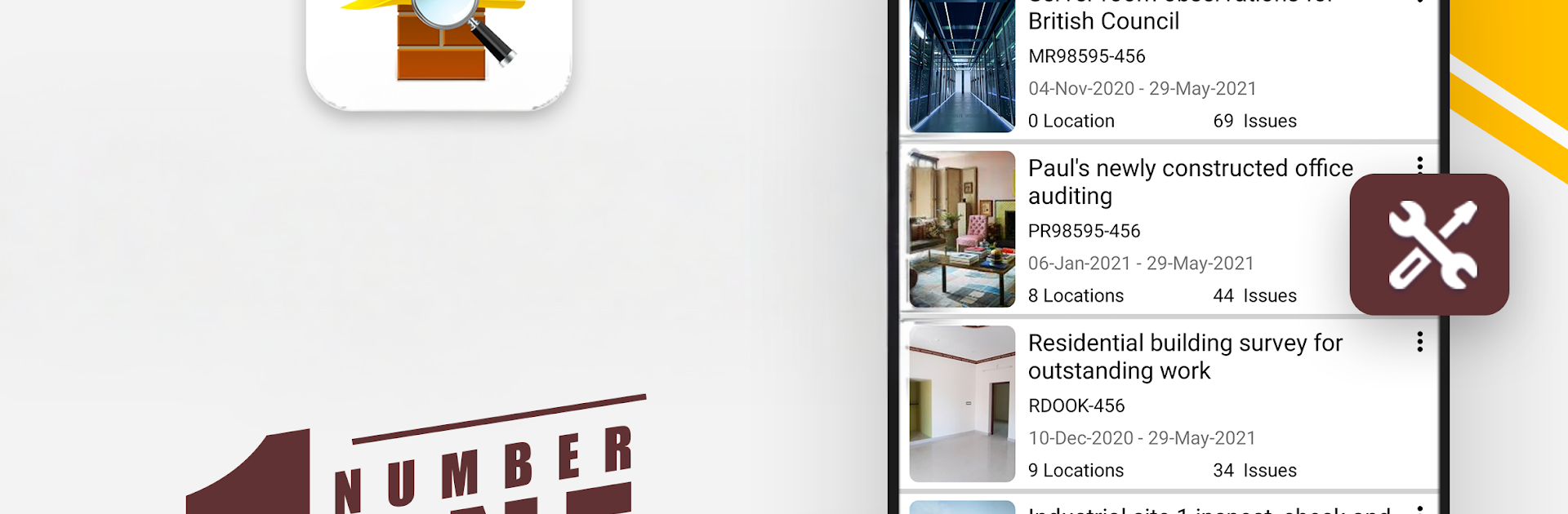
SnagBricks - Site Auditing

SnagBricks - Site Auditing

Productivity

| Appculus – Audit, Inspection, Checklists & Utility

Play on PC with BlueStacks or from our cloud

  • Overview
  • How to Download

Page Modified On: November 28, 2025

Run SnagBricks - Site Auditing on PC or Mac

Upgrade your experience. Try SnagBricks – Site Auditing, the fantastic Productivity app from Appculus – Audit, Inspection, Checklists & Utility, from the comfort of your laptop, PC, or Mac, only on BlueStacks.

SnagBricks is basically a tidy toolkit for anyone who has to walk a site, spot issues, and turn all that into a clean report without a headache. It lets a person set up projects by areas or floors, then log snags and observations with titles, notes, status, assignees, due dates, tags, and priority. Each item can have a bunch of photos, up to eight, and the built‑in markup is useful for circling problems or adding arrows so others see exactly what went wrong. The part that stands out is how fast it goes from raw notes to a polished PDF or Excel file, with themes, company logo, auditor name, and all the picky formatting stuff like date styles that clients always ask to change. Running it on BlueStacks makes typing long comments and juggling photos feel easier on a big screen, and switching between lists and reports with a mouse is just nicer.

It is not only for construction either. It suits quality checks, safety walks, punch lists, and general inspections in different industries because the labels are customizable, so if someone hates the word snag, they can rename it. Sorting and filtering are strong, so when a site has dozens of rooms and hundreds of items, it is still quick to find the high priority ones or everything assigned to one subcontractor. Revisions are tracked, so another version of the report does not mean starting over. Reports can be sent out straight from the app, which keeps the workflow tight. Multilanguage support is there, so teams that are mixed can still use the same tool without confusion. It is practical, structured, and does not get in the way while walking a jobsite with a tablet, then finishing the heavy lifting on a PC later.

Switch to BlueStacks and make the most of your apps on your PC or Mac.

How to Download and Run SnagBricks - Site Auditing on PC or Mac

  • Download and install BlueStacks on your PC or Mac

  • Complete Google sign-in to access the Play Store, or do it later

  • Look for SnagBricks - Site Auditing in the search bar at the top right corner

  • Click to install SnagBricks - Site Auditing from the search results

  • Complete Google sign-in (if you skipped step 2) to install SnagBricks - Site Auditing

  • Click the SnagBricks - Site Auditing icon on the home screen to start playing

video
Watch Video

Minimum System Requirements

With BlueStacks 5, you can get started on a PC that fulfills the following requirements.

  • Operating System

    Microsoft Windows 7 or above, macOS 11 (Big Sur) or above

  • Processor

    Intel, AMD or Apple Silicon Processor

  • RAM

    at least 4GB

  • HDD

    10GB Free Disk Space

Note:

* You must be an Administrator on your PC. Up to date graphics drivers from Microsoft or the chipset vendor.

SnagBricks - Site Auditing - FAQs

  • How to Run SnagBricks - Site Auditing on Windows PC & Mac?

    Run SnagBricks - Site Auditing on your PC or Mac by following these simple steps.

    • Click on ‘Download SnagBricks - Site Auditing on PC’ to download BlueStacks
    • Install it and log-in to Google Play Store
    • Launch and run the app.
  • Why is BlueStacks the fastest and safest platform to play games on PC?

    BlueStacks respects your privacy and is always safe and secure to use. It does not carry any malware, spyware, or any sort of additional software that could harm your PC.

    It is engineered to optimize speed and performance for a seamless gaming experience.

  • What are SnagBricks - Site Auditing PC requirements?

    Minimum requirement to run SnagBricks - Site Auditing on your PC

    • OS: Microsoft Windows 7 and above:
    • Processor: Intel or AMD Processor:
    • RAM: Your PC must have at least 2GB of RAM. (Note that having 2GB or more disk space is not a substitute for RAM):
    • HDD: 5GB Free Disk Space.
    • You must be an Administrator on your PC.




