Baby Car Puzzles for Kids

Baby Car Puzzles for Kids

Puzzle

| Gadget Software Development and Research LLC.

Play on PC with BlueStacks or from our cloud

  • Overview
  • Game Features
  • How to Play

Page Modified On: December 22, 2025

Play Baby Car Puzzles for Kids on PC or Mac

Explore a whole new adventure with Baby Car Puzzles for Kids, a Puzzle game created by Gadget Software Development and Research LLC.. Experience great gameplay with BlueStacks, the most popular gaming platform to play Android games on your PC or Mac.

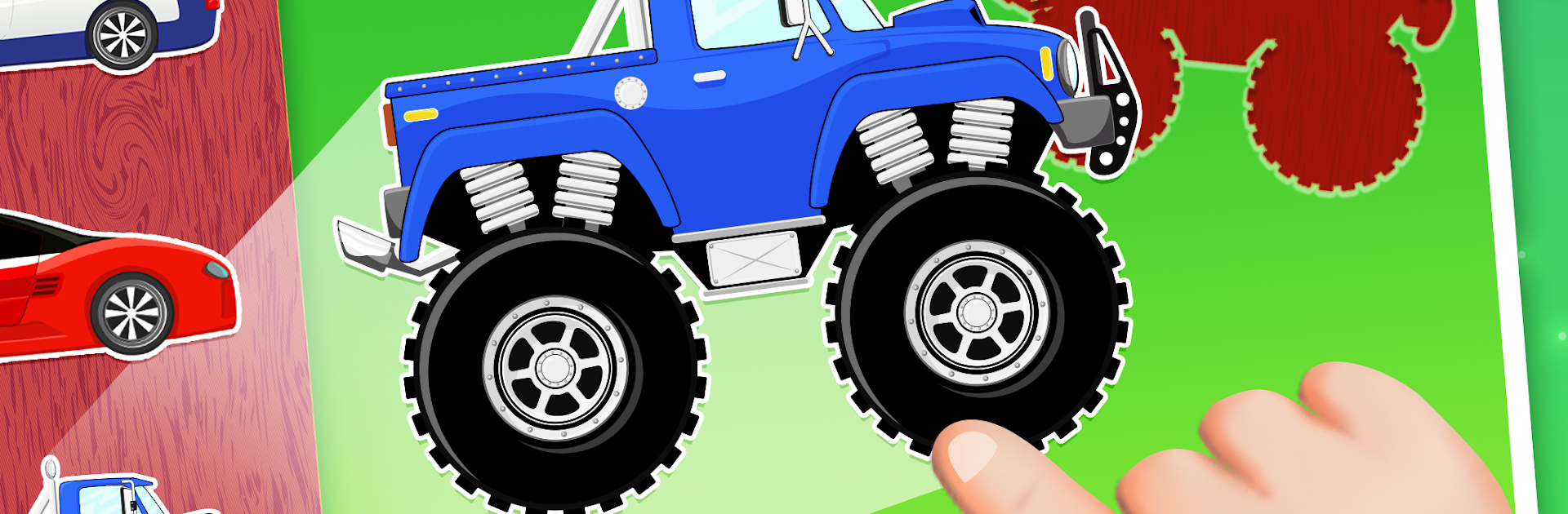
Baby Car Puzzles for Kids is a bright, low-stress jigsaw game built around vehicles, the whole thing feels very friendly and simple. It is all about dragging cute car and truck pieces into matching outlines, then getting a little cheer and some balloon popping when the picture is complete. The themes cover a lot of favorites, so there are sports cars and scooters, construction gear like cranes and cement mixers, big heavy trucks, diggers and loaders from a site, plus special ones like police, fire engines, ambulances, garbage trucks, even an ice cream van. There are five themed sets and around 60 vehicles total, so it does not run out quickly.

The puzzles shuffle so a new round does not look exactly the same, and the pictures are packed with tiny animations and sounds that keep attention without being noisy. It has calm music, no pressure, and big buttons that are easy for little hands. On PC with BlueStacks, the mouse drag feels natural, and the larger screen makes matching the shapes a lot easier to see. The whole setup clearly targets toddlers and preschoolers, and it leans into the basics in a good way, building hand-eye and patience without turning it into homework. If a kid is obsessed with construction trucks or sirens, this hits that sweet spot. Parents may also like that nothing gets lost on the floor, since all the pieces live on the screen.

Get ready for a buttery smooth, high-performance gaming action only on BlueStacks.

Game Features

Enhancements

  • Macros
  • Multi Instance
  • Multi Instance Sync
  • Script
  • Enhancements
Macros

Macros

Automate the predictable in Baby Car Puzzles for Kids and transform your gameplay with Macros. Get access to inventive Macros in the BlueStacks Macro Community
Multi Instance

Multi Instance

Play Baby Car Puzzles for Kids on one window. And chat with your friend on the other. Press CTRL + Shift + 8 to open the Multi-Instance Manager. And start creating fresh instances or clone an existing one.
Multi Instance Sync

Multi Instance Sync

Play Baby Car Puzzles for Kids with the power of Multi-Instance Sync. Replicate what you are doing on the main instance on all other instances. Level up faster, play more.
Script

Script

Script your way to gaming glory in Baby Car Puzzles for Kids with BlueStacks Script. Write and run a set of commands to automate repeated tasks. Trigger the command by assigning it to any key.
Read More

How to Download and Play Baby Car Puzzles for Kids on PC or Mac

  • Download and install BlueStacks on your PC or Mac

  • Complete Google sign-in to access the Play Store, or do it later

  • Look for Baby Car Puzzles for Kids in the search bar at the top right corner

  • Click to install Baby Car Puzzles for Kids from the search results

  • Complete Google sign-in (if you skipped step 2) to install Baby Car Puzzles for Kids

  • Click the Baby Car Puzzles for Kids icon on the home screen to start playing

video
Watch Video

Minimum System Requirements

With BlueStacks 5, you can get started on a PC that fulfills the following requirements.

  • Operating System

    Microsoft Windows 7 or above, macOS 11 (Big Sur) or above

  • Processor

    Intel, AMD or Apple Silicon Processor

  • RAM

    at least 4GB

  • HDD

    10GB Free Disk Space

Note:

* You must be an Administrator on your PC. Up to date graphics drivers from Microsoft or the chipset vendor.

Baby Car Puzzles for Kids - FAQs

  • How to play Baby Car Puzzles for Kids on Windows PC & Mac?

    Play Baby Car Puzzles for Kids on your PC or Mac by following these simple steps.

    • Click on 'Play Baby Car Puzzles for Kids on PC’ to download BlueStacks
    • Install it and log-in to Google Play Store
    • Launch and play the game.
  • Why is BlueStacks the fastest and safest platform to play games on PC?

    BlueStacks respects your privacy and is always safe and secure to use. It does not carry any malware, spyware, or any sort of additional software that could harm your PC.

    It is engineered to optimize speed and performance for a seamless gaming experience.

  • What are Baby Car Puzzles for Kids PC requirements?

    Minimum requirement to run Baby Car Puzzles for Kids on your PC

    • OS: Microsoft Windows 7 or above MacOS 11 (Big Sur) or above
    • Processor: Intel, AMD or Apple Silicon Processor
    • RAM: Your PC must have at least 4GB of RAM. (Note that having 4GB or more disk space is not a substitute for RAM)
    • HDD: 10GB Free Disk Space.
    • You must be an Administrator on your PC.