Blooming Terra
Blooming Terra

Blooming Terra

Puzzle

| Right Now Games

Play on PC with BlueStacks or from our cloud

  • Overview
  • Game Features
  • How to Play

Page Modified On: October 21, 2026

Play Blooming Terra on PC or Mac

Blooming Terra by Right Now Games has plenty to keep you busy. BlueStacks lets you play it on PC or Mac with more screen space, better control, and fewer mobile limits.

About the Game

Blooming Terra is a Puzzle game about turning barren ground into living, breathing fields—one risky line at a time. You guide a tiny hero, sketch loops across the board, and watch empty tiles burst into grass and flowers the moment you make it back to safe ground. It’s calm and pretty on the surface, but every route you take flirts with danger, and that push-and-pull is the whole thrill. Prefer a wider view while you plan? It plays comfortably on PC with BlueStacks, too.

Game Features

  • Grow the land: Trace a path and close the loop to transform dusty tiles into fresh greenery in one satisfying sweep.
  • High-stakes trail: Your line isn’t safe until you return to solid ground—finish the route before an enemy clips it.
  • Pattern-savvy enemies: Fire and ice foes patrol in distinct rhythms; study their paths, slip through gaps, and outsmart them.
  • Maze-like boards: Stone walls and twisty corridors turn simple routes into clever detours, shortcuts, and well-timed turns.
  • Capture and conquer: Box in sections of the field to claim big chunks at once—and sometimes trap a threat inside.
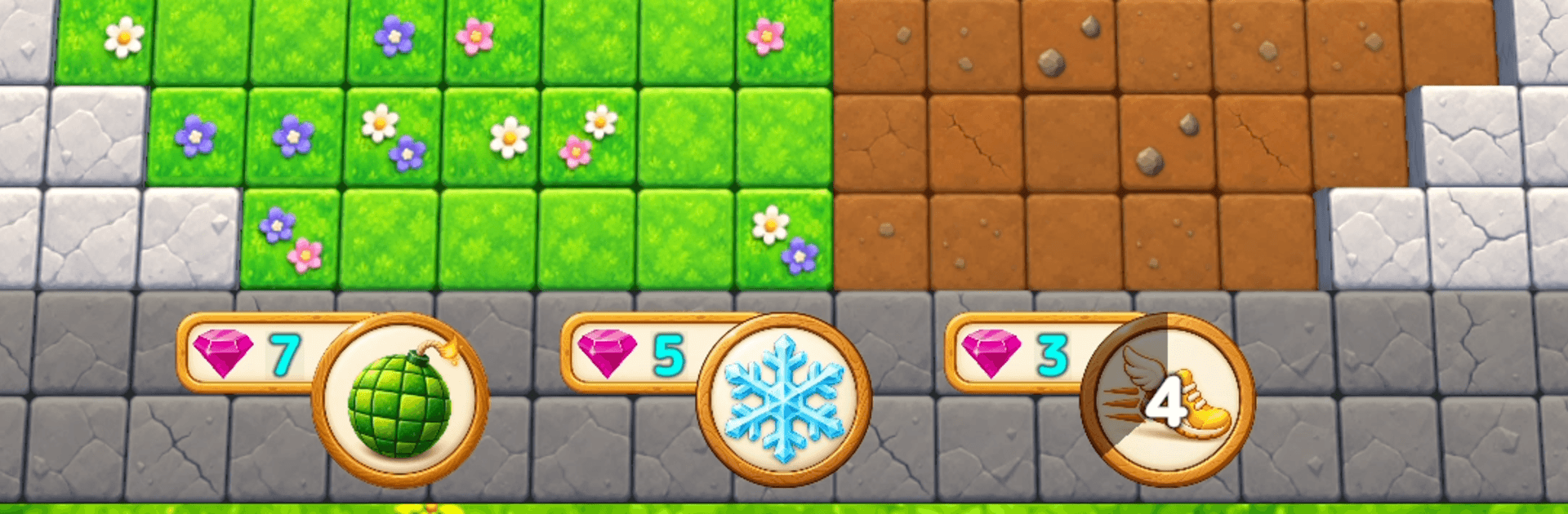
  • Handy power-ups: Freeze pursuers, kick into a quick burst of speed, or drop a bloom bomb to green nearby tiles instantly.
  • Collect and progress: Scoop up crystals, stash power-ups for clutch moments, and step through the portal to your next challenge.
  • Smooth, snappy controls: Simple swipes and quick restarts keep the pace brisk while you chase that perfect route.

Start playing Blooming Terra on BlueStacks and get a smoother, more comfortable PC or Mac setup.

Game Features

Enhancements

  • Macros
  • Multi Instance
  • Multi Instance Sync
  • Script
  • Enhancements
Macros

Macros

Automate the predictable in Blooming Terra and transform your gameplay with Macros. Get access to inventive Macros in the BlueStacks Macro Community
Multi Instance

Multi Instance

Play Blooming Terra on one window. And chat with your friend on the other. Press CTRL + Shift + 8 to open the Multi-Instance Manager. And start creating fresh instances or clone an existing one.
Multi Instance Sync

Multi Instance Sync

Play Blooming Terra with the power of Multi-Instance Sync. Replicate what you are doing on the main instance on all other instances. Level up faster, play more.
Script

Script

Script your way to gaming glory in Blooming Terra with BlueStacks Script. Write and run a set of commands to automate repeated tasks. Trigger the command by assigning it to any key.
Read More

How to Download and Play Blooming Terra on PC or Mac

  • Download and install BlueStacks on your PC or Mac

  • Complete Google sign-in to access the Play Store, or do it later

  • Look for Blooming Terra in the search bar at the top right corner

  • Click to install Blooming Terra from the search results

  • Complete Google sign-in (if you skipped step 2) to install Blooming Terra

  • Click the Blooming Terra icon on the home screen to start playing

video
Watch Video

Minimum System Requirements

With BlueStacks 5, you can get started on a PC that fulfills the following requirements.

  • Operating System

    Microsoft Windows 7 or above, macOS 11 (Big Sur) or above

  • Processor

    Intel, AMD or Apple Silicon Processor

  • RAM

    at least 4GB

  • HDD

    10GB Free Disk Space

Note:

* You must be an Administrator on your PC. Up to date graphics drivers from Microsoft or the chipset vendor.

Blooming Terra - FAQs

  • How to play Blooming Terra on Windows PC & Mac?

    Play Blooming Terra on your PC or Mac by following these simple steps.

    • Click on 'Play Blooming Terra on PC’ to download BlueStacks
    • Install it and log-in to Google Play Store
    • Launch and play the game.
  • Why is BlueStacks the fastest and safest platform to play games on PC?

    BlueStacks respects your privacy and is always safe and secure to use. It does not carry any malware, spyware, or any sort of additional software that could harm your PC.

    It is engineered to optimize speed and performance for a seamless gaming experience.

  • What are Blooming Terra PC requirements?

    Minimum requirement to run Blooming Terra on your PC

    • OS: Microsoft Windows 7 or above MacOS 11 (Big Sur) or above
    • Processor: Intel, AMD or Apple Silicon Processor
    • RAM: Your PC must have at least 4GB of RAM. (Note that having 4GB or more disk space is not a substitute for RAM)
    • HDD: 10GB Free Disk Space.
    • You must be an Administrator on your PC.