Color Lines: Match Ball Puzzle

Color Lines: Match Ball Puzzle

Puzzle

| CosmoLapti

Play on PC with BlueStacks or from our cloud

  • Overview
  • Game Features
  • How to Play

Page Modified On: April 21, 2026

Play Color Lines: Match Ball Puzzle on PC or Mac

Explore a whole new adventure with Color Lines: Match Ball Puzzle, a Puzzle game created by CosmoLapti. Experience great gameplay with BlueStacks, the most popular gaming platform to play Android games on your PC or Mac.

About the Game

Color Lines: Match Ball Puzzle is a clean, thoughtful take on a classic grid challenge. You slide colorful balls around to line them up and clear space while new pieces keep showing up, turning each move into a tiny puzzle of its own. It’s a relaxed yet strategic Puzzle game from CosmoLapti where a smart plan (and a bit of luck) goes a long way.

Game Features

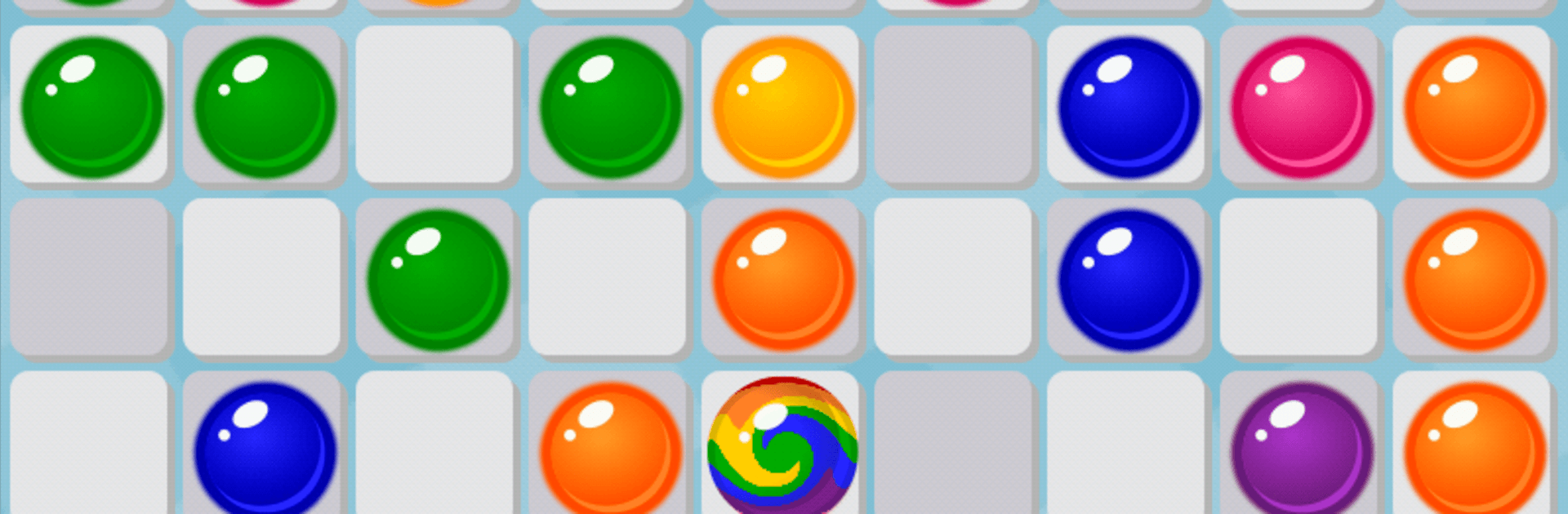
  • Match-5 Strategy: Build straight lines of five or more balls in the same color—horizontal, vertical, or diagonal—to clear the board and keep the grid breathing.
  • Plan Your Path: Tap a ball, then tap an empty cell; it moves only if there’s a free route, so positioning matters more than it first seems.
  • New Balls Each Turn: After most moves, three new balls appear. Clear a line on that move and you get a moment of calm with no extra pieces added.
  • Wildcard Ball: The multicolor ball slots into any line, perfect for saving a tight position or finishing a near-miss.
  • Handy Undo: Made a hasty move? Roll it back with the undo button and rethink your approach.
  • Clean Play Screen: No ads interrupt your turns while you’re solving and shuffling.
  • Themes to Suit Your Mood: Switch between Classic, Droids, Hearts, Xmas, and Halloween styles for a fresh look whenever you want.
  • Endless Score Chase: The round ends only when the board fills up, rewarding smart space management and steady decision-making.
  • Smooth on PC with BlueStacks: Prefer mouse clicks and a bigger screen? Playing on BlueStacks feels natural and keeps the rules exactly the same.

Make your gaming sessions memorable with precise controls that give you an edge in close combats and visuals that pop up, bringing every character to life.


Game Features

Enhancements

  • Macros
  • Multi Instance
  • Multi Instance Sync
  • Script
  • Enhancements
Macros

Macros

Automate the predictable in Color Lines: Match Ball Puzzle and transform your gameplay with Macros. Get access to inventive Macros in the BlueStacks Macro Community
Multi Instance

Multi Instance

Play Color Lines: Match Ball Puzzle on one window. And chat with your friend on the other. Press CTRL + Shift + 8 to open the Multi-Instance Manager. And start creating fresh instances or clone an existing one.
Multi Instance Sync

Multi Instance Sync

Play Color Lines: Match Ball Puzzle with the power of Multi-Instance Sync. Replicate what you are doing on the main instance on all other instances. Level up faster, play more.
Script

Script

Script your way to gaming glory in Color Lines: Match Ball Puzzle with BlueStacks Script. Write and run a set of commands to automate repeated tasks. Trigger the command by assigning it to any key.
Read More

How to Download and Play Color Lines: Match Ball Puzzle on PC or Mac

  • Download and install BlueStacks on your PC or Mac

  • Complete Google sign-in to access the Play Store, or do it later

  • Look for Color Lines: Match Ball Puzzle in the search bar at the top right corner

  • Click to install Color Lines: Match Ball Puzzle from the search results

  • Complete Google sign-in (if you skipped step 2) to install Color Lines: Match Ball Puzzle

  • Click the Color Lines: Match Ball Puzzle icon on the home screen to start playing

video
Watch Video

Minimum System Requirements

With BlueStacks 5, you can get started on a PC that fulfills the following requirements.

  • Operating System

    Microsoft Windows 7 or above, macOS 11 (Big Sur) or above

  • Processor

    Intel, AMD or Apple Silicon Processor

  • RAM

    at least 4GB

  • HDD

    10GB Free Disk Space

Note:

* You must be an Administrator on your PC. Up to date graphics drivers from Microsoft or the chipset vendor.

Color Lines: Match Ball Puzzle - FAQs

  • How to play Color Lines: Match Ball Puzzle on Windows PC & Mac?

    Play Color Lines: Match Ball Puzzle on your PC or Mac by following these simple steps.

    • Click on 'Play Color Lines: Match Ball Puzzle on PC’ to download BlueStacks
    • Install it and log-in to Google Play Store
    • Launch and play the game.
  • Why is BlueStacks the fastest and safest platform to play games on PC?

    BlueStacks respects your privacy and is always safe and secure to use. It does not carry any malware, spyware, or any sort of additional software that could harm your PC.

    It is engineered to optimize speed and performance for a seamless gaming experience.

  • What are Color Lines: Match Ball Puzzle PC requirements?

    Minimum requirement to run Color Lines: Match Ball Puzzle on your PC

    • OS: Microsoft Windows 7 or above MacOS 11 (Big Sur) or above
    • Processor: Intel, AMD or Apple Silicon Processor
    • RAM: Your PC must have at least 4GB of RAM. (Note that having 4GB or more disk space is not a substitute for RAM)
    • HDD: 10GB Free Disk Space.
    • You must be an Administrator on your PC.