Crime Shadows: Spotlight

Crime Shadows: Spotlight

Puzzle

| Do Games Limited

Play on PC with BlueStacks or from our cloud

  • Overview
  • Game Features
  • How to Play

Page Modified On: April 21, 2026

Play Crime Shadows: Spotlight on PC or Mac

Bring your A-game to Crime Shadows: Spotlight, the Puzzle game sensation from Do Games Limited. Give your gameplay the much-needed boost with precise game controls, high FPS graphics, and top-tier features on your PC or Mac with BlueStacks.

About the Game

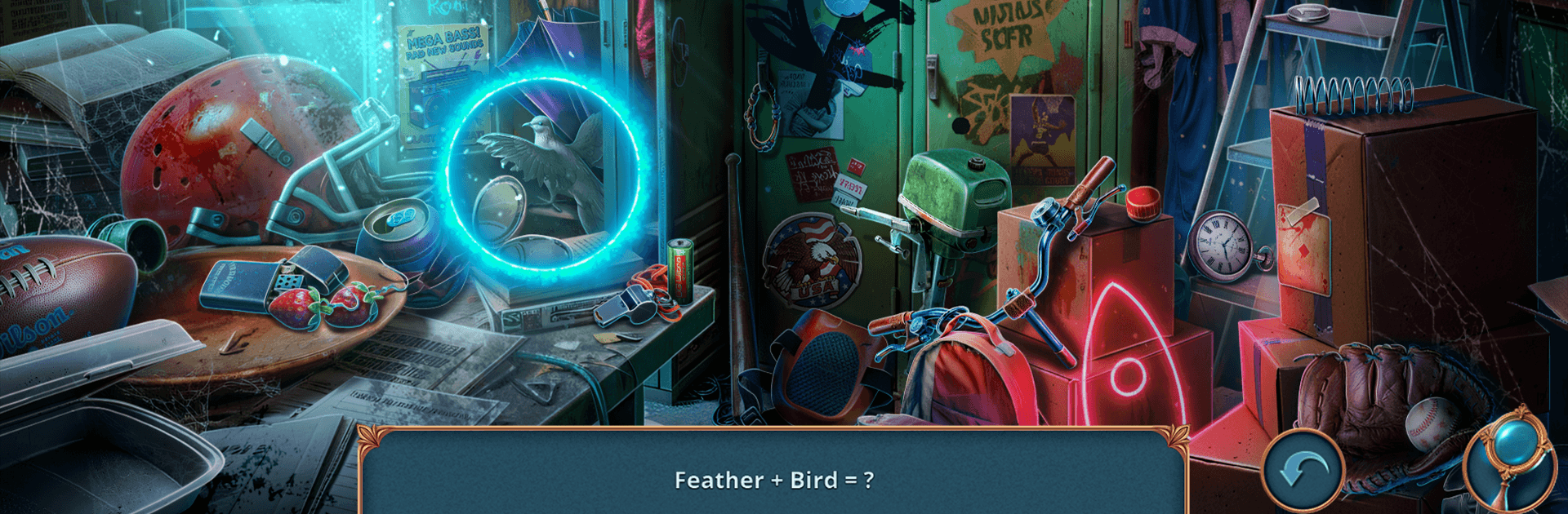
Crime Shadows: Spotlight is a Puzzle mystery from Do Games Limited that feels like a late-night thriller you can actually play. You’re Leonard Wood, a private detective chasing a missing actress whose last take went wrong in every possible way. The trail drags you through shuttered soundstages, rigged props, and a “director” who prefers real screams to special effects.

Game Features

  • Cinematic Investigation: Scour film sets, dressing rooms, and backlot corners, piecing together what happened by studying scenes like frames on a reel and spotting clever hidden objects that actually matter to the case.
  • Story-Driven Suspense: Follow leads through script pages, call sheets, and creepy notes from a masked auteur who’s turning reality into their personal horror production. Twists hit fast, and the clues connect in satisfying ways.
  • Smart Hidden-Object Play: Scenes aren’t just clutter hunts. Interact, combine, and inspect; solve mini-puzzles, crack locks, and use logic to make each discovery count.
  • Repair and Improvise: Fix broken props, rewire contraptions, and rebuild mechanisms to open paths and expose new evidence. Sometimes the only key is the one you craft yourself.
  • Traps on the Set: Watch for staged hazards, red herrings, and “perfect shots” designed to catch you off guard. Keep calm when the pressure spikes and the camera angle turns against you.
  • Tools of a Detective: Organize clues on an evidence board, track suspects, and connect motives. Your notes are as important as what you pick up.
  • Plays Great on PC: Prefer a bigger view and sharp mouse control? BlueStacks makes the hidden-object hunts crisp without changing the vibe.

Make your gaming sessions memorable with precise controls that give you an edge in close combats and visuals that pop up, bringing every character to life.


Game Features

Enhancements

  • Macros
  • Multi Instance
  • Multi Instance Sync
  • Script
  • Enhancements
Macros

Macros

Automate the predictable in Crime Shadows: Spotlight and transform your gameplay with Macros. Get access to inventive Macros in the BlueStacks Macro Community
Multi Instance

Multi Instance

Play Crime Shadows: Spotlight on one window. And chat with your friend on the other. Press CTRL + Shift + 8 to open the Multi-Instance Manager. And start creating fresh instances or clone an existing one.
Multi Instance Sync

Multi Instance Sync

Play Crime Shadows: Spotlight with the power of Multi-Instance Sync. Replicate what you are doing on the main instance on all other instances. Level up faster, play more.
Script

Script

Script your way to gaming glory in Crime Shadows: Spotlight with BlueStacks Script. Write and run a set of commands to automate repeated tasks. Trigger the command by assigning it to any key.
Read More

How to Download and Play Crime Shadows: Spotlight on PC or Mac

  • Download and install BlueStacks on your PC or Mac

  • Complete Google sign-in to access the Play Store, or do it later

  • Look for Crime Shadows: Spotlight in the search bar at the top right corner

  • Click to install Crime Shadows: Spotlight from the search results

  • Complete Google sign-in (if you skipped step 2) to install Crime Shadows: Spotlight

  • Click the Crime Shadows: Spotlight icon on the home screen to start playing

video
Watch Video

Minimum System Requirements

With BlueStacks 5, you can get started on a PC that fulfills the following requirements.

  • Operating System

    Microsoft Windows 7 or above, macOS 11 (Big Sur) or above

  • Processor

    Intel, AMD or Apple Silicon Processor

  • RAM

    at least 4GB

  • HDD

    10GB Free Disk Space

Note:

* You must be an Administrator on your PC. Up to date graphics drivers from Microsoft or the chipset vendor.

Crime Shadows: Spotlight - FAQs

  • How to play Crime Shadows: Spotlight on Windows PC & Mac?

    Play Crime Shadows: Spotlight on your PC or Mac by following these simple steps.

    • Click on 'Play Crime Shadows: Spotlight on PC’ to download BlueStacks
    • Install it and log-in to Google Play Store
    • Launch and play the game.
  • Why is BlueStacks the fastest and safest platform to play games on PC?

    BlueStacks respects your privacy and is always safe and secure to use. It does not carry any malware, spyware, or any sort of additional software that could harm your PC.

    It is engineered to optimize speed and performance for a seamless gaming experience.

  • What are Crime Shadows: Spotlight PC requirements?

    Minimum requirement to run Crime Shadows: Spotlight on your PC

    • OS: Microsoft Windows 7 or above MacOS 11 (Big Sur) or above
    • Processor: Intel, AMD or Apple Silicon Processor
    • RAM: Your PC must have at least 4GB of RAM. (Note that having 4GB or more disk space is not a substitute for RAM)
    • HDD: 10GB Free Disk Space.
    • You must be an Administrator on your PC.