Drama Shorts &Reels
Drama Shorts &Reels

Drama Shorts &Reels

Puzzle

| Markhor Shooting Solutions

Play on PC with BlueStacks or from our cloud

  • Overview
  • Game Features
  • How to Play

Page Modified On: October 23, 2026

Play Drama Shorts &Reels on PC or Mac

Bring your A-game to Drama Shorts &Reels, the Puzzle game sensation from Markhor Shooting Solutions. Give your gameplay the much-needed boost with precise game controls, high FPS graphics, and top-tier features on your PC or Mac with BlueStacks.

About the Game

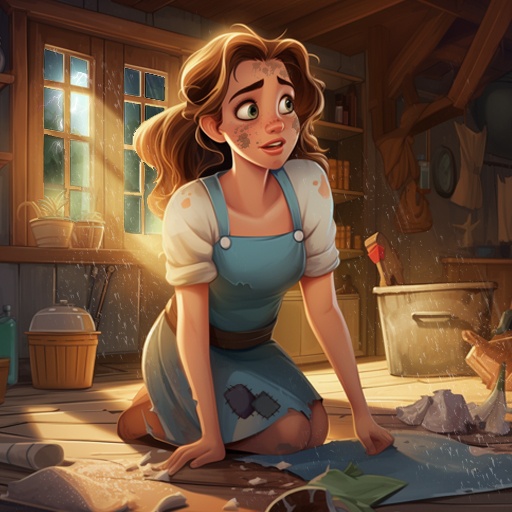
Drama Shorts &Reels turns bite-size stories into clever brainteasers. This Puzzle experience asks you to watch a moment, read between the lines, and figure out what really connects the scene—arrange events, spot tiny details, and pick the outcome that makes sense. Sessions are quick, new stories land daily, and it’s easy to play whether you’ve got a minute or a whole break.

Game Features

  • Bite-size challenges: Tackle quick brainteasers built around short dramas, mini-series moments, and reel-style clips.
  • Sequence the story: Drag and place scenes in the right order so the plot flows and every beat lands.
  • Spot the clue: Scan each frame for visual hints, then choose the ending that actually fits the setup.
  • Fresh stories daily: New shorts show up every day, keeping your queue full of unexpected twists.
  • Favorites on hand: Save standout stories or tricky stages so you can revisit or share them later.
  • Smooth, nonstop play: Snappy transitions move you from one scene to the next without waiting around.
  • Binge or bits: Clear a stage in under a minute or stack a streak when you’ve got more time.
  • BlueStacks ready: Play comfortably on PC with BlueStacks and enjoy crisp visuals and steady controls.

BlueStacks gives you more room to focus on the game and less time adjusting around mobile limitations.


Game Features

Enhancements

  • Macros
  • Multi Instance
  • Multi Instance Sync
  • Script
  • Enhancements
Macros

Macros

Automate the predictable in Drama Shorts &Reels and transform your gameplay with Macros. Get access to inventive Macros in the BlueStacks Macro Community
Multi Instance

Multi Instance

Play Drama Shorts &Reels on one window. And chat with your friend on the other. Press CTRL + Shift + 8 to open the Multi-Instance Manager. And start creating fresh instances or clone an existing one.
Multi Instance Sync

Multi Instance Sync

Play Drama Shorts &Reels with the power of Multi-Instance Sync. Replicate what you are doing on the main instance on all other instances. Level up faster, play more.
Script

Script

Script your way to gaming glory in Drama Shorts &Reels with BlueStacks Script. Write and run a set of commands to automate repeated tasks. Trigger the command by assigning it to any key.
Read More

How to Download and Play Drama Shorts &Reels on PC or Mac

  • Download and install BlueStacks on your PC or Mac

  • Complete Google sign-in to access the Play Store, or do it later

  • Look for Drama Shorts &Reels in the search bar at the top right corner

  • Click to install Drama Shorts &Reels from the search results

  • Complete Google sign-in (if you skipped step 2) to install Drama Shorts &Reels

  • Click the Drama Shorts &Reels icon on the home screen to start playing

video
Watch Video

Minimum System Requirements

With BlueStacks 5, you can get started on a PC that fulfills the following requirements.

  • Operating System

    Microsoft Windows 7 or above, macOS 11 (Big Sur) or above

  • Processor

    Intel, AMD or Apple Silicon Processor

  • RAM

    at least 4GB

  • HDD

    10GB Free Disk Space

Note:

* You must be an Administrator on your PC. Up to date graphics drivers from Microsoft or the chipset vendor.

Drama Shorts &Reels - FAQs

  • How to play Drama Shorts &Reels on Windows PC & Mac?

    Play Drama Shorts &Reels on your PC or Mac by following these simple steps.

    • Click on 'Play Drama Shorts &Reels on PC’ to download BlueStacks
    • Install it and log-in to Google Play Store
    • Launch and play the game.
  • Why is BlueStacks the fastest and safest platform to play games on PC?

    BlueStacks respects your privacy and is always safe and secure to use. It does not carry any malware, spyware, or any sort of additional software that could harm your PC.

    It is engineered to optimize speed and performance for a seamless gaming experience.

  • What are Drama Shorts &Reels PC requirements?

    Minimum requirement to run Drama Shorts &Reels on your PC

    • OS: Microsoft Windows 7 or above MacOS 11 (Big Sur) or above
    • Processor: Intel, AMD or Apple Silicon Processor
    • RAM: Your PC must have at least 4GB of RAM. (Note that having 4GB or more disk space is not a substitute for RAM)
    • HDD: 10GB Free Disk Space.
    • You must be an Administrator on your PC.