Grass Master – Cutting Game

Grass Master – Cutting Game

Puzzle

| SayGames Ltd

Play on PC with BlueStacks or from our cloud

  • Overview
  • Game Features
  • How to Play

Page Modified On: April 24, 2026

Play Grass Master – Cutting Game on PC or Mac

From the innovators and creators at SayGames Ltd, Grass Master – Cutting Game is another fun addition to the World of Puzzle games. Go beyond your mobile screen and play it bigger and better on your PC or Mac. An immersive experience awaits you.

About the Game

Grass Master – Cutting Game turns lawn care into a chill, oddly satisfying challenge. It’s part relaxing time-waster, part smart route-planning Puzzle, with quick levels that ask you to trim everything on the list before the clock runs out. From SayGames Ltd, it’s all about smooth controls, crunchy-cutting ASMR, and that “ahh, clean sweep” feeling. Prefer playing on a bigger screen? It runs nicely on PC with BlueStacks too.

Game Features

  • Timed trimming lists
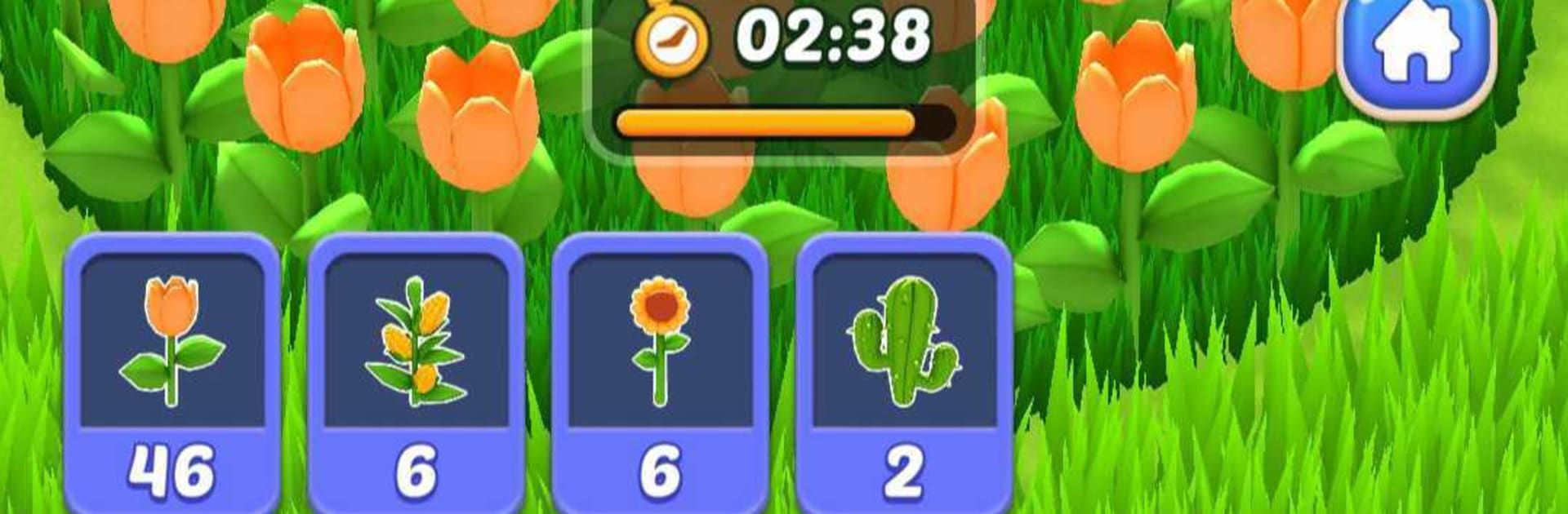
    You get a checklist each round—different grasses, flowers, even chunky shrubs—and a ticking timer. Plot your path, clear the targets, and watch the field transform from messy to immaculate.

  • Grow-as-you-mow
    Every cut powers up your mower. It gets bigger and faster as you go, so planning which plants to tackle first can make or break your run.

  • Strategy that actually matters
    Do you sweep the edges, carve neat lanes, or beeline to the heavy hitters? Levels come with varied objectives, rewarding smart routes and quick decisions.

  • Satisfying ASMR feel
    Crisp visuals, clean animations, and tactile feedback make every pass feel good. It’s the kind of sensory pop that takes the stress down a notch.

  • Smooth, no-fuss controls
    Pick up and play in seconds. No complicated rules—just guide the mower and keep an eye on the goals and the clock.

  • Handy boosters
    Having an off run? Use boosters to buy a little breathing room and keep the streak alive without losing momentum.

  • Plenty of variety
    New plants, layouts, and tasks keep things fresh, from tiny patches to dense, maze-like gardens that test both speed and smarts.

Get ready for a buttery smooth, high-performance gaming action only on BlueStacks.

Game Features

Enhancements

  • Macros
  • Multi Instance
  • Multi Instance Sync
  • Script
  • Enhancements
Macros

Macros

Automate the predictable in Grass Master – Cutting Game and transform your gameplay with Macros. Get access to inventive Macros in the BlueStacks Macro Community
Multi Instance

Multi Instance

Play Grass Master – Cutting Game on one window. And chat with your friend on the other. Press CTRL + Shift + 8 to open the Multi-Instance Manager. And start creating fresh instances or clone an existing one.
Multi Instance Sync

Multi Instance Sync

Play Grass Master – Cutting Game with the power of Multi-Instance Sync. Replicate what you are doing on the main instance on all other instances. Level up faster, play more.
Script

Script

Script your way to gaming glory in Grass Master – Cutting Game with BlueStacks Script. Write and run a set of commands to automate repeated tasks. Trigger the command by assigning it to any key.
Read More

How to Download and Play Grass Master – Cutting Game on PC or Mac

  • Download and install BlueStacks on your PC or Mac

  • Complete Google sign-in to access the Play Store, or do it later

  • Look for Grass Master – Cutting Game in the search bar at the top right corner

  • Click to install Grass Master – Cutting Game from the search results

  • Complete Google sign-in (if you skipped step 2) to install Grass Master – Cutting Game

  • Click the Grass Master – Cutting Game icon on the home screen to start playing

video
Watch Video

Minimum System Requirements

With BlueStacks 5, you can get started on a PC that fulfills the following requirements.

  • Operating System

    Microsoft Windows 7 or above, macOS 11 (Big Sur) or above

  • Processor

    Intel, AMD or Apple Silicon Processor

  • RAM

    at least 4GB

  • HDD

    10GB Free Disk Space

Note:

* You must be an Administrator on your PC. Up to date graphics drivers from Microsoft or the chipset vendor.

Grass Master – Cutting Game - FAQs

  • How to play Grass Master – Cutting Game on Windows PC & Mac?

    Play Grass Master – Cutting Game on your PC or Mac by following these simple steps.

    • Click on 'Play Grass Master – Cutting Game on PC’ to download BlueStacks
    • Install it and log-in to Google Play Store
    • Launch and play the game.
  • Why is BlueStacks the fastest and safest platform to play games on PC?

    BlueStacks respects your privacy and is always safe and secure to use. It does not carry any malware, spyware, or any sort of additional software that could harm your PC.

    It is engineered to optimize speed and performance for a seamless gaming experience.

  • What are Grass Master – Cutting Game PC requirements?

    Minimum requirement to run Grass Master – Cutting Game on your PC

    • OS: Microsoft Windows 7 or above MacOS 11 (Big Sur) or above
    • Processor: Intel, AMD or Apple Silicon Processor
    • RAM: Your PC must have at least 4GB of RAM. (Note that having 4GB or more disk space is not a substitute for RAM)
    • HDD: 10GB Free Disk Space.
    • You must be an Administrator on your PC.