After Dark - Survival Tomb

After Dark - Survival Tomb

Role Playing

| SayGames Ltd

Play on PC with BlueStacks or from our cloud

  • Overview
  • Game Features
  • How to Play

Page Modified On: July 14, 2026

Play After Dark - Survival Tomb on PC or Mac

Explore a whole new adventure with After Dark – Survival Tomb, a Role Playing game created by SayGames Ltd. Experience great gameplay with BlueStacks, the most popular gaming platform to play Android games on your PC or Mac.

About the Game

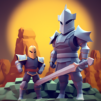
After Dark – Survival Tomb is a gritty Role Playing crawl through ancient tunnels where every swing of your pick and every step in the dark matters. It blends quick, on-your-feet survival with chill, idle-friendly resource gathering—mine a vein, craft better gear, then hold the line when the monsters stir. If you prefer keyboard precision, it also plays smoothly on PC with BlueStacks.

Game Features

  • Character growth: Spend your hard-earned gold to boost core stats and unlock perks that change how you fight, mine, and survive with every run.
  • Risky runs, real choices: Each outing serves up new upgrade options. Do you stack damage, bulk up your defenses, or bet on a wild skill combo? Your path shapes your chances.
  • Waves in the dark: Scarabs, mummies, and other tomb dwellers won’t wait. Manage spacing, time your hits, and keep calm when the screen fills with trouble.
  • Mining that matters: Chip through walls, stock up on materials, and funnel resources into stronger weapons and sturdier gear. Your pickaxe is as important as your blade.
  • Random skills, fresh feel: Grab surprise power-ups between fights to tilt the odds. Builds shift run to run, keeping the action unpredictable.
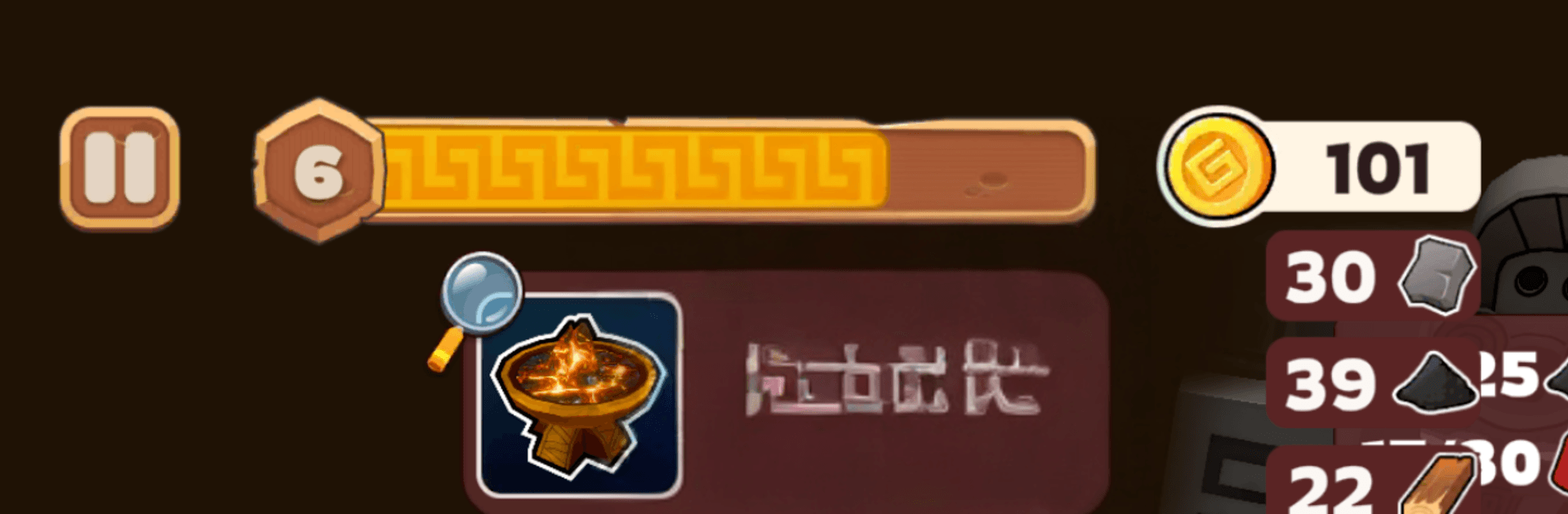
  • Light the depth: Clear threats to ignite ritual braziers and push deeper underground. Each lit flame marks progress—and invites something meaner.
  • Energy and timing: Watch your stamina and strike windows. Getting greedy costs health; smart pacing keeps you alive.
  • Idle-friendly loops: Step back to gather resources between battles, then jump into tense skirmishes when you’re ready to push the next floor.

Get ready for a buttery smooth, high-performance gaming action only on BlueStacks.

Game Features

Enhancements

  • Macros
  • Rerolling
  • Eco Mode
  • Multi Instance Sync
  • Enhancements
Macros

Macros

Focus more on the fun part of the game, skip the tedious aspects. Master After Dark - Survival Tomb with Macros. Record yourself completing the monotonous tasks you wish to automate and replay them later with just one keypress.
Rerolling

Rerolling

Speed up the rerolling process in After Dark - Survival Tomb. Perform multiple summons and keep looking for the best Heroes. Use Multi-Instance sync to replicate the rerolling mechanism in all instances.
Eco Mode

Eco Mode

Farm in-game resources with ease in After Dark - Survival Tomb. Enable the Eco Mode when running the game in multiple instances. And lower your PC's resource consumption.
Multi Instance Sync

Multi Instance Sync

With the Multi-instance Sync, you can do even more in After Dark - Survival Tomb. Sync the action of the main instance and repeat them in real time for all other instances. Sync and sit back, let the game progress unfold.
Read More

How to Download and Play After Dark - Survival Tomb on PC or Mac

  • Download and install BlueStacks on your PC or Mac

  • Complete Google sign-in to access the Play Store, or do it later

  • Look for After Dark - Survival Tomb in the search bar at the top right corner

  • Click to install After Dark - Survival Tomb from the search results

  • Complete Google sign-in (if you skipped step 2) to install After Dark - Survival Tomb

  • Click the After Dark - Survival Tomb icon on the home screen to start playing

video
Watch Video

Minimum System Requirements

With BlueStacks 5, you can get started on a PC that fulfills the following requirements.

  • Operating System

    Microsoft Windows 7 or above, macOS 11 (Big Sur) or above

  • Processor

    Intel, AMD or Apple Silicon Processor

  • RAM

    at least 4GB

  • HDD

    10GB Free Disk Space

Note:

* You must be an Administrator on your PC. Up to date graphics drivers from Microsoft or the chipset vendor.

After Dark - Survival Tomb - FAQs

  • How to play After Dark - Survival Tomb on Windows PC & Mac?

    Play After Dark - Survival Tomb on your PC or Mac by following these simple steps.

    • Click on 'Play After Dark - Survival Tomb on PC’ to download BlueStacks
    • Install it and log-in to Google Play Store
    • Launch and play the game.
  • Why is BlueStacks the fastest and safest platform to play games on PC?

    BlueStacks respects your privacy and is always safe and secure to use. It does not carry any malware, spyware, or any sort of additional software that could harm your PC.

    It is engineered to optimize speed and performance for a seamless gaming experience.

  • What are After Dark - Survival Tomb PC requirements?

    Minimum requirement to run After Dark - Survival Tomb on your PC

    • OS: Microsoft Windows 7 or above MacOS 11 (Big Sur) or above
    • Processor: Intel, AMD or Apple Silicon Processor
    • RAM: Your PC must have at least 4GB of RAM. (Note that having 4GB or more disk space is not a substitute for RAM)
    • HDD: 10GB Free Disk Space.
    • You must be an Administrator on your PC.