GuessFreeMines - UnambiSweeper

GuessFreeMines - UnambiSweeper

Puzzle

| DNEK

Play on PC with BlueStacks or from our cloud

  • Overview
  • Game Features
  • How to Play

Page Modified On: August 18, 2025

Play GuessFreeMines - UnambiSweeper on PC or Mac

Explore a whole new adventure with GuessFreeMines – UnambiSweeper, a Puzzle game created by DNEK. Experience great gameplay with BlueStacks, the most popular gaming platform to play Android games on your PC or Mac.

About the Game

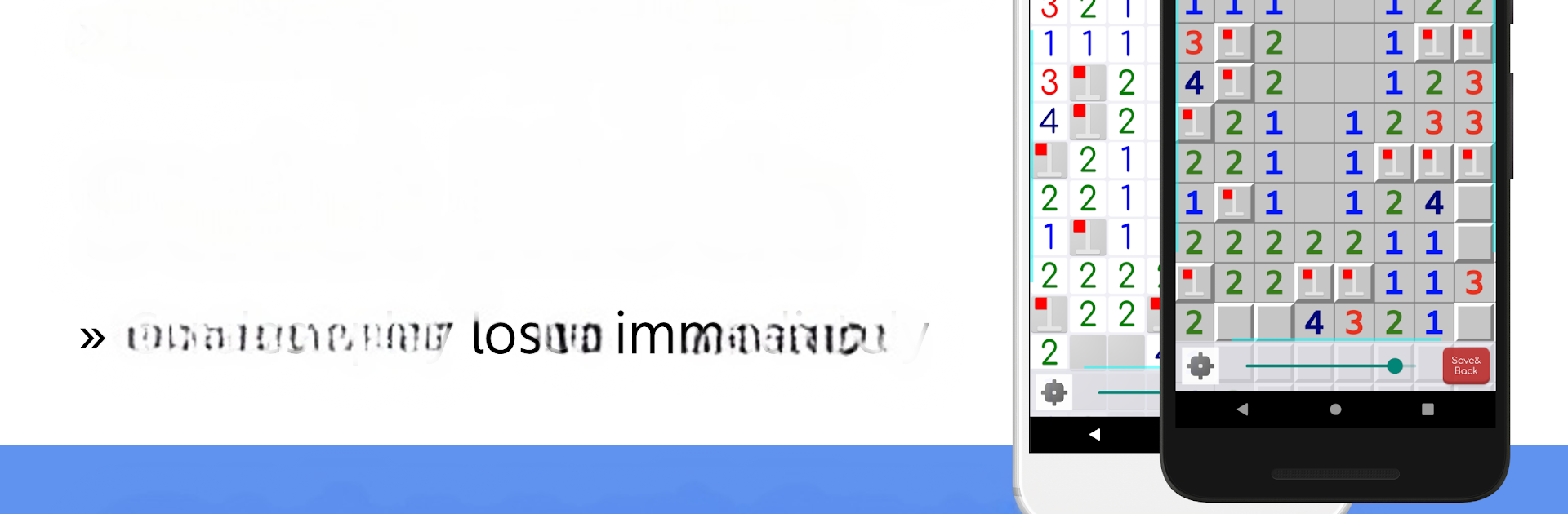
GuessFreeMines – UnambiSweeper brings a fresh twist to the classic Minesweeper puzzle, letting you play entirely by logic—no more random guessing. If you’ve ever found yourself frustrated with making 50/50 guesses in traditional Minesweeper, this game is for you. It’s approachable for both newcomers and long-time fans, packing thoughtful features and a slick user experience from DNEK.

Game Features

  • Strict Mode for the Brave
    Ready to test your reasoning? Activate strict mode, where picking a cell by chance ends the game instantly. It’s all about careful deduction—no lucky clicks allowed.

  • Post-Game Logic Hints
    Ever wonder which cells could’ve safely been opened after a loss? Once the game ends, UnambiSweeper marks those spots, so you can learn from every attempt. It’s strangely satisfying to see where you could logically go next.

  • Hint System Built on Pure Logic
    Stumped on your next move? The hint feature shows spots that can be opened or flagged, based purely on what’s known—so you can rely on it for genuinely guess-free progress.

  • Track Remaining Mines and Safe Cells
    Keep an eye on how many mines are left to find or, for the non-flaggers out there, how many safe cells you’ve got left to clear. This little detail makes planning your moves a whole lot easier.

  • Four Board Sizes to Master
    Whether you want a quick 9×9 challenge or an epic 24×48 brainteaser, there’s a board size for every mood: Easy, Intermediate, Expert, or the mammoth Super mode.

  • Classic Controls & Shortcuts
    Flag mines, place question marks, and open up areas fast—everything a Minesweeper veteran expects, with some handy touches like zooming and one-finger scrolling.

  • Flexible Settings
    Adjust almost everything to your liking: long press speed, which features you want on or off, and more. Play how you want!

  • Continue Where You Left Off
    Need a break mid-puzzle? Just save your progress and pick it up again whenever you’re ready.

  • Touch or Mouse-Friendly
    Works great on touchscreen, and if you’re playing GuessFreeMines – UnambiSweeper with BlueStacks, you get all the perks of mouse and keyboard control.

  • Rankings & Results Tracking
    See how your skills stack up with rankings and detailed results after each game—because a little friendly competition never hurts.

Ready to top the leaderboard? We bet you do. Let precise controls and sharp visuals optimized on BlueStacks lead you to victory.


Game Features

Enhancements

  • Macros
  • Multi Instance
  • Multi Instance Sync
  • Script
  • Enhancements
Macros

Macros

Automate the predictable in GuessFreeMines - UnambiSweeper and transform your gameplay with Macros. Get access to inventive Macros in the BlueStacks Macro Community
Multi Instance

Multi Instance

Play GuessFreeMines - UnambiSweeper on one window. And chat with your friend on the other. Press CTRL + Shift + 8 to open the Multi-Instance Manager. And start creating fresh instances or clone an existing one.
Multi Instance Sync

Multi Instance Sync

Play GuessFreeMines - UnambiSweeper with the power of Multi-Instance Sync. Replicate what you are doing on the main instance on all other instances. Level up faster, play more.
Script

Script

Script your way to gaming glory in GuessFreeMines - UnambiSweeper with BlueStacks Script. Write and run a set of commands to automate repeated tasks. Trigger the command by assigning it to any key.
Read More

How to Download and Play GuessFreeMines - UnambiSweeper on PC or Mac

  • Download and install BlueStacks on your PC or Mac

  • Complete Google sign-in to access the Play Store, or do it later

  • Look for GuessFreeMines - UnambiSweeper in the search bar at the top right corner

  • Click to install GuessFreeMines - UnambiSweeper from the search results

  • Complete Google sign-in (if you skipped step 2) to install GuessFreeMines - UnambiSweeper

  • Click the GuessFreeMines - UnambiSweeper icon on the home screen to start playing

video
Watch Video

Minimum System Requirements

With BlueStacks 5, you can get started on a PC that fulfills the following requirements.

  • Operating System

    Microsoft Windows 7 or above, macOS 11 (Big Sur) or above

  • Processor

    Intel, AMD or Apple Silicon Processor

  • RAM

    at least 4GB

  • HDD

    10GB Free Disk Space

Note:

* You must be an Administrator on your PC. Up to date graphics drivers from Microsoft or the chipset vendor.

GuessFreeMines - UnambiSweeper - FAQs

  • How to play GuessFreeMines - UnambiSweeper on Windows PC & Mac?

    Play GuessFreeMines - UnambiSweeper on your PC or Mac by following these simple steps.

    • Click on 'Play GuessFreeMines - UnambiSweeper on PC’ to download BlueStacks
    • Install it and log-in to Google Play Store
    • Launch and play the game.
  • Why is BlueStacks the fastest and safest platform to play games on PC?

    BlueStacks respects your privacy and is always safe and secure to use. It does not carry any malware, spyware, or any sort of additional software that could harm your PC.

    It is engineered to optimize speed and performance for a seamless gaming experience.

  • What are GuessFreeMines - UnambiSweeper PC requirements?

    Minimum requirement to run GuessFreeMines - UnambiSweeper on your PC

    • OS: Microsoft Windows 7 or above MacOS 11 (Big Sur) or above
    • Processor: Intel, AMD or Apple Silicon Processor
    • RAM: Your PC must have at least 4GB of RAM. (Note that having 4GB or more disk space is not a substitute for RAM)
    • HDD: 10GB Free Disk Space.
    • You must be an Administrator on your PC.