Hidden Objects: Carnival f2p

Hidden Objects: Carnival f2p

Puzzle

| Do Games Limited

Play on PC with BlueStacks or from our cloud

  • Overview
  • Game Features
  • How to Play

Page Modified On: September 22, 2025

Play Hidden Objects: Carnival f2p on PC or Mac

Join millions to experience Hidden Objects: Carnival f2p, an exciting Puzzle game from Do Games Limited. With BlueStacks App Player, you are always a step ahead of your opponent, ready to outplay them with faster gameplay and better control with the mouse and keyboard on your PC or Mac.

About the Game

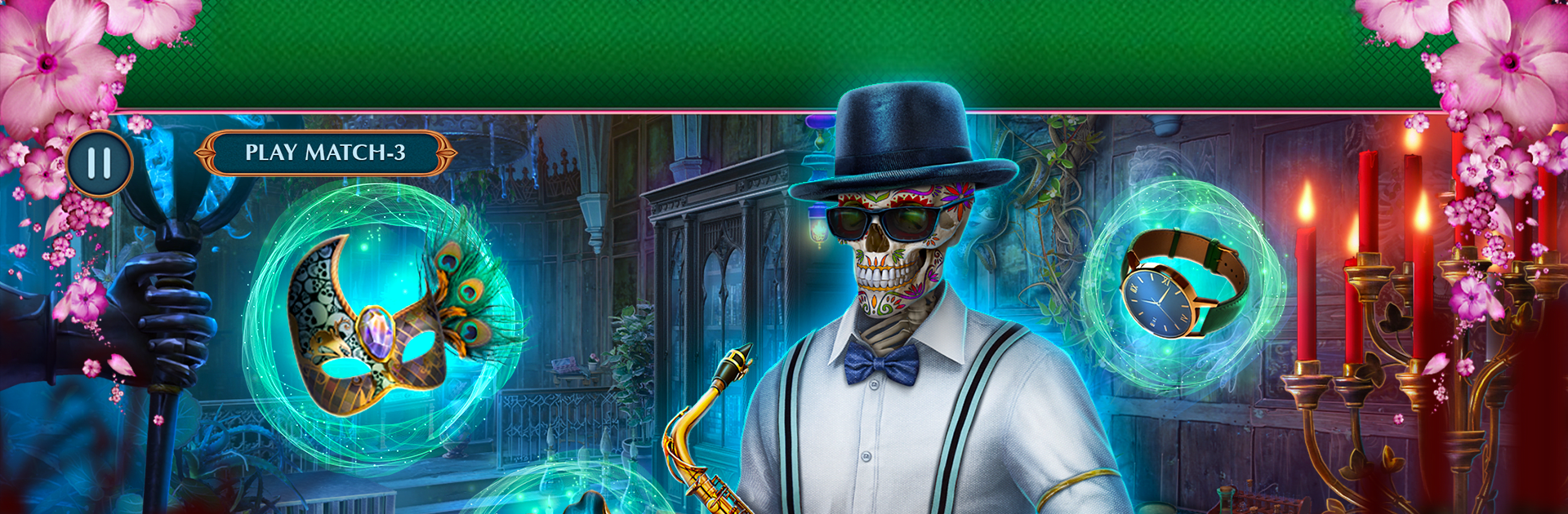
Hidden Objects: Carnival f2p from Do Games Limited drops you into a lively, slightly eerie celebration where every mask hides a motive. You’re a sharp-eyed investigator picking through parade routes, backstage tents, and moonlit balconies to piece together a tangled case. It’s a Puzzle experience that blends classic hidden-object scenes with clever brainteasers and a pinch of the supernatural.

Game Features

  • Carnival Mystery Setting – Explore a festive city pulsing with music, confetti, and secrets. Each location feels alive and loaded with clues that reward a careful look.
  • Search-and-Find Scenes – Tackle richly detailed scenes using item lists, silhouettes, and interactive spots. Missed something? Scan again and uncover what you overlooked.
  • Smart Puzzles & Riddles – Break locks, match patterns, decode symbols, and outwit curious contraptions. The puzzles mix things up so it never feels samey.
  • Choice-Driven Moments – Your decisions matter. Nudge the investigation in different directions, change how suspects react, and unlock new scene variations.
  • Helpful Tools – Use hints when you’re stuck, jump across the map to save time, and keep objectives straight with a tidy task tracker.
  • Play Your Way – Prefer a relaxed pace or a tougher challenge? Difficulty options let you settle in or sweat the details.
  • Free-to-Play Adventure – Enjoy a full story with plenty to do at no cost, with optional extras if you want them.
  • Great on PC with BlueStacks – If you like precision, playing on a bigger screen with a mouse and keyboard makes combing through scenes feel extra crisp.

Start your journey now. Download the game on BlueStacks, invite your friends, and march on a new adventure.


Game Features

Enhancements

  • Macros
  • Multi Instance
  • Multi Instance Sync
  • Script
  • Enhancements
Macros

Macros

Automate the predictable in Hidden Objects: Carnival f2p and transform your gameplay with Macros. Get access to inventive Macros in the BlueStacks Macro Community
Multi Instance

Multi Instance

Play Hidden Objects: Carnival f2p on one window. And chat with your friend on the other. Press CTRL + Shift + 8 to open the Multi-Instance Manager. And start creating fresh instances or clone an existing one.
Multi Instance Sync

Multi Instance Sync

Play Hidden Objects: Carnival f2p with the power of Multi-Instance Sync. Replicate what you are doing on the main instance on all other instances. Level up faster, play more.
Script

Script

Script your way to gaming glory in Hidden Objects: Carnival f2p with BlueStacks Script. Write and run a set of commands to automate repeated tasks. Trigger the command by assigning it to any key.
Read More

How to Download and Play Hidden Objects: Carnival f2p on PC or Mac

  • Download and install BlueStacks on your PC or Mac

  • Complete Google sign-in to access the Play Store, or do it later

  • Look for Hidden Objects: Carnival f2p in the search bar at the top right corner

  • Click to install Hidden Objects: Carnival f2p from the search results

  • Complete Google sign-in (if you skipped step 2) to install Hidden Objects: Carnival f2p

  • Click the Hidden Objects: Carnival f2p icon on the home screen to start playing

video
Watch Video

Minimum System Requirements

With BlueStacks 5, you can get started on a PC that fulfills the following requirements.

  • Operating System

    Microsoft Windows 7 or above, macOS 11 (Big Sur) or above

  • Processor

    Intel, AMD or Apple Silicon Processor

  • RAM

    at least 4GB

  • HDD

    10GB Free Disk Space

Note:

* You must be an Administrator on your PC. Up to date graphics drivers from Microsoft or the chipset vendor.

Hidden Objects: Carnival f2p - FAQs

  • How to play Hidden Objects: Carnival f2p on Windows PC & Mac?

    Play Hidden Objects: Carnival f2p on your PC or Mac by following these simple steps.

    • Click on 'Play Hidden Objects: Carnival f2p on PC’ to download BlueStacks
    • Install it and log-in to Google Play Store
    • Launch and play the game.
  • Why is BlueStacks the fastest and safest platform to play games on PC?

    BlueStacks respects your privacy and is always safe and secure to use. It does not carry any malware, spyware, or any sort of additional software that could harm your PC.

    It is engineered to optimize speed and performance for a seamless gaming experience.

  • What are Hidden Objects: Carnival f2p PC requirements?

    Minimum requirement to run Hidden Objects: Carnival f2p on your PC

    • OS: Microsoft Windows 7 or above MacOS 11 (Big Sur) or above
    • Processor: Intel, AMD or Apple Silicon Processor
    • RAM: Your PC must have at least 4GB of RAM. (Note that having 4GB or more disk space is not a substitute for RAM)
    • HDD: 10GB Free Disk Space.
    • You must be an Administrator on your PC.